Freedom251 › Content Calendar Software
Sheetlane
What Sheetlane is
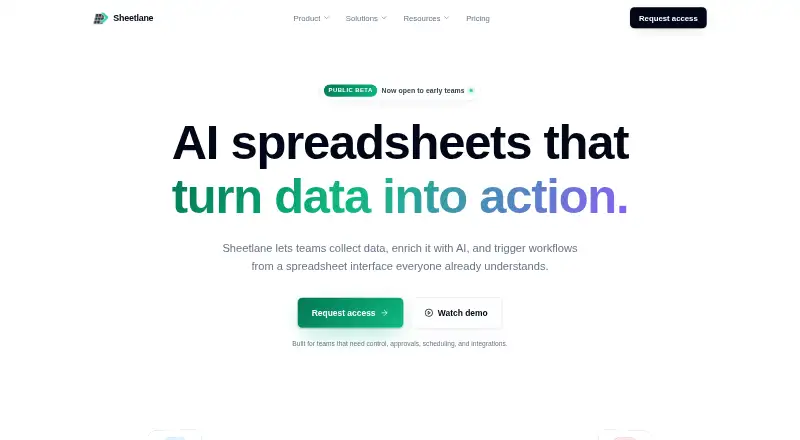
Sheetlane is an AI spreadsheet for gathering information, refining it with AI, and launching workflow actions from spreadsheet rows. Data can come from web search, Google Sheets, CSV or XLSX files, CRMs, APIs, forms, and inbound email. AI columns can generate, classify, clean, summarize, or rewrite content using row data and references to other cells. Action columns can send, create, update, or trigger work, with previews, approvals, retries, and logs. Workflows can use schedules or conditions, dry runs, rate limits, execution history, and idempotency protection. Sheetlane says it connects to 500+ tools, including Gmail, Slack, HubSpot, Salesforce, Linear, Notion, and Google Sheets. The free plan costs nothing, billed forever, with one workspace, three users, and 1,000 AI credits per month. Team is $29 a month per editor; Business is $99 a month per editor. Enterprise pricing is custom and lists a SOC 2 Type II report and self-hosted integrations runtime. Self-hosting is suited to teams already running Postgres and Redis.
Who it suits
Sheetlane suits sales, marketing, SEO, content operations, and operations teams that collect data and want to coordinate AI tasks and workflow actions from spreadsheets. Teams already running Postgres and Redis may consider its Enterprise self-hosting option.
What it does well
- Free plan includes 1,000 monthly AI credits.
- Accepts data from files, forms, CRMs, and APIs.
- AI columns support several text operations.
- Workflow actions include approvals, retries, and logs.
- Connects to 500+ tools, according to Sheetlane.
What to know first
- Free tier has a small monthly integration allowance.
- Team costs $29 a month per editor.
- Self-hosting is available on Enterprise.
- Enterprise price is custom and not listed.
Limits
The Free plan includes one workspace, three users, 1,000 AI credits per month, and a small monthly allowance for integrations. Team includes 10,000 AI credits per month per workspace; Business includes 100,000 per month per workspace. Enterprise AI credits are unlimited within fair-use.
Plans
| Plan | Billed and limits | Price |
|---|---|---|
| Free | forever · 1 workspace · 3 users · 1,000 AI credits per month · Unlimited spreadsheets and rows | Free |
| Team | per editor per month · 10,000 AI credits per month per workspace · Integrated Columns · Action Columns and scheduled triggers · Approval flow and dry-run · Role-based access · Audit logs | $29 a month |
| Business | per editor per month · 100,000 AI credits per month per workspace · Custom rate limits · Usage analytics and monthly caps · Event triggers · 99.9% uptime SLA | $99 a month |
| Enterprise | Custom · Unlimited AI credits with fair-use · Self-hosted integrations runtime · Custom data residency and DPA · SOC 2 Type II report | On request |
As sheetlane.com lists them, read 30 Sept 2026. The maker's own page has the final word.
Getting started
- Visit the Sheetlane website.
- Choose the Free plan or a paid plan; the Free plan is billed forever, and a 14-day trial is listed.
- Use the web app, or choose Enterprise for self-hosting.
- Bring in data from a listed source such as Google Sheets, a file upload, a CRM, an API, a form, or inbound email.
- Set up AI or action columns and configure workflow triggers and controls.
Sheetlane is a spreadsheet workspace that collects information, applies AI to rows, and launches connected workflows. It is best for sales, marketing, SEO, content, and operations teams that want intake, enrichment, and automation together. The strongest case is its guarded workflow execution; editor-based pricing and metered AI use deserve close planning.
Overview
Sheetlane puts data gathering, spreadsheet handling, AI processing, and workflow actions in one interface. Teams can pull information from web search, Google Sheets, CSV or XLSX uploads, CRMs, APIs, forms, and inbound email. That breadth helps when a process combines existing records with new submissions or research.
AI columns can generate, classify, clean, summarize, and rewrite content using row values and references to other cells. Action columns can send messages, create or update records, or trigger work from a row. Previews, approvals, retries, execution logs, dry runs, rate limits, scheduled or conditional triggers, and idempotency protection make consequential automations easier to govern than an unreviewed spreadsheet script.
Key features
Data collection and AI columns
Cell references give AI tasks context from the surrounding row and sheet, which suits enrichment and transformation work that depends on related fields. Inputs cover both files and live channels, so a team can consolidate sources before processing them. AI consumption is still quota-based: the Free plan allows 1,000 credits monthly, while Team and Business provide larger workspace allowances rather than unlimited use.
Workflow actions and controls
Action columns support sending, creating, updating, and triggering work across connected services. Approval flows and dry runs are particularly useful for teams that need a human checkpoint before changing CRM, project, or communication data. Retries, logs, execution history, custom rate limits on Business, and fair-use integration access on paid tiers add operational control. Sheetlane says it connects to more than 500 tools, including Gmail, Slack, HubSpot, Salesforce, Linear, Notion, and Google Sheets.
Security and support
Role-based workspace access, integration controls, and execution logging support internal oversight. Enterprise adds custom data residency, a data-processing agreement, and a SOC 2 Type II report. Free users receive community support; Team users receive priority email support, with inquiries answered within one business day.
Pricing
| Plan | Price and terms | What you get |
|---|---|---|
| Free | free, billed forever | 1 workspace, 3 users, 1,000 AI credits per month, unlimited spreadsheets and rows, and a small monthly integration allowance |
| Team | $29 a month, billed per editor per month | 10,000 AI credits per workspace monthly, Integrated Columns, Action Columns and scheduled triggers, approval flow and dry-run, role-based access, audit logs, unlimited integrations within fair use, and priority email support |
| Business | $99 a month, billed per editor per month | 100,000 AI credits per workspace monthly, custom rate limits, usage analytics and monthly caps, event triggers, and a 99.9% uptime SLA |
| Enterprise | Custom pricing | Unlimited AI credits within fair use, self-hosted integrations runtime, custom data residency and DPA, and SOC 2 Type II report |
A 14-day trial provides a way to assess paid capabilities before committing. Free is practical for a small workspace with light integration and AI demand, but its three-user ceiling and small integration allowance limit shared production use. Team is the sensible step for collaborative automation, although each editor increases the monthly bill. Business suits higher-volume or reliability-sensitive operations that need event triggers, usage controls, analytics, and an uptime commitment. Enterprise is the relevant route for organizations requiring self-hosted integrations or tailored compliance and residency arrangements.
Platforms
Sheetlane runs on the web and can be self-hosted. Self-hosting is an Enterprise option intended for teams already operating Postgres and Redis, so it is not a lightweight deployment choice for a small team.
Who it's for
Sales and GTM teams can combine prospect data with enrichment and CRM actions. Marketing, SEO, and content operations teams can collect briefs or research, transform rows with AI, and route approved outputs. Operations teams benefit from scheduled or conditional execution, approvals, rate limits, and audit history. It is less suitable when a team needs many editors at a predictable flat price or expects unrestricted AI usage below Enterprise.
Pros and cons
- Pros: Broad intake options reduce the need to build separate collection steps.
- Pros: AI columns use row and cell context for repeatable content and data transformations.
- Pros: Approval, dry-run, retry, logging, and idempotency controls reduce the risk of accidental downstream actions.
- Pros: Business adds usage caps, analytics, event triggers, and a 99.9% uptime SLA.
- Cons: AI credits are capped monthly on Free, Team, and Business, so high-volume workflows require quota management.
- Cons: Team and Business charge per editor, making larger collaborative groups more expensive.
- Cons: Free has only three users and a small monthly integration allowance.
- Cons: Self-hosting and SOC 2 Type II are reserved for the custom-priced Enterprise plan.
Alternatives
For a broader set of calendar-focused tools, see Content Calendar Software.
Choose CoSchedule instead if you need Android, iOS, browser-extension, and web access with a freemium model and a Starter plan at $29.00 per month when billed annually.
StoryChief Broadcasts is an alternative for teams seeking web, Android, and iOS access with a free trial and a free tier that includes social-media and website/SEO analytics.
Narranta fits solo publishing workflows delivered through an API or web app, with a free plan limited to three articles and one publication.
Nelio Content is another self-hosted, web-based option with freemium plans organized around sites, automation groups, and social profiles.
Pick PublishPress Planner for a self-hosted content calendar with a free plan and a Business tier priced at $129 a year when billed annually.
Strive Content Calendar offers a web-based free tier with calendars, editorial statuses, checklists, notes, and a pipeline board.
Storyflow is a paid product with a web app and a free offering described as launching before the end of 2026.
Uix Page Builder is a free, self-hosted and web option rather than a comparable AI workflow workspace.
Verdict
Choose Sheetlane if your team wants one spreadsheet-centered system for collecting varied inputs, applying contextual AI, and executing integrations with approvals and auditability. Look elsewhere if per-editor billing, capped AI credits, or the Enterprise requirement for self-hosting and compliance features conflicts with your scale or procurement needs.
Verdict
Sheetlane combines spreadsheet-based data collection, AI processing, and workflow actions, with a free tier and two listed paid tiers. Check the free integration allowance and Enterprise requirements against your expected use.
Questions
Is there a free plan?
Yes. Free costs nothing, billed forever, and includes one workspace, three users, and 1,000 AI credits per month.
How much do the paid plans cost?
Team is $29 a month per editor, and Business is $99 a month per editor. Enterprise pricing is custom.
Is there a free trial?
Yes. A 14-day trial is listed.
Which platforms does Sheetlane support?
Sheetlane is available on the web and as self-hosted software. Self-hosting is available on Enterprise.
What tools does it integrate with?
Sheetlane says it connects to 500+ tools and names Gmail, Slack, HubSpot, Salesforce, Linear, Notion, and Google Sheets.
What support comes with the plans?
Free includes community support. Team includes priority email support; the pricing page says inquiries receive a response within one business day.
Facts from Sheetlane's own pages
- AI columns
- AI columns can generate, classify, clean, summarize, and rewrite content using row data and references to other cells. · sheetlane.com, 30 Sept 2026
- Compliance
- The pricing page lists a SOC 2 Type II report as an Enterprise plan inclusion. · sheetlane.com, 30 Sept 2026
- Data collection
- Users can bring in data through web search, Google Sheets, CSV or XLSX uploads, CRMs, APIs, forms, and inbound email. · sheetlane.com, 30 Sept 2026
- Free tier integration limit
- The free tier includes a small monthly allowance for integrations; Team and higher tiers include unlimited integrations within fair-use. · sheetlane.com, 30 Sept 2026
- Integrations
- Sheetlane says it connects to 500+ tools, and names Gmail, Slack, HubSpot, Salesforce, Linear, Notion, and Google Sheets. · sheetlane.com, 30 Sept 2026
- Intended users
- The site presents workflows for sales and GTM, marketing, SEO, content operations, and operations teams. · sheetlane.com, 30 Sept 2026
- Product
- Sheetlane describes itself as an AI spreadsheet for collecting data, enriching it with AI, and triggering workflows from a spreadsheet interface. · sheetlane.com, 30 Sept 2026
- Security
- The security page describes role-based workspace access, integration controls, execution logging, and reasonable technical and organizational measures to protect customer data. · sheetlane.com, 30 Sept 2026
- Self-hosting
- Self-hosting is available on Enterprise and is described as suited to teams that already run Postgres and Redis. · sheetlane.com, 30 Sept 2026
- Support
- The Free plan includes community support, the Team plan includes priority email support, and the pricing page says inquiries receive a response within one business day. · sheetlane.com, 30 Sept 2026
- Workflow actions
- Action columns can send, create, update, or trigger work from a row, with previews, approvals, retries, and logs. · sheetlane.com, 30 Sept 2026
- Workflow controls
- Workflows can use scheduled or conditional triggers, approvals, dry runs, rate limits, execution history, and idempotency protection. · sheetlane.com, 30 Sept 2026
Where Sheetlane stands on Freedom251
- Content Calendar Software#5 of 24