Freedom251 › AI UI Design Generators
Starry
What Starry is
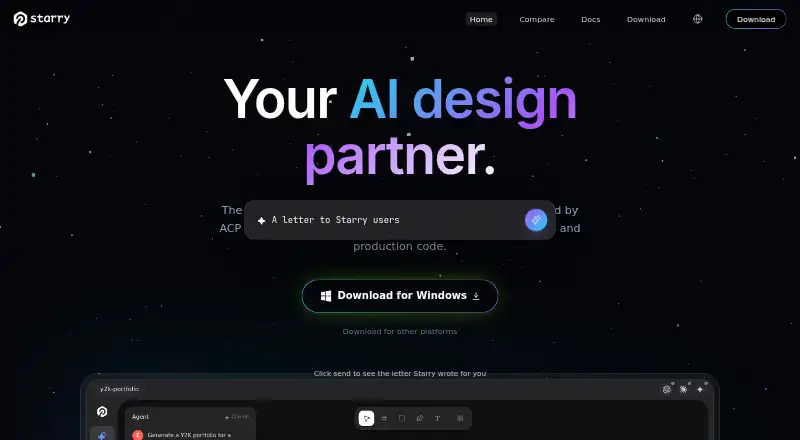
Starry is an AI design editor that turns natural-language prompts into editable interface layers and exports code and design assets. Its canvas AI, powered by ACP, can create and modify auto-layout designs from prompts. Export formats include React JSX, HTML, SVG, design tokens, PNG, JPG, and WEBP. Starry reads native Figma .fig files and supports copying and pasting selections between Starry and Figma. AI features require users to supply an API key for a supported provider; custom OpenAI- or Anthropic-format endpoints are also supported. Starry says keys stay on the user’s device and prompts go directly to the selected provider. Designs are saved as local .pen and .fig files that can be committed to Git. Real-time collaboration runs peer-to-peer over WebRTC without a server or account, and a headless CLI can export documents and automate design operations, including in CI workflows. The free plan requires no subscription, while AI chat requires a provider API key. The site lists Pro at $29/month and Custom with no price listed. Requirements are macOS 12 or later, Windows 10 or later, or Linux, with about 150 MB of free disk space.
Who it suits
Starry is intended for designers, engineers, and teams working between an idea and a running app. It may suit teams that want editable designs, code exports, and local design files.
What it does well
- Exports React JSX, HTML, SVG, and design tokens
- Reads native Figma .fig files
- Local design files can be committed to Git
- Peer-to-peer collaboration needs no account
- Free to download and use
What to know first
- AI chat requires your own provider API key
- Pro is listed at $29/month
- Requires about 150 MB of free disk space
Limits
The free plan is free to download and use with no subscription required, but AI chat requires your own provider API key. The Custom plan has no listed price, and the Pro plan is listed at $29 per month.
Plans
| Plan | Billed and limits | Price |
|---|---|---|
| Free | Free to download and use · no subscription required · AI chat requires your own provider API key | Free |
| Pro | Home page shows no plan limits or inclusions | $29 a month |
| Custom | — | On request |
As app.starry.design lists them, read 5 Oct 2026. The maker's own page has the final word.
Getting started
- Open the Starry app website.
- Download and use the free plan, which requires no subscription.
- Use a supported device: macOS 12 or later, Windows 10 or later, or Linux, with about 150 MB free disk space.
- Provide your own supported AI provider API key to use AI chat; custom OpenAI- or Anthropic-format endpoints are also supported.
- Open or save local .pen and .fig files, or import a native Figma .fig file.
- Choose the $29/month Pro plan if you want that paid plan.
Starry is a design editor for turning natural-language prompts into editable interface designs and production code. It is best suited to designers and developers who want to move between design work and implementation. Its main appeal is that designs can remain local and travel into code or Figma; its main caveat is that AI chat requires your own provider API key.
Overview
Starry links interface design to implementation rather than treating a mockup as the final destination. Prompt-based editing, code exports, Figma file support and Git-friendly local files make it a plausible fit for people shaping an interface alongside the app that will use it. That breadth comes with a setup trade-off: users bring an API key for AI chat instead of getting provider access bundled with the free download.
Key features
Prompt-based interface design
The canvas AI, powered by ACP, can create and modify auto-layout designs from natural-language prompts. Design-system support and editable layers make the workflow relevant to interface iteration, not just generating a picture. It is less compelling for anyone who wants a ready-made AI service without configuring a provider key.
Code, Figma and local files
Starry exports React JSX, HTML, SVG and design tokens, as well as PNG, JPG and WEBP. It reads native Figma .fig files and supports copying and pasting selections in both directions. Designs can be saved as local .pen and .fig files and committed to Git, which suits workflows that value portable project files. The docs describe collaboration as peer-to-peer over WebRTC, without a server or account.
Developer connections and privacy
An MCP server connects Starry to AI coding tools and editors including Cursor, VS Code, Claude Code and OpenAI Codex. A headless CLI can export documents and automate design operations, including in CI workflows. Users supply a key for a supported AI provider, or configure a custom OpenAI- or Anthropic-format endpoint. Starry says keys remain local and prompts go directly to the chosen provider, rather than through Starry’s servers.
Pricing
The Free plan costs nothing and is free to download and use with no subscription required. AI chat still needs your own provider API key, so the free price does not mean bundled AI usage.
Pro costs $29 a month. It is the paid option for users who want Pro, but the plan’s inclusions and limits are not defined, making it difficult to judge what the monthly charge adds. Custom pricing is available for the Custom plan. There are no published seat counts, quotas or trial terms to weigh against these prices.
Platforms
Starry supports Linux, macOS, Windows and the web. Documented desktop requirements are macOS 12 or later, Windows 10 or later, or Linux, with about 150 MB of free disk space.
Who it's for
Starry makes most sense for designers, engineers and teams moving between an idea and a running app, particularly when editable layouts, Figma exchange, code output or Git-managed files matter. Its MCP server and CLI also give it a role in developer workflows. It is a weaker fit for people who do not want to supply an AI provider key or who need clear paid-plan limits before choosing a subscription. A Discord community is available for connecting with Starry.
Pros and cons
- Pros: Exports span editable-code formats, design tokens and raster images, supporting both implementation and visual handoff.
- Pros: Native Figma file support, local project files and peer-to-peer collaboration cover several ways teams can exchange or retain work.
- Pros: The MCP server and headless CLI extend the workflow into coding tools and CI automation.
- Cons: AI chat requires a user-supplied provider key, adding configuration and leaving provider usage outside the free download.
- Cons: Pro costs $29 a month, while its included features and limits are not defined, so buyers cannot readily assess the upgrade.
Alternatives
AI UI Design Generators is a directory-wide starting point for comparing tools in this category.
Choose UXPin if its free trial and post-trial option of 2 prototypes and 50 AI credits better suit a limited evaluation. Paper may suit teams that prioritize unlimited viewers and editors and 100 weekly MCP tool calls on its free plan, though image generation is limited and images max out at 25 MB.
pen.dev is worth comparing if its free plan’s 5 Agent days and 25 image and SVG generations per month fit the work; it allows one agent at a time. Coherent is the alternative to consider for a free, open-source option with unlimited projects and a bring-your-own-LLM-key model.
Figma Make is another option for readers comparing prompt-driven design tools. Relume is another alternative. UX Pilot is another alternative. Visily is another alternative.
Verdict
Choose Starry if you want prompt-driven, editable interface design connected to code exports, Figma and local Git-friendly files. Its strongest case is that it spans design and implementation while offering developer integrations and local-first workflows. Look elsewhere if you expect AI chat to come bundled or need a clearly defined Pro allowance before paying $29 a month.
Verdict
Starry connects prompt-based interface design with code exports, Figma file support, and local files. Its free download does not remove the need for your own API key for AI chat.
Questions
Is Starry free?
Yes. The Free plan is free to download and use with no subscription required. AI chat requires your own provider API key.
What does the Pro plan cost?
The Pro plan is listed at $29 per month. The Custom plan has no listed price.
Which platforms does Starry support?
The documented requirements are macOS 12 or later, Windows 10 or later, or Linux.
Does Starry work with Figma?
It reads native Figma .fig files and supports copying and pasting selections between Starry and Figma.
Which formats can Starry export?
It exports React JSX, HTML, SVG, design tokens, PNG, JPG, and WEBP.
Can Starry collaborate in real time?
Yes. Its documentation describes peer-to-peer real-time collaboration over WebRTC without a server or account.
Facts from Starry's own pages
- AI providers
- Users provide their own API key for supported AI providers, and Starry also supports custom OpenAI or Anthropic format endpoints. · app.starry.design, 5 Oct 2026
- AI workflow
- The canvas AI is powered by ACP and can create and modify auto-layout designs from natural language. · app.starry.design, 5 Oct 2026
- Audience
- Starry describes itself as intended for designers, engineers, and teams working between an idea and a running app. · app.starry.design, 5 Oct 2026
- CLI
- A headless CLI can export documents and automate design operations, including use in CI workflows. · app.starry.design, 5 Oct 2026
- Code export
- It exports React JSX, HTML, SVG, design tokens, and raster formats including PNG, JPG, and WEBP. · app.starry.design, 5 Oct 2026
- Collaboration
- The docs say real-time collaboration runs peer-to-peer over WebRTC without a server or account. · app.starry.design, 5 Oct 2026
- Figma support
- Starry reads native Figma .fig files and supports copying and pasting selections between Starry and Figma. · app.starry.design, 5 Oct 2026
- Integrations
- Starry provides an MCP server for connecting AI coding tools and editors such as Cursor, VS Code, Claude Code, and OpenAI Codex. · app.starry.design, 5 Oct 2026
- Local files
- Starry saves designs as local .pen and .fig files that can be committed to Git. · app.starry.design, 5 Oct 2026
- Privacy
- Starry says API keys are stored locally and prompts go directly to the chosen provider without passing through Starry's servers. · app.starry.design, 5 Oct 2026
- Product
- Starry is an AI design editor that creates editable interface layers from natural-language prompts and exports production code. · app.starry.design, 5 Oct 2026
- Requirements
- The documented requirements are macOS 12 or later, Windows 10 or later, or Linux, with about 150 MB of free disk space. · app.starry.design, 5 Oct 2026
- Support
- The site links to a Discord community for connecting with Starry. · app.starry.design, 5 Oct 2026
Where Starry stands on Freedom251
- AI UI Design Generators#9 of 22