Freedom251 › Database Migration Tools
sqlx-cli
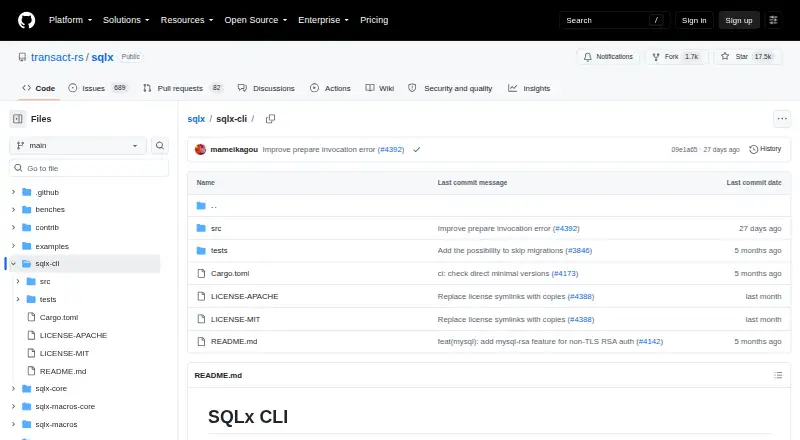
What sqlx-cli is
sqlx-cli is a free, open-source command-line tool for managing databases and migrations in SQLx projects. It can create or drop the database selected by a database URL, and create, run, inspect, or revert migrations with paired up and down scripts. For query macros, `cargo sqlx prepare` saves metadata in a `.sqlx` directory so builds can work without a live database connection once that metadata is checked into version control. The `--check` option reports stale metadata with a nonzero exit status, making it usable in continuous integration. In a workspace with multiple crates, `--workspace` puts one metadata directory at the workspace root. The CLI supports PostgreSQL, MySQL, MariaDB, and SQLite, with installation options for database drivers and TLS backends. Supply the connection URL through `--database-url`, `DATABASE_URL`, or a `.env` file in the working directory. It runs on Linux, macOS, and Windows. MSSQL support was removed pending a driver rewrite.
Who it suits
It suits Rust developers who manage SQLx databases and migrations or need checked query metadata for offline builds and CI. Teams working with MSSQL should note that support was removed.
What it does well
- Creates, runs, inspects, and reverts migrations
- Prepares query metadata for offline builds
- Checks metadata freshness for CI
- Supports PostgreSQL, MySQL, MariaDB, and SQLite
What to know first
- MSSQL support was removed
- Commands require a configured database URL
Limits
MSSQL support was removed pending a full rewrite of the driver. For MySQL or MariaDB non-TLS connections where the server requires RSA authentication with `caching_sha2_password` or `sha256_password`, installation needs the `mysql-rsa` feature.
Plans
| Plan | Billed and limits | Price |
|---|---|---|
| sqlx-cli | Database management · migrations · offline query metadata | Free |
As github.com lists them, read 11 Oct 2026. The maker's own page has the final word.
Getting started
- Open the SQLx CLI project website.
- Install with `cargo install sqlx-cli`, selecting database-driver and TLS options as needed.
- Provide a database URL with `--database-url`, `DATABASE_URL`, or a `.env` file.
- Use the CLI to create or manage a database and migrations, or prepare query metadata.
- Commit `.sqlx` metadata to version control for offline builds; use `--check` for CI freshness checks.
sqlx-cli brings database setup, migration handling and offline query preparation to SQLx projects. It is best suited to Rust teams already using SQLx with PostgreSQL, MySQL, MariaDB or SQLite. Its focused workflow costs nothing, though teams tied to MSSQL will need another tool.
Overview
SQLx is an asynchronous, pure-Rust SQL toolkit with compile-time checked queries; sqlx-cli supplies commands for the database and migration work around those queries. It can create or drop the database configured for a project and manage migrations, while its open-source license is available under either Apache-2.0 or MIT at the user's choice.
Each command needs a database URL, supplied with --database-url, through the DATABASE_URL environment variable, or in a .env file in the current working directory. That keeps setup explicit, but means local environments and CI jobs must each provide the connection configuration they need.
Key features
Database and migration commands
The CLI creates or drops the database named by DATABASE_URL, and can create, run, inspect and revert migrations written as paired up and down SQL scripts. This gives SQLx teams a compact path from database setup through schema changes, with reversals represented alongside the forward migration. It is a good fit when that SQL-based workflow is enough; teams seeking a different change-management model may prefer another migration tool.
Offline query preparation
cargo sqlx prepare saves query metadata in a .sqlx directory. Once that directory is checked into version control, builds can proceed without an active database connection. For workspaces with multiple crates that use query macros, --workspace creates one metadata directory at the workspace root, keeping the shared build input in one place.
Setting SQLX_OFFLINE=true forces offline builds even when a DATABASE_URL variable or .env file is present. That is useful when a build must consistently use checked-in metadata rather than connect to a database. In CI, cargo sqlx prepare --check exits with a nonzero status when the saved metadata is outdated, making stale query data a detectable build failure.
Database and TLS choices
Installation uses cargo install sqlx-cli, with feature options to select database drivers and TLS backends. SQLx supports PostgreSQL, MySQL, MariaDB and SQLite, and installation options include PostgreSQL-only and SQLite-specific configurations. Native TLS, vendored OpenSSL and Rustls give teams a choice of TLS setup. For non-TLS MySQL or MariaDB connections where the server requires RSA authentication through caching_sha2_password or sha256_password, the mysql-rsa feature is needed.
The main database boundary is clear: MSSQL support was removed pending a full rewrite of its driver through the SQLx Pro initiative. That rules out sqlx-cli for teams whose migration workflow must include SQL Server.
Pricing
sqlx-cli is free and open source, with no free trial or paid tier to weigh against its core command set. Its plan is free and includes database management, migrations and offline query metadata. The license choice between Apache-2.0 and MIT also suits teams that need one of those standard open-source terms.
Platforms
sqlx-cli supports Linux, macOS and Windows. Its self-hosted option and CI/CD automation support fit teams that run their own development and build infrastructure rather than relying on a hosted migration service.
Who it's for
sqlx-cli is a strong choice for Rust developers using SQLx who want database lifecycle commands, reversible SQL migrations and compile-time query metadata in one tool. It is particularly useful when builds need to run offline or CI should catch outdated query metadata. It is less suitable for MSSQL projects or teams whose needs extend beyond the documented database and migration workflow.
The project README directs users with questions to its FAQ and Discord community. SQLx also forbids unsafe code unless the SQLite feature is enabled; in that configuration, SQLite API calls use unsafe code, which maintainers welcome auditing and feedback on.
Pros and cons
- Pros: Free and open source under Apache-2.0 or MIT, with no paid tier required for the stated CLI features.
- Pros: Create, run, inspect and revert SQL migrations, including paired up and down scripts.
- Pros: Checked-in query metadata supports offline builds, and a CI check can fail when that metadata is outdated.
- Pros: Linux, macOS and Windows support, plus selectable database drivers and TLS backends.
- Cons: MSSQL is unsupported, excluding teams that require SQL Server from this workflow.
- Cons: Commands require a database URL, so local and CI environments must be configured to supply one.
- Cons: Certain non-TLS MySQL or MariaDB authentication setups require the additional mysql-rsa feature.
Alternatives
For a broader comparison, see Database Migration Tools.
- Skeema is a freemium alternative with a free Community plan and a paid Plus plan at $124 a month. Choose it if its stated plan structure better fits your needs.
- Sqitch is a free database change-management application. Consider it if you want a separate change-management tool rather than SQLx's integrated query-metadata workflow.
- Atlas is an open-core, freemium alternative with a free plan and a free trial. It may suit readers comparing open-core migration tools.
- dbmate is a free, open-source database migration tool; consider it as another free migration option.
- FluentMigrator is a free, Apache-2.0 licensed framework distributed through NuGet, with provider packages selected separately. It may suit readers seeking that framework and distribution model.
- golang-migrate is a free open-source alternative with no paid plans or usage limits stated on its project pages.
- Goose is a free, open-source database migration tool for readers comparing migration utilities.
- pgroll is a free open-source option for PostgreSQL 14.0 or later, distributed as a single cross-platform binary.
Verdict
Choose sqlx-cli if your Rust project already uses SQLx and you want database setup, reversible SQL migrations and CI-checked offline query metadata without paying for a separate tool. Its database and platform coverage supports a focused workflow across Linux, macOS and Windows. Look elsewhere if your project depends on MSSQL or needs a migration approach outside the commands sqlx-cli provides.
Verdict
sqlx-cli covers database setup, migration workflows, and query-metadata preparation in one command-line utility. Its documented database support excludes MSSQL.
Questions
How much does sqlx-cli cost?
It is free; the listed free plan costs nothing.
Which databases does it support?
PostgreSQL, MySQL, MariaDB, and SQLite are listed as supported SQLx databases.
Which platforms are supported?
Linux, macOS, and Windows.
How do I install it?
The documented installation command is `cargo install sqlx-cli`, with options for database drivers and TLS backends.
Is sqlx-cli open source?
Yes. The SQLx project is offered under either the Apache-2.0 or MIT license.
Does it support MSSQL?
No. MSSQL support was removed pending a full rewrite of the driver.
Facts from sqlx-cli's own pages
- CI check
- `cargo sqlx prepare --check` exits with a nonzero status when cached metadata is outdated and is described as intended for continuous integration. · github.com, 11 Oct 2026
- CI use
- `cargo sqlx prepare --check` exits with a nonzero status if the saved query metadata is out of date, and the README describes it as intended for Continuous Integration. · github.com, 4 Oct 2026
- Configuration
- Commands require a database URL supplied through `--database-url`, the `DATABASE_URL` environment variable, or a `.env` file in the current working directory. · github.com, 4 Oct 2026
- Connection configuration
- Commands require a database URL supplied with `--database-url` or through `DATABASE_URL` in the environment or a `.env` file. · github.com, 11 Oct 2026
- Database commands
- The CLI can create and drop the database specified by `DATABASE_URL`. · github.com, 11 Oct 2026
- Database management
- The CLI can create and drop the database specified by `DATABASE_URL`. · github.com, 4 Oct 2026
- Database support
- Its default installation supports the databases supported by SQLx; installation options include PostgreSQL-only and SQLite-specific configurations. · github.com, 11 Oct 2026
- Installation
- The CLI can be installed with `cargo install sqlx-cli`. · github.com, 11 Oct 2026
- License
- The SQLx repository lists Apache-2.0 and MIT license files. · github.com, 11 Oct 2026
- Migrations
- It can create migration files, run pending migrations, show migration status, and revert reversible migrations. · github.com, 11 Oct 2026
- MySQL authentication limit
- The `mysql-rsa` feature is needed for non-TLS MySQL or MariaDB connections when the server requires RSA authentication using `caching_sha2_password` or `sha256_password`. · github.com, 11 Oct 2026
- Notable limitation
- The project README says MSSQL support was removed pending a full rewrite of the driver as part of the SQLx Pro initiative. · github.com, 4 Oct 2026
- Offline builds
- `cargo sqlx prepare` saves query metadata to `.sqlx`, allowing builds without an active database connection after that directory is checked into version control. · github.com, 11 Oct 2026
- Offline mode setting
- Setting `SQLX_OFFLINE=true` forces offline builds when a `DATABASE_URL` variable or `.env` file is present. · github.com, 4 Oct 2026
- Offline query preparation
- `cargo sqlx prepare` saves query metadata to `.sqlx`, allowing builds without an active database connection when that metadata is checked into version control. · github.com, 4 Oct 2026
- Project scope
- The SQLx project describes itself as an asynchronous, pure Rust SQL toolkit with compile-time checked queries and support for PostgreSQL, MySQL, and SQLite. · github.com, 11 Oct 2026
- Purpose
- SQLx CLI is a command-line utility for managing databases and migrations and enabling offline mode for SQLx query macros. · github.com, 11 Oct 2026
- Query metadata scope
- For workspaces with multiple crates using query macros, `cargo sqlx prepare --workspace` generates a single `.sqlx` directory at the workspace root. · github.com, 4 Oct 2026
- Security
- The project README says SQLx forbids unsafe code unless the SQLite feature is enabled, where SQLite API calls use unsafe code that the maintainers welcome auditing and feedback on. · github.com, 4 Oct 2026
- Support
- The SQLx repository links to its FAQ and Discord community for questions. · github.com, 11 Oct 2026
- Support channel
- The project README directs users with questions to its FAQ and links to a Discord community. · github.com, 4 Oct 2026
- Supported databases
- The CLI installation instructions say it supports the databases supported by SQLx; the project lists PostgreSQL, MySQL, MariaDB, and SQLite. · github.com, 4 Oct 2026
- TLS options
- Installation options include native TLS, vendored OpenSSL, and Rustls configurations. · github.com, 11 Oct 2026
Where sqlx-cli stands on Freedom251
- Database Migration Tools#21 of 32