Freedom251 › Database Migration Tools
FluentMigrator
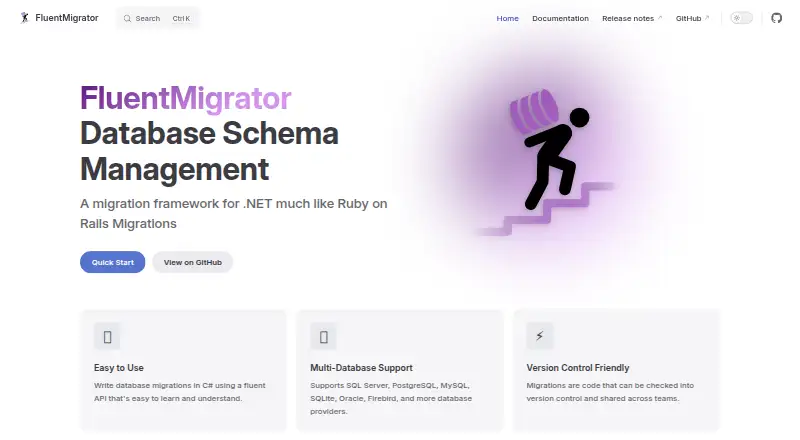
What FluentMigrator is
FluentMigrator is a free .NET framework for managing database schema changes through version-controlled C# migrations. Its fluent API defines `Up` and `Down` methods for applying and rolling back changes. The documentation lists providers for SQL Server, PostgreSQL, MySQL, SQLite, and Oracle, among others; provider packages are selected separately. Migrations can run in-process, through the Migrate.exe console tool, or with dotnet-fm, which integrates with the cross-platform .NET CLI. By default, the framework creates a VersionInfo table to record completed migrations. Command-line runners can preview generated SQL without executing it, and the CLI can validate migrations before execution. The project documents .NET dependency-injection integration and CI/CD examples for GitHub Actions, Azure DevOps, and Jenkins. Its Quick Start requires .NET 8.0 or later, a supported database, and basic C# and database knowledge. FluentMigrator is licensed under Apache-2.0, with releases distributed through NuGet and prerelease CI builds on Azure Artifacts.
Who it suits
FluentMigrator suits developers managing database schema changes in .NET applications with C# migrations. Users need .NET 8.0 or later, a supported database, and basic C# and database knowledge.
What it does well
- C# migrations define both apply and rollback methods.
- Supports providers including SQL Server and PostgreSQL.
- CLI can validate migrations before execution.
- CI/CD examples cover GitHub Actions, Azure DevOps, and Jenkins.
What to know first
- Requires .NET 8.0 or later.
- Provider packages must be selected separately.
- Requires a supported database and basic C# knowledge.
Plans
| Plan | Billed and limits | Price |
|---|---|---|
| FluentMigrator | Apache-2.0 licensed framework · distributed through NuGet; provider packages are selected separately | Free |
As fluentmigrator.github.io lists them, read 4 Oct 2026. The maker's own page has the final word.
Getting started
- Visit the FluentMigrator website
- Prepare .NET 8.0 or later and a supported database
- Select the provider package for your database
- Install FluentMigrator from NuGet
- Choose in-process execution, Migrate.exe or the dotnet-fm CLI
- Define migrations with Up and Down methods
FluentMigrator is a .NET framework for managing database schema changes in version-controlled C# code. It is best suited to teams already building with .NET that want migration history and rollback behavior alongside their application code. Its appeal is a free, flexible migration workflow; its central constraint is that users need .NET 8.0 or later, C# knowledge and a supported database.
Overview
Migrations use a fluent C# API with Up and Down methods: one applies a schema change and the other defines how to reverse it. This makes rollback part of the migration authoring process, rather than an automatic undo button; teams must write the reversal they need. FluentMigrator creates a VersionInfo table by default and records completed migrations, giving teams an explicit history of applied changes.
The framework is Apache-2.0 licensed and distributed through NuGet. Database provider packages are chosen separately. Documented providers include SQL Server, PostgreSQL, MySQL, SQLite and Oracle, among others, so it can suit teams using several established databases, provided they select the appropriate provider package.
Key features
Execution and safeguards
Migrations can run in-process, through the Migrate.exe console tool or with dotnet-fm, which integrates with the .NET CLI and is cross-platform. That choice gives .NET teams options for embedding migrations in an application or running them as a command-line step. The CLI can preview generated SQL and validate migrations without executing them, a useful check before changes reach a database.
Automation and integration
Documentation includes CI/CD examples for GitHub Actions, Azure DevOps and Jenkins, as well as in-process integration with .NET dependency injection. These integrations make FluentMigrator a natural fit when migration execution belongs in an existing .NET delivery pipeline. The project directs users to GitHub Discussions, bug reports and feature requests, and the fluent-migrator Stack Overflow tag for support.
Pricing
FluentMigrator costs free. The free plan is the Apache-2.0 licensed framework, distributed through NuGet; provider packages are selected separately. There is no paid tier described, so the practical trade-off is not a feature ladder but the work of choosing a provider and meeting the technical prerequisites. It is a strong fit for teams that can use the framework within their .NET stack; it is not a general-purpose migration tool for teams without C# and .NET capability.
Platforms
FluentMigrator supports Linux, macOS, Windows and self-hosted use. The cross-platform dotnet-fm CLI broadens where .NET teams can run migrations, while the framework's database reach depends on selecting a supported provider package.
Who it's for
Choose FluentMigrator if your team writes C# applications, wants migrations version-controlled with application code, and values a recorded migration history plus explicitly authored rollbacks. Preview and validation options also suit teams that want to inspect migration output before execution. Look elsewhere if your team does not work in C#, lacks the required .NET version, or wants a migration workflow that does not depend on selecting database provider packages.
Pros and cons
- Pro: Up and Down methods let teams define both schema changes and their reversals in C#.
- Pro: Automatic VersionInfo tracking records completed migrations without requiring a separate history mechanism.
- Pro: SQL preview and validation let teams review or check migrations without executing them.
- Pro: In-process, console and .NET CLI execution options support different deployment workflows.
- Con: The .NET 8.0-or-later and C# prerequisites rule it out for teams seeking a language-neutral workflow.
- Con: Provider packages must be selected separately, adding a database-specific setup decision.
Alternatives
Database Migration Tools is a broader place to compare tools across the category. Consider Skeema instead if its free Community plan's tables, stored procedures and functions, and 18 linter checks better match your needs; its Plus plan costs $124 a month. Choose Atlas if you prefer an open-core tool with an Apache 2.0 core and advanced features in a proprietary tier. dbmate is another free, open-source migration tool with no paid SaaS upsell stated, while golang-migrate and Goose are also free migration tools. For PostgreSQL 14.0 or later, pgroll offers an open-source, cross-platform single binary. Refinery is a free, MIT-licensed SQL migration toolkit whose database drivers are selected as features. If you need a web-based option with user and database-instance limits, consider Bytebase Enterprise, whose free Community plan supports up to 20 users and 10 database instances, with a Pro plan at $20 a month billed per user.
Verdict
FluentMigrator is a sound choice for .NET teams that want version-controlled C# migrations, explicit rollback methods and recorded migration history without a software charge. Its main reason to choose it is the combination of code-based control, preview and validation, and several execution paths; its main reason to look elsewhere is the requirement to work within its .NET and provider-package ecosystem.
Verdict
FluentMigrator provides a code-based approach to schema changes, with rollback methods, migration tracking, and SQL preview. Check the .NET and database prerequisites and select the provider packages you need.
Questions
How much does FluentMigrator cost?
The listed FluentMigrator plan is free. The framework is released under the Apache-2.0 License.
Which databases does it support?
The documentation lists SQL Server, PostgreSQL, MySQL, SQLite and Oracle providers, among others. Provider packages are selected separately.
How can migrations be run?
They can run in-process, through the Migrate.exe console tool, or with the dotnet-fm CLI.
Can FluentMigrator roll back migrations?
Yes. Migrations can define Up and Down methods to apply changes and roll them back.
What platforms does it support?
It is listed for Linux, macOS, Windows and self-hosted use. The dotnet-fm tool is described as cross-platform.
What do I need to get started?
The Quick Start lists .NET 8.0 or later, a supported database, and basic C# and database knowledge.
Facts from FluentMigrator's own pages
- CI/CD
- The dotnet-fm documentation includes a GitHub Actions example for building an application and running migrations. · fluentmigrator.github.io, 4 Oct 2026
- CLI integration
- The dotnet-fm tool integrates with the .NET CLI and is described as cross-platform. · fluentmigrator.github.io, 4 Oct 2026
- Database support
- The documentation lists SQL Server, PostgreSQL, MySQL, SQLite, and Oracle providers, among others. · fluentmigrator.github.io, 4 Oct 2026
- Distribution
- The repository says releases are stored on NuGet and prerelease CI builds on Azure Artifacts. · github.com, 4 Oct 2026
- Execution options
- Migrations can run in-process, through the Migrate.exe console tool, or with the dotnet-fm CLI. · fluentmigrator.github.io, 4 Oct 2026
- Integrations
- The project documents in-process integration with .NET dependency injection and CI/CD examples for Azure DevOps and Jenkins. · fluentmigrator.github.io, 4 Oct 2026
- License
- The project is released under the Apache-2.0 License. · fluentmigrator.github.io, 4 Oct 2026
- Migration syntax
- Migrations use a fluent C# API and define Up and Down methods for applying and rolling back changes. · fluentmigrator.github.io, 4 Oct 2026
- Migration tracking
- After running migrations, FluentMigrator creates a version tracking table and records completed migrations. · fluentmigrator.github.io, 4 Oct 2026
- Prerequisite
- The Quick Start lists .NET 8.0 or later and a supported database as prerequisites. · fluentmigrator.github.io, 4 Oct 2026
- Preview and validation
- The CLI supports previewing migrations and validating them without executing them. · fluentmigrator.github.io, 4 Oct 2026
- Purpose
- FluentMigrator is a .NET framework for managing database schema changes through version-controlled C# migrations. · fluentmigrator.github.io, 4 Oct 2026
- Requirements
- The quick start lists .NET 8.0 or later, a supported database, and basic C# and database knowledge as prerequisites. · fluentmigrator.github.io, 4 Oct 2026
- Rollback
- Migrations can define Up and Down methods to apply or roll back changes. · fluentmigrator.github.io, 4 Oct 2026
- SQL preview
- The command-line runners support previewing generated SQL without executing it. · fluentmigrator.github.io, 4 Oct 2026
- Support
- The project points users to GitHub Discussions, bug reports and feature requests, and the fluent-migrator Stack Overflow tag. · fluentmigrator.github.io, 4 Oct 2026
- Tracking
- FluentMigrator tracks applied migrations in a VersionInfo table, which it creates automatically by default. · fluentmigrator.github.io, 4 Oct 2026
Where FluentMigrator stands on Freedom251
- Database Migration Tools#6 of 32