Freedom251 › AI SQL Generators
SQL Mocker
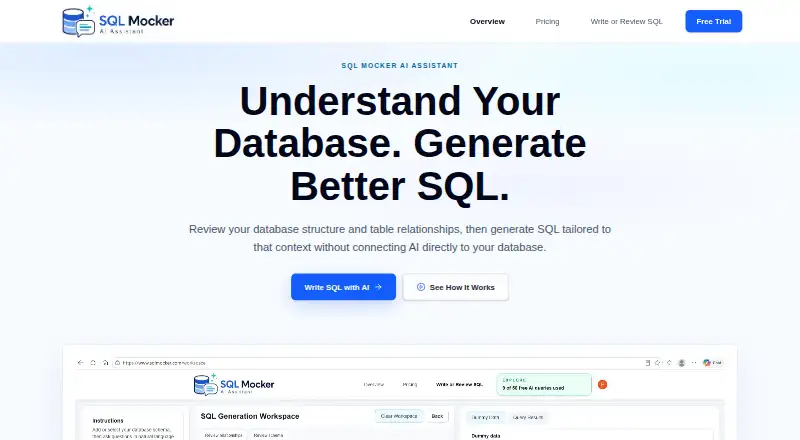
What SQL Mocker is
SQL Mocker is a web app that creates SQL from natural-language questions using a reviewed copy of database schema metadata. Users can provide schema information by uploading a file, pasting metadata, building it manually, or supplying results from an extraction script run in their own database. Its workspace can detect, review, edit, or add table relationships, including ones missing from the original metadata. Existing SQL can be submitted for explanation, review, improvement, formatting, conversion, troubleshooting, or mapping output columns and joins. The app can generate dummy data from a schema to preview results and query logic without using production rows. Its homepage lists 17 supported database systems, including SQL Server, PostgreSQL, MySQL, Snowflake, BigQuery, and MongoDB. SQL Mocker says schema-based generation does not require database credentials and does not connect to a live customer database. It presents SQL for review and copying; users run queries themselves. The free Explore plan includes 50 AI queries total and five saved projects. Paid plan listings are marked as coming soon. The maker advises reviewing and validating AI-generated SQL before use.
Who it suits
SQL Mocker may suit analysts, consultants, and report builders preparing SQL for Power BI or database tools. It is for users who can supply schema information and review and run the resulting SQL themselves.
What it does well
- Accepts schema files, pasted metadata, manual schemas, or extraction results
- Can detect and edit table relationships
- Generates dummy data for query previews
- Lists support for 17 database systems
- Free Explore plan includes 50 AI queries total
What to know first
- Paid plans are marked as coming soon
- Users must run generated SQL themselves
- AI-generated SQL may be wrong and needs review
- Users are advised to review prompts and uploads for sensitive content
Limits
Explore includes 50 AI queries total and five saved projects. Starter, Pro, and Business plan listings are marked coming soon.
Plans
| Plan | Billed and limits | Price |
|---|---|---|
| Explore | 1 user · 50 AI queries total · 5 saved projects · No credit card required | Free |
| Starter | $10/month · 1 user · 100 AI queries/month · 20 saved projects · Coming soon; join waitlist | $10 a month |
| Pro | $20/month · 1 user · 300 AI queries/month · 100 saved projects · Coming soon; join waitlist | $20 a month |
| Business | $39/month · 1 user · 1,000 AI queries/month · Custom saved projects · Coming soon; join waitlist | $39 a month |
| Enterprise | Custom Plan · Multiple users · Custom query limits · Custom saved projects · Coming soon; join waitlist | On request |
As sqlmocker.com lists them, read 30 Sept 2026. The maker's own page has the final word.
Getting started
- Open https://www.sqlmocker.com/ in a web browser.
- Start with the free Explore plan; no credit card is required.
- Provide schema information by uploading a file, pasting metadata, building it manually, or supplying extraction-script results.
- Review, edit, or add detected table relationships as needed.
- Ask a natural-language question or submit existing SQL for review.
- Copy the generated SQL and run it in your own database tool.
SQL Mocker is a browser workspace that turns natural-language questions into SQL using database schema metadata you provide. It suits analysts, consultants, and report builders preparing queries for Power BI or database tools. Its main advantage is a schema-focused workflow that avoids live-database access; its main constraint is that every generated query remains your responsibility to check.
Overview
SQL Mocker builds context from an uploaded schema file, pasted metadata, a schema you construct manually, or results from an extraction script run in your own database. This is a practical way to get query assistance without supplying database credentials or granting the service access to production rows. The trade-off is equally clear: SQL Mocker does not execute queries against your live database. You copy its output into Power BI Desktop or another database tool and run it there, and it does not connect directly to Power BI.
The workspace can generate dummy data from a schema, allowing you to preview likely results and exercise query logic without using production records. Projects sync to your SQL Mocker account and are cached in your device's browser; a backup file can be saved from History to your PC. The security guidance matters for teams handling confidential information: users can manually submit sensitive prompts or uploads, so those inputs need review before submission.
Key features
Schema-led SQL generation
Natural-language requests are interpreted against reviewed schema metadata rather than an opaque connection. SQL Mocker can detect table relationships and lets you inspect, edit, or add them, including links absent from the source metadata. That makes it more useful than a bare text-to-SQL prompt when joins depend on business-specific structure, while still requiring you to correct incomplete or inaccurate metadata.
SQL review and explanation
You can paste or upload existing SQL to have it explained, reviewed, improved, formatted, converted, or troubleshot. The workspace can also map output columns and joins. These functions fit analysts inheriting queries or consultants preparing deliverables, but they are advisory: the maker warns that AI-generated SQL may be wrong, so review, test, and validate before use.
Broad database coverage
The homepage names 17 supported systems: SQL Server, PostgreSQL, MySQL, Oracle, SQLite, MariaDB, Snowflake, BigQuery, Amazon Redshift, Databricks, SAP HANA, IBM Db2, Teradata, Microsoft Access, ClickHouse, DuckDB, and MongoDB. Coverage is valuable for mixed-stack teams, although execution still happens in your own database environment.
Pricing
SQL Mocker uses a freemium model. Explore costs nothing for one user, 50 AI queries total, and five saved projects; no credit card is required. It is a sensible way to evaluate the schema workflow, but the lifetime query allowance is small for regular production work.
Starter is $10 a month, billed $10/month, for one user, 100 AI queries per month, and 20 saved projects. Pro is $20 a month, billed $20/month, with 300 monthly queries and 100 saved projects for one user. Business is $39 a month, billed $39/month, for one user, 1,000 monthly queries, and custom saved projects. Starter, Pro, and Business are coming soon and require joining a waitlist, so these are not immediately usable subscriptions.
Enterprise uses custom pricing and custom query and saved-project limits for multiple users; it is also coming soon via waitlist. There is no published multi-seat price, making it a planning conversation rather than a ready procurement option.
Platforms
SQL Mocker is delivered as a web application with cloud deployment. It supports schema-led work across the 17 database systems named above, but it does not provide direct Power BI integration or live-database execution.
Who it's for
Choose SQL Mocker if you are an analyst, consultant, or report builder who needs to turn business questions into draft SQL, inspect joins, or prepare statements for Power BI while keeping database credentials out of the service. It is also useful for reviewing inherited SQL and previewing logic with dummy data. It is a poor fit for teams expecting an application to connect to production, run queries automatically, or guarantee executable SQL without human review.
Pros and cons
- Pros: schema metadata can be supplied without credentials or live customer-database access; relationships are reviewable and editable; dummy-data previews support safer logic checks; SQL explanation, formatting, conversion, troubleshooting, and column/join mapping cover more than first-draft generation; support spans 17 named database systems.
- Cons: output can be incorrect and must be tested by the user; there is no direct Power BI connection or in-app execution; sensitive prompts and uploads remain a user privacy responsibility; the free tier allows only 50 total AI queries and five projects; paid tiers are waitlisted and limited to one user until Business, with Enterprise pricing custom.
Alternatives
For an open-source local installation, Natural Language SQL is free under GPL-3.0 and runs across API, Linux, macOS, self-hosted, and web environments. Outerbase AI is the better choice when you need a broader team-oriented product: its free plan supports up to five users, one base, 10 EZQL queries per month, three saved queries, and one dashboard for transactional databases.
NatureQuery suits a lighter web/API workflow with a free allowance of 50 queries per month, one database connection, Excel and CSV export, and 30 days of query history. QueryPlane is worth considering for self-hosted deployments, with a free plan covering up to three apps, one database connection, 50 AI prompts per month, and community support.
Savvina AI offers a free community plan for one user with PostgreSQL and MySQL, unlimited connections, and GitHub community support. SQLer is an alternative for higher-volume NL2SQL quotas, starting with 50 queries per month free and a $199/month Lift-Off plan for 2,500 queries. Wren AI provides an open-source context engine and cloud options. IDERA AI SQL Query Generator is a free web option with limits applying.
For a wider shortlist, see AI SQL Generators.
Verdict
SQL Mocker is a strong fit for professionals who want schema-aware SQL drafting and review without connecting a customer database, especially when dummy-data previews and editable relationships matter. Choose it for controlled preparation before Power BI or database execution. Look elsewhere if you need live querying, direct Power BI integration, ready-to-buy team plans, or a guarantee that generated SQL is correct without substantial validation.
Verdict
SQL Mocker offers schema-based SQL generation and review without connecting to a live customer database. Treat its output as a draft: review, test, and validate it before running it.
Questions
Is SQL Mocker free?
Yes. The Explore plan is free and requires no credit card. It includes 50 AI queries total and five saved projects.
Which platforms does SQL Mocker support?
SQL Mocker is a web app. Its homepage lists 17 supported systems, including SQL Server, PostgreSQL, MySQL, Oracle, SQLite, Snowflake, BigQuery, and MongoDB.
Does SQL Mocker connect to my database or run queries?
It says schema-based generation does not require database credentials and does not connect to a live customer database. It presents SQL for review and copying, and users run it themselves.
Can I use SQL Mocker with Power BI?
The maker describes preparing SQL for Power BI, then copying it into Power BI Desktop or a database tool. SQL Mocker does not connect directly to Power BI.
What do the paid plans cost?
Starter is $10 a month, Pro is $20 a month, and Business is $39 a month. Each is marked coming soon and available by waitlist; Enterprise is listed as a custom plan with no price.
Should I use generated SQL without checking it?
No. The maker says AI-generated SQL may be wrong and advises reviewing, testing, and validating it before use.
Facts from SQL Mocker's own pages
- Credentials and connection
- SQL Mocker says it does not require database credentials for schema-based SQL generation and does not connect to a live customer database. · sqlmocker.com, 30 Sept 2026
- Database support
- The homepage lists 17 supported systems: SQL Server, PostgreSQL, MySQL, Oracle, SQLite, MariaDB, Snowflake, BigQuery, Amazon Redshift, Databricks, SAP HANA, IBM Db2, Teradata, Microsoft Access, ClickHouse, DuckDB, and MongoDB. · sqlmocker.com, 30 Sept 2026
- Data handling
- Saved projects sync to the user's SQL Mocker account and are cached in the browser on the user's device; users can also save a backup file from History to their PC. · sqlmocker.com, 30 Sept 2026
- Integrations and use case
- The maker describes preparing SQL for Power BI, then copying it into Power BI Desktop or a database tool; it says SQL Mocker does not connect directly to Power BI. · sqlmocker.com, 30 Sept 2026
- Intended users
- The maker describes SQL Mocker as useful for analysts, consultants, and report builders preparing SQL for Power BI or database tools. · sqlmocker.com, 30 Sept 2026
- Limitations
- The maker says AI-generated SQL may be wrong and advises users to review, test, and validate it before use. · sqlmocker.com, 30 Sept 2026
- Preview
- The app generates dummy data from a schema so users can preview results and test query logic without using production rows. · sqlmocker.com, 30 Sept 2026
- Privacy caveat
- The security page says users could manually submit sensitive content and advises reviewing prompts and uploads before sending them. · sqlmocker.com, 30 Sept 2026
- Purpose
- SQL Mocker generates SQL from natural-language questions using a reviewed copy of database schema metadata. · sqlmocker.com, 30 Sept 2026
- Relationships
- The workspace can detect, review, edit, or add table relationships, including relationships missing from the source metadata. · sqlmocker.com, 30 Sept 2026
- Schema input
- Users can upload a schema file, paste metadata, build a schema manually, or run a generated extraction script in their own database and provide its results. · sqlmocker.com, 30 Sept 2026
- SQL execution
- Generated SQL is presented for review and copying; users run it themselves in their own database tool. · sqlmocker.com, 30 Sept 2026
- SQL review
- Users can upload or paste existing SQL to explain, review, improve, format, convert, troubleshoot, or map its output columns and joins. · sqlmocker.com, 30 Sept 2026
Where SQL Mocker stands on Freedom251
- AI SQL Generators#11 of 19