Freedom251 › AI SQL Generators
Natural Language SQL
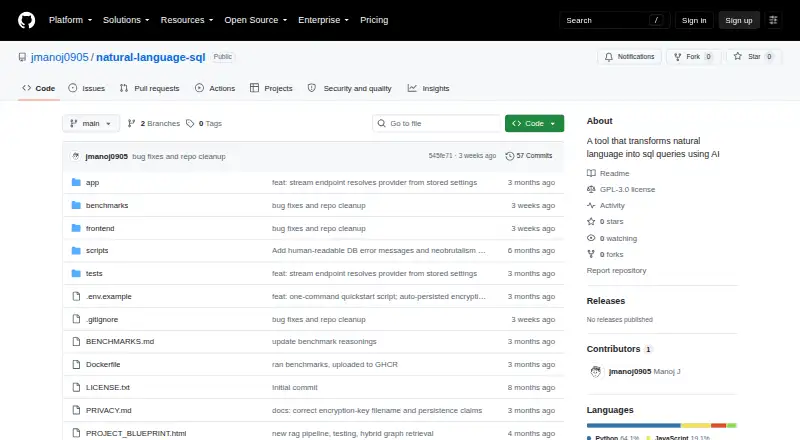
What Natural Language SQL is
Natural Language SQL turns plain-English database questions into SQL, checks and runs the query, then streams back results. It connects to PostgreSQL and MySQL, including multiple databases of the same type at once. Hybrid retrieval combines BM25 and sentence-transformer vectors to select schema context relevant to a question. Users can review and edit generated SQL before execution, while the interface shows progress through query stages. Results can be sorted, paginated at 50 rows per page, downloaded as CSV or JSON, or copied as tab-separated text. SELECT queries receive a default limit, explicit result counts are capped at 1,000 rows by default, and execution times out after 30 seconds by default. INSERT, UPDATE, and DELETE are allowed by default, with warning banners; the project recommends a read-only database user to block writes. Ollama runs locally by default, keeping questions, schema, and generated SQL on the machine. OpenAI, Gemini, and Groq are optional cloud providers and receive the question, relevant schema portion, and SQL context when used. The project says it collects no telemetry. It is free and open source under GPL-3.0; the recommended Docker setup requires Docker 20.10+ with Compose v2 and about 10 GB of free disk space.
Who it suits
This tool suits users who want to ask database questions in plain English and review SQL before it runs. Its local Ollama default may also suit users who want questions, schema, and generated SQL to stay on their machine.
What it does well
- Connects to PostgreSQL and MySQL.
- Users can review and edit SQL before execution.
- Ollama runs locally by default.
- Results can be downloaded as CSV or JSON.
What to know first
- Write queries are allowed by default.
- Docker setup needs about 10 GB of free disk space.
- First run downloads an approximately 5 GB model.
Limits
By default, explicit result counts are capped at 1,000 rows, and queries time out after 30 seconds. SELECT queries receive a default limit. The recommended Docker setup needs about 10 GB of free disk space and downloads an approximately 5 GB model on first run.
Plans
| Plan | Billed and limits | Price |
|---|---|---|
| Natural Language SQL Engine | GPL-3.0 open-source project · local installation | Free |
As github.com lists them, read 5 Oct 2026. The maker's own page has the final word.
Getting started
- Open the project's GitHub website.
- Use the recommended Docker setup, which requires Docker 20.10 or later and Compose v2.
- Allow about 10 GB of free disk space for the setup.
- On first run, allow the approximately 5 GB model download.
- Connect a PostgreSQL or MySQL database.
- Choose the default local Ollama provider or an opt-in cloud provider.
Overview
Natural Language SQL turns questions written in plain English into database queries, then validates and runs them while returning results progressively. It is best suited to developers and teams who want a self-hosted, local-AI workflow with the option to inspect SQL before it runs. The open-source project offers useful privacy controls, but its Docker setup needs substantial disk space and write queries are permitted by default.
Key features
Hybrid schema retrieval combines BM25 search with sentence-transformer vectors to find relevant schema context for a question. That can save users from assembling database context manually, but generated SQL still needs scrutiny: the project reports 52.32% execution accuracy on Spider dev, not a guarantee that a particular query will be correct.
Users can review and edit a generated query before execution, and the interface streams progress through the workflow. Query explanations, sorting, 50-row pagination, CSV and JSON downloads, and tab-separated copying make results easier to inspect and pass along. SELECT queries receive a default LIMIT; explicit result counts are capped at 1,000 rows by default, and execution times out after 30 seconds by default.
These limits help bound queries, but they do not prevent changes to data. INSERT, UPDATE, and DELETE are allowed by default and accompanied by warning banners. To block writes rather than rely on users to avoid them, the project recommends connecting with a read-only database account.
Ollama is the default AI provider, keeping questions, schema, and generated SQL on the user's machine. OpenAI, Gemini, and Groq are optional cloud providers; choosing one sends the question, relevant schema portion, and SQL context to that provider, while database passwords and result rows are excluded. Passwords and cloud API keys are Fernet-encrypted at rest, redacted from logs, and masked in API responses. The application says it has no telemetry, and session query results, schema metadata, and history stay in memory rather than being written to disk by the application.
Pricing
Natural Language SQL Engine is free under the GPL-3.0 open-source license, for local installation. There are no paid tiers or published usage quotas to weigh against the free option; users take on the cost and work of running it themselves. The recommended Docker setup requires Docker 20.10 or later, Compose v2, and about 10 GB of free disk space, while the first run downloads an approximately 5 GB model. That footprint makes it a less convenient fit for machines with limited storage.
Platforms
Natural Language SQL supports API, Linux, macOS, self-hosted, and web use. It connects to PostgreSQL and MySQL, including multiple databases of the same type queried in parallel. That is useful for teams with those database systems, but it is not a fit for a workflow that depends on another database engine.
Who it's for
This is a strong fit for technically comfortable users who want to ask questions of PostgreSQL or MySQL, keep the default AI workflow local, and retain control over generated SQL. It is less suitable for teams seeking a managed service, a lightweight setup, or write protection without configuring database permissions. Cloud AI is an option for users willing to send query context to an external provider.
Pros and cons
- Pro: Local Ollama keeps questions, schema, and generated SQL on the user's machine, supporting a private default workflow.
- Pro: Editable SQL, query explanations, and streamed progress give users ways to inspect work before relying on results.
- Pro: PostgreSQL and MySQL support, including parallel queries across multiple same-type databases, suits users managing more than one database.
- Con: The recommended setup needs about 10 GB of free disk space, and its first run downloads an approximately 5 GB model.
- Con: Write queries are allowed by default, so preventing changes depends on using a read-only database account.
- Con: The reported Spider dev execution accuracy of 52.32% makes query review important rather than optional for consequential work.
Alternatives
Browse AI SQL Generators to compare tools across the category.
Choose Outerbase AI instead if you want a freemium option across API, macOS, self-hosted, web, and Windows, or a free plan capped at five users, one base, 10 EZQL queries per month, three saved queries, and one dashboard.
NatureQuery is another freemium option, with a web and API presence and a free plan that allows 50 monthly queries, one database connection, exports, and 30-day query history.
Consider QueryPlane if a self-hosted or web tool with a free trial and a free allowance of three apps, one database connection, and 50 AI prompts per month better matches your needs.
SQL Mocker offers a browser-based freemium alternative; its free Explore plan includes one user, 50 AI queries total, and five saved projects.
For a free open-source context engine that can be used through CLI and MCP without a UI, consider Wren AI.
mnemiq is a free, open-source engine that runs in your own environment.
Text2SQL.ai is a paid alternative with a free trial and API access that includes 100 requests per month on its Pro Plan.
For a freemium API, self-hosted, or web option, compare Vanna AI.
Verdict
Choose Natural Language SQL if you want a free, open-source way to query PostgreSQL or MySQL while keeping AI processing local and reviewing SQL before execution. Its main strengths are that privacy-oriented default and a transparent, editable workflow; look elsewhere if you need a lighter deployment or write queries blocked without managing database permissions.
Verdict
Natural Language SQL offers a local-default workflow with editable queries and PostgreSQL and MySQL support. Because write queries are allowed by default, the project recommends using a read-only database user to block them.
Questions
How much does Natural Language SQL cost?
The listed Natural Language SQL Engine plan is free. The project is open source under GPL-3.0.
Which databases does it support?
It connects to PostgreSQL and MySQL, including multiple databases of the same type at once.
Which AI providers are available?
Ollama runs locally by default. OpenAI, Google Gemini, and Groq are available as opt-in cloud providers.
What information is sent to an optional cloud provider?
The question, relevant schema portion, and generated SQL context are sent to that provider. Database passwords and query result rows are excluded.
Can it run write queries?
INSERT, UPDATE, and DELETE are allowed by default and show warning banners. The project recommends a read-only database user to block writes.
What are the default query limits?
SELECT queries receive a default limit, explicit result counts are capped at 1,000 rows, and execution times out after 30 seconds by default.
Facts from Natural Language SQL's own pages
- AI providers
- Ollama runs locally by default, with OpenAI, Gemini, and Groq available as opt-in cloud providers. · github.com, 4 Oct 2026
- Benchmark
- The README reports 52.32% execution accuracy on Spider dev. · github.com, 5 Oct 2026
- Cloud model options
- OpenAI, Google Gemini, and Groq are opt-in providers; using one sends the question, relevant schema portion, and SQL context to that provider. · github.com, 5 Oct 2026
- Cloud privacy
- With an opt-in cloud provider, the question, relevant schema portion, and generated SQL context are sent to that provider; database passwords and query result rows are excluded. · github.com, 4 Oct 2026
- Credential security
- Database passwords and cloud API keys are Fernet-encrypted on disk, redacted from logs, and masked in API responses. · github.com, 5 Oct 2026
- Database integrations
- The app supports connecting to PostgreSQL and MySQL databases, including multiple databases at once. · github.com, 5 Oct 2026
- Database support
- It connects to PostgreSQL and MySQL and can query multiple same-type databases in parallel. · github.com, 4 Oct 2026
- Deployment
- The recommended Docker setup requires Docker 20.10 or later with Compose v2 and about 10 GB of free disk space. · github.com, 5 Oct 2026
- Deployment requirements
- The recommended Docker setup requires Docker 20.10+ with Compose v2 and about 10 GB of free disk space; the first run downloads an approximately 5 GB model. · github.com, 4 Oct 2026
- License
- The repository states that the project is licensed under GPL-3.0. · github.com, 5 Oct 2026
- Local AI
- Ollama runs locally by default, and the project says questions, database schema, and generated SQL stay on the user's machine with this provider. · github.com, 5 Oct 2026
- Local privacy
- With the default Ollama provider, questions, schema, and generated SQL stay on the user's machine, and the app says it has no telemetry. · github.com, 4 Oct 2026
- Privacy
- The project says it collects no telemetry; query results, schema metadata, and query history are held in memory for the session and are not written to disk by the application. · github.com, 5 Oct 2026
- Purpose
- The engine turns plain-English database questions into SQL, validates and executes the query, and streams back results. · github.com, 5 Oct 2026
- Query limits
- SELECT queries receive a default LIMIT of 100, results are capped at 1,000 rows by default, and each query has a 30-second timeout by default. · github.com, 5 Oct 2026
- Query workflow
- Users can inspect and edit generated SQL before execution, and receive live progress across connection, schema, AI, validation, and execution stages. · github.com, 5 Oct 2026
- Results
- Results can be sorted and paginated, exported as CSV or JSON, or copied as tab-separated text. · github.com, 5 Oct 2026
- Schema retrieval
- Hybrid retrieval uses BM25 and sentence-transformer vectors to select relevant schema context for a question. · github.com, 5 Oct 2026
- Write queries
- INSERT, UPDATE, and DELETE are supported by default, with warning banners; the project recommends a read-only database user to block writes. · github.com, 5 Oct 2026
Where Natural Language SQL stands on Freedom251
- AI SQL Generators#2 of 19