Splonk
What Splonk is
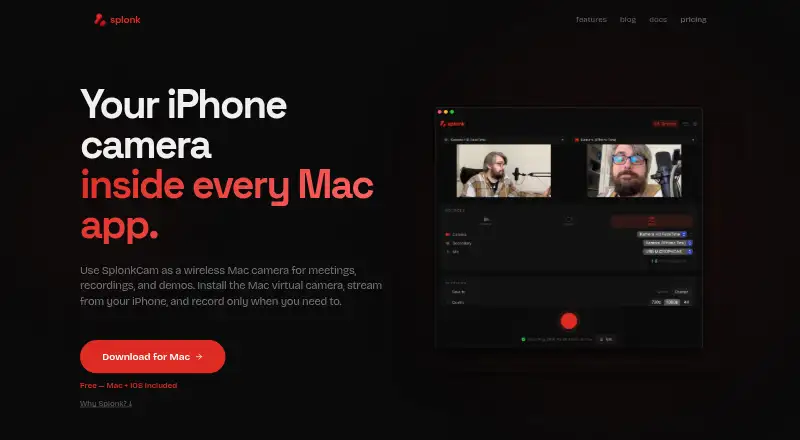
Splonk is a free video recording and editing tool for macOS and iOS. The Free plan includes Splonk for Mac and SplonkCam for iOS, with a Mac virtual camera, webcam recording, and controls for presenting camera footage. You can record two sources at once, including recordings up to 4K, then arrange the material on a timeline and export it. Editing features include audio effects, text overlays, and Smart Canvas exports. Background blur and other video effects help change the camera presentation. The listed plan costs nothing and is marked as a free plan. Splonk’s stated platforms are macOS and iOS, covering its Mac editor and iOS camera app. The combination is aimed at people who need to capture webcam video, combine two sources, and prepare the result with built-in editing and export tools.
Who it suits
Splonk suits Mac and iOS users recording webcam video or combining two sources. It is also relevant to users who want timeline editing, camera effects, and exports without a paid plan.
What it does well
- Free plan costs nothing
- Records two sources up to 4K
- Includes Mac virtual camera
- Provides timeline editing and exports
- Offers blur, effects, and camera controls
What to know first
- Limited to macOS and iOS
- No Windows, Linux, or Android platform listed
Plans
| Plan | Billed and limits | Price |
|---|---|---|
| Free | Splonk for Mac and SplonkCam for iOS · Mac virtual camera · Dual-source recording up to 4K · Timeline editing and exports · Audio effects, text overlays, and Smart Canvas exports | Free |
As splonk.app lists them, read 24 Sept 2026. The maker's own page has the final word.
Verdict
Splonk combines recording, camera presentation, and timeline editing across Mac and iOS. Its listed plan is free and includes dual-source recording up to 4K.
Where Splonk stands on Freedom251
- Webcam Software#35 of 41