Freedom251 › AI Video Repurposing Tools
Spikes Studio
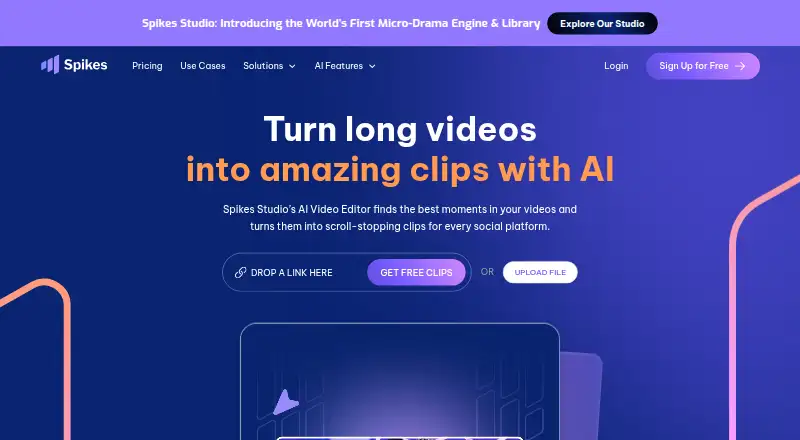
What Spikes Studio is
Spikes Studio uses AI to find notable moments in long videos and turn them into short clips for social platforms. Editing tools include automatic transitions and zooming, caption styling, multiple export formats, and customizable templates. Its moment-detection tool supports more than 99 languages. Users can connect accounts to schedule or manage posts for LinkedIn, TikTok, Facebook, and YouTube, then review views, engagement, growth, trends, and per-post performance in a dashboard.
The product serves aspiring creators, video professionals, small businesses, and teams. It is available on the web and through an API, with API documentation covering auto-edited clips, captions, text overlays, and logo insertion. The free plan allows up to 30 minutes of video content per month; exports have a watermark and 720p resolution. PRO+ starts at $14.09 a year, billed at $14.09/month annually, while the monthly option costs $32.99 a month. Enterprise starts at $56.34 a year, billed at $56.34/month annually, or $115.99 a month. Paid plans list 1080p exports; Enterprise adds custom templates and unlimited storage. The web editor's Add Captions tab supports videos up to five minutes.
Who it suits
Spikes Studio suits creators, video professionals, small businesses, and teams that want to make short clips and manage social publishing. Its API is also relevant to users building video-processing workflows.
What it does well
- Moment detection supports more than 99 languages
- Scheduling covers LinkedIn, TikTok, Facebook, and YouTube
- Dashboard tracks engagement and per-post performance
- Free plan includes 30 minutes monthly
What to know first
- Free exports include a watermark
- Free plan exports at 720p
- Web Add Captions editor handles videos up to five minutes
- Paid entry option is $14.09/month billed annually
Limits
The free Basic plan allows up to 30 minutes of video content per month, with watermarked 720p exports. Its web editor handles videos up to five minutes through the Add Captions tab. Basic storage lasts 7 days; PRO+ storage lasts 90 days, while Enterprise storage is unlimited.
Plans
| Plan | Billed and limits | Price |
|---|---|---|
| Basic | demo clips · watermark · 720p export · auto-captions · basic editor | Free |
| Basic plan | $0.00/month · Demo clips · watermark · 720p export · auto-captions · basic editor · up to 30 minutes of video content per month | Free |
| Enterprise | Billed Monthly · 1,200 minutes/month · custom templates · 1080p · fast processing · account manager · unlimited storage | $115.99 a month |
| Enterprise (monthly) | $115.99/month · 1,200 minutes per month · custom templates · 1080p export · fast processing · account manager · unlimited storage | $115.99 a month |
| PRO+ (annual) | $14.09/month, billed annually · 3,600 minutes per year · no watermark · 1080p export · animated auto-captions · AI B-roll · social media scheduler · music & SFX | $14.09 a month |
| PRO+ | Billed Monthly · 300 minutes/month · no watermark · 1080p · animated captions · AI B-roll · GIFs and animations · video transcription | $32.99 a month |
| PRO+ (monthly) | $32.99/month · 300 minutes per month · no watermark · 1080p export · animated captions · AI B-roll · GIFs & animations · video transcription | $32.99 a month |
| Enterprise (annual) | $56.34/month, billed annually · 14,400 minutes per year · custom templates · 1080p export · premium editor · account manager · unlimited storage | $56.34 a month |
As spikes.studio lists them, read 20 Oct 2026. The maker's own page has the final word.
Getting started
- Open the Spikes Studio website
- Create a free account or start the free trial
- Upload long videos for AI moment detection
- Edit clips with captions, transitions, zooming, or templates
- Connect LinkedIn, TikTok, Facebook, or YouTube accounts
- Choose a Basic, PRO+, or Enterprise plan
Verdict
Spikes Studio brings clip creation, social scheduling, and performance tracking together. The free plan has a monthly content cap and watermarked exports, while the editor has a separate five-minute limit.
Questions
Is Spikes Studio free?
Yes. The Basic plan is free, billed $0.00/month, and a free trial is available. Paid pricing is listed from $3,360/mo.
What does the Basic plan include?
Basic includes demo clips, watermark, 720p export, auto-captions, a basic editor, and up to 30 minutes of video content per month.
What are the PRO+ prices?
PRO+ (annual) is $14.09 a year, billed $14.09/month annually, with 3,600 minutes per year. PRO+ (monthly) is $32.99 a month with 300 minutes per month.
What are the Enterprise prices?
Enterprise (annual) is $56.34 a year, billed $56.34/month annually, with 14,400 minutes per year. Enterprise (monthly) is $115.99 a month with 1,200 minutes per month.
Which platforms does Spikes Studio support?
Spikes Studio is available on the web and through an API. Social connections support LinkedIn, TikTok, Facebook, and YouTube.
Who can access uploaded content?
The FAQ says only the user has access to their content. The site also links to a Help Center for assistance.
Facts from Spikes Studio's own pages
- AI clip detection
- The service automatically detects standout moments in uploaded footage. · spikes.studio, 20 Oct 2026
- Analytics
- A dashboard tracks views, engagement, growth and per-post performance. · spikes.studio, 20 Oct 2026
- API
- Spikes publishes API documentation for video-processing functions including auto-edited clips, captions, text overlays, and logo insertion. · docs.spikes.studio, 3 Oct 2026
- API authentication
- API requests use bearer-token authentication in the Authorization header. · docs.spikes.studio, 20 Oct 2026
- API availability
- Spikes provides a beta API for automated video editing and summaries. · api-home.spikes.studio, 20 Oct 2026
- API capabilities
- Documented API functions include auto-clipping, timestamps, summaries, hashtags, GIF insertion and project status. · api-home.spikes.studio, 20 Oct 2026
- API commercial plans
- The API pricing page lists Pro at $3360/mo with 50,000 credits, Team at $5760/mo with 100,000 credits and Enterprise as contact sales. · api-home.spikes.studio, 20 Oct 2026
- API documentation depth
- The public docs describe endpoints, parameters, responses and error codes, while several planned endpoints are marked coming soon. · docs.spikes.studio, 20 Oct 2026
- API input and pricing
- Auto-edit requests accept YouTube, Google Drive or direct media links and are priced at 10 credits per input minute. · docs.spikes.studio, 20 Oct 2026
- Caption styling
- Users can apply on-brand caption styling to generated clips. · spikes.studio, 20 Oct 2026
- Changelog
- The public API-site changelog shows entries dated October-November 2024, including cloud architecture and API updates. · api-home.spikes.studio, 20 Oct 2026
- Company headquarters
- LinkedIn lists Tel Aviv as the headquarters. · linkedin.com, 20 Oct 2026
- Company size
- LinkedIn lists Spikes Studio as a privately held software-development company with 11-50 employees. · linkedin.com, 20 Oct 2026
- Editing features
- Its listed editing tools include automatic transitions and zooming, caption styling, multi-format exports, and customizable templates. · spikes.studio, 3 Oct 2026
- Founded
- LinkedIn lists the company as founded in 2020. · linkedin.com, 20 Oct 2026
- Free plan limit
- The pricing FAQ says the monthly free plan includes up to 30 minutes of video content; free exports have a watermark. · spikes.studio, 3 Oct 2026
- Generated metadata
- AI can produce titles, hashtags, descriptions and audience-oriented emojis. · spikes.studio, 20 Oct 2026
- Independent availability
- AI Market Cap describes Spikes Studio as browser-only and says it has no full-featured mobile app. · aimarketcap.io, 20 Oct 2026
- Language coverage
- Spikes Studio says its transcription supports more than 99 languages. · spikes.studio, 20 Oct 2026
- Languages
- The site says its moment-detection tool supports more than 99 languages. · spikes.studio, 3 Oct 2026
- Limit: advanced editing
- AI Velocity Lab says cinematic edits, complex B-roll storytelling and advanced effects require a fuller editor. · aivelocitylab.com, 20 Oct 2026
- Limit: human review needed
- Independent reviewers say users still need to curate clips and tighten boundaries, captions or context before publishing. · aivelocitylab.com, 20 Oct 2026
- Limit: reframing control
- A Product Hunt reviewer requested AI reframing and more control over keyframes for multi-camera content. · producthunt.com, 20 Oct 2026
- Limit: support and failures
- Trustpilot reviewers report upload/generation errors, charged subscriptions and difficulty obtaining support or refunds. · trustpilot.com, 20 Oct 2026
Where Spikes Studio stands on Freedom251
- AI Video Repurposing Tools#25 of 50
- AI Video Editing Software#21 of 32
- Social Media Video Makers#20 of 29