Freedom251 › AI Video Repurposing Tools
ClipShip
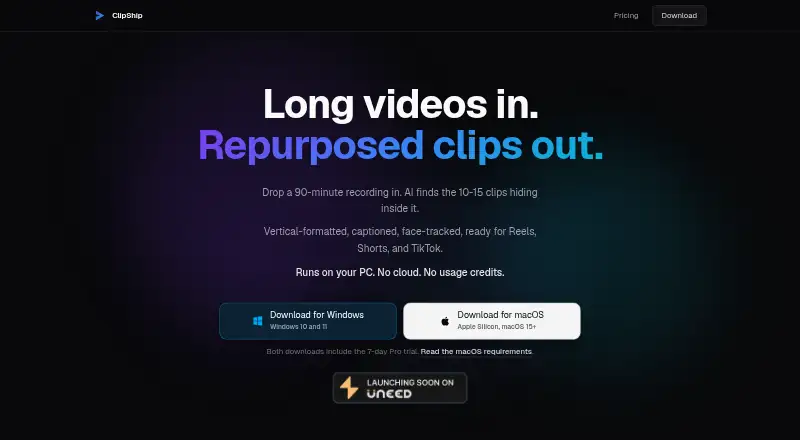
What ClipShip is
ClipShip is a desktop app for turning long videos into short clips. Its AI highlight detection helps identify moments to use, while automatic reframing and social platform presets help prepare clips for different formats. It can also turn transcripts into posts and use brand templates. ClipShip supports source videos up to 120 minutes and runs on macOS and Windows.
The free plan costs nothing, billed Forever. It includes unlimited local processing and core clip generation, with exports at 720p carrying a ClipShip watermark. Pro removes the watermark, supports 1080p exports and adds custom styled captions. Pro monthly costs $5 a month for the first 50 subscribers; that rate remains while the subscription is active. Pro lifetime costs $99, paid once for the first 100 customers, with the page stating the price then becomes $149. The lifetime plan has no recurring charge. A 7-day trial is available.
Who it suits
ClipShip suits people who want to find highlights in long videos and prepare clips for social platforms on macOS or Windows. The free plan covers local processing and core clip generation, while Pro is for users who want watermark-free 1080p exports and custom styled captions.
What it does well
- AI highlight detection finds potential clip moments.
- Automatic reframing and social platform presets help prepare clips.
- Transcript-to-post output and brand templates are included.
- Supports source videos up to 120 minutes.
- Free plan includes unlimited local processing.
What to know first
- Free exports are limited to 720p and carry a watermark.
- Custom styled captions require Pro.
- The $5 monthly rate applies to the first 50 subscribers.
- The $99 lifetime price applies to the first 100 customers.
Limits
The free plan has 720p exports with a ClipShip watermark. Pro monthly is $5 a month for the first 50 subscribers, and Pro lifetime is $99, paid once for the first 100 customers; the page says the lifetime price then becomes $149.
Plans
| Plan | Billed and limits | Price |
|---|---|---|
| Free | Forever · Unlimited local processing · 720p exports with ClipShip watermark · Core clip generation features | Free |
| Pro monthly | First 50 subscribers; keep the $5 rate while subscription remains active · No watermark · 1080p exports · Custom styled captions | $5 a month |
| Pro lifetime | Founder price for first 100 customers; page says it then becomes $149 · No watermark · 1080p exports · Custom styled captions · No recurring charge | $99, paid once |
As clipship.co lists them, read 24 Sept 2026. The maker's own page has the final word.
Getting started
- Visit https://clipship.co/.
- Choose the free plan or review Pro monthly and lifetime options.
- Use the 7-day trial if you want to try a paid plan.
- Run ClipShip on macOS or Windows.
- Start with a source video up to 120 minutes.
Verdict
Choose ClipShip if you want AI highlight detection, reframing and social presets in a desktop clip-making app. The free plan includes unlimited local processing, while Pro is the option for watermark-free 1080p exports and custom styled captions. Look elsewhere if you need free exports without a watermark or above 720p.
Questions
Does ClipShip have a free plan?
Yes. The free plan costs nothing, billed Forever, and includes unlimited local processing and core clip generation.
What does ClipShip Pro cost?
Pro monthly is $5 a month for the first 50 subscribers, with the rate retained while the subscription stays active. Pro lifetime is $99, paid once for the first 100 customers; the page says it then becomes $149.
What is included with Pro?
Pro includes watermark-free 1080p exports and custom styled captions. The lifetime plan has no recurring charge.
Which platforms does ClipShip support?
ClipShip runs on macOS and Windows.
How long can a source video be?
ClipShip supports source videos up to 120 minutes.
Does ClipShip offer a trial?
Yes, a 7-day trial is available.
Where ClipShip stands on Freedom251
- AI Video Repurposing Tools#27 of 50