Freedom251 › AI Video Repurposing Tools

Powder
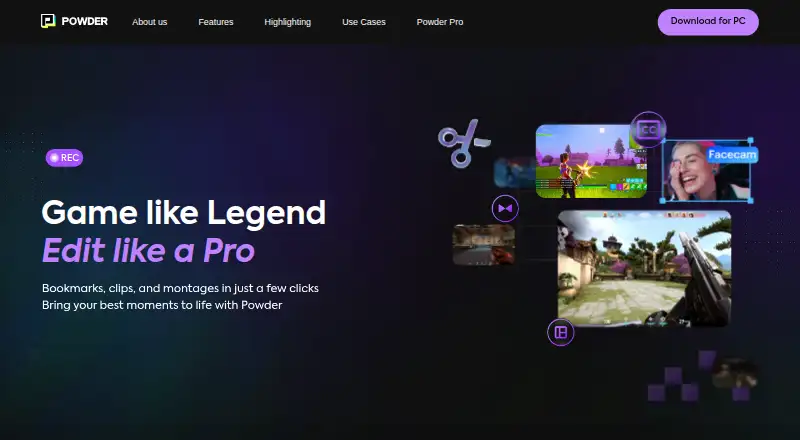
What Powder is
Powder uses AI to turn gameplay recordings and completed streams into clips and shareable highlights. It looks for game-specific moments across more than 40 popular games, analyzes audio for emotional moments, and tracks community engagement for moments that prompt fan reactions. Keyword and semantic transcript search can help users find moments in footage. The recorder captures gameplay, game sound, and voice, supports up to 4K UHD at high frame rates, and can collect audio from multiple devices, including voice chat in programs such as Discord. Powder analyzes local recordings and completed, publicly available streams from Twitch, YouTube, or Kick. Its AI runs on Windows PCs, so analysis happens on-device. It is post-processing software: recordings must finish and streams must end before clips can be extracted. Powder is a Windows-only PC app and does not support Linux, macOS, or mobile apps. The free plan includes unlimited gameplay recording and analysis, local file analysis, AI highlights, and 1080p exports with a Powder outro. Powder Pro costs $9.99/month and adds Twitch and YouTube connections, VOD analysis, custom AutoEdits, community clip detection, and exports up to 4K 120 FPS without an outro.
Who it suits
Powder suits gamers who want to record and analyze gameplay on Windows, as well as professional creators and organizations seeking its paid features. It is not a fit for users who need Linux, macOS, or mobile support.
What it does well
- Free plan includes unlimited gameplay recording and analysis.
- Finds game-specific highlights across more than 40 games.
- Can search transcripts by keyword or meaning.
- Recorder supports up to 4K UHD.
- AI analysis runs on Windows PCs.
What to know first
- Windows-only; no Linux, macOS, or mobile apps.
- Clips require recordings or streams to finish first.
- Powder Pro costs $9.99/month.
Limits
Powder Free limits exports to 1080p and adds a Powder outro. Powder Pro removes the outro and supports exports up to 4K 120 FPS; clip extraction remains post-processing after recordings or streams finish.
Plans
| Plan | Billed and limits | Price |
|---|---|---|
| Powder Free | Unlimited gameplay recording & analysis · Analyze any local file · AI highlights · 1080P exports with Powder outro | Free |
| Powder Pro | $9.99/month · Twitch & YouTube connections · VOD import and analysis · Twitch chat spike and community clip detection · Custom AutoEdits · Up to 4K 120 FPS exports without outro | $9.99 a month |
As powder.gg lists them, read 8 Oct 2026. The maker's own page has the final word.
Getting started
- Visit the Powder website
- Choose the free plan or Powder Pro
- Install the Windows app
- Record gameplay or select a local file
- Connect Twitch or YouTube for VOD analysis on Powder Pro
- Extract clips after recordings finish or streams end
Verdict
Powder combines recording, highlight detection, and transcript search in a Windows workflow. Its free plan covers recording and local analysis; Pro adds streaming connections and higher-resolution exports for $9.99/month.
Questions
Is Powder free?
Yes. Powder Free costs nothing and includes unlimited gameplay recording and analysis, local-file analysis, AI highlights, and 1080p exports with a Powder outro.
What does Powder Pro cost?
Powder Pro is billed at $9.99 per month.
Which platforms does Powder support?
Powder is a Windows-only PC app and does not support Linux, macOS, or mobile apps.
Can Powder process Twitch, YouTube, or Kick streams?
It can analyze completed, publicly available streams from Twitch, YouTube, or Kick. Powder Pro adds Twitch and YouTube connections plus VOD import and analysis.
Does Powder process clips while a stream is live?
No. It is post-processing software, so streams must have ended before clips can be extracted.
Facts from Powder's own pages
- Audio and transcript analysis
- Powder analyzes audio for emotional moments and lets users find moments through keyword and semantic transcript search. · powder.gg, 8 Oct 2026
- Audio integrations
- The recorder can capture audio from multiple devices, including voice chat in programs such as Discord. · powder.gg, 8 Oct 2026
- Community reactions
- Powder says it tracks stream community engagement to identify moments that spark fan reactions. · powder.gg, 8 Oct 2026
- Company history
- Powder’s About page says it launched in 2020. · powder.gg, 8 Oct 2026
- Founded
- 2020 · powder.gg, 28 Sept 2026
- Game highlights
- Powder says its AI detects game-specific highlights across more than 40 popular games. · powder.gg, 8 Oct 2026
- Intended users
- Powder describes its free plan for gamers and its paid subscription for professional content creators and organizations. · powder.gg, 8 Oct 2026
- Live processing limitation
- Powder says it is post-processing software, so recordings must be finished and streams must have ended before clips can be extracted. · powder.gg, 8 Oct 2026
- Local processing
- Powder says its AI runs on Windows PCs, allowing gameplay and streaming content analysis on-device. · powder.gg, 8 Oct 2026
- Platform limitation
- Powder describes itself as a Windows-only PC app and says it does not support Linux, macOS, or mobile apps. · powder.gg, 8 Oct 2026
- Screen recording
- Its recorder captures gameplay, game sound, and voice, and supports up to 4K UHD at high frame rates. · powder.gg, 8 Oct 2026
- Support
- Users can report issues and send feature requests to [email protected]; Powder asks users reporting issues to include app log files and a video link. · powder.gg, 8 Oct 2026
- Video sources
- Powder supports gameplay recordings and completed, publicly available streams on Twitch, YouTube, or Kick for clipping. · powder.gg, 8 Oct 2026
- What it does
- Powder uses AI to turn gameplay recordings and streams into clips and shareable highlights. · powder.gg, 8 Oct 2026
Where Powder stands on Freedom251
- AI Video Repurposing Tools#23 of 50
- Game recording software#25 of 30