Freedom251 › AI Video Repurposing Tools

Splicora
What Splicora is
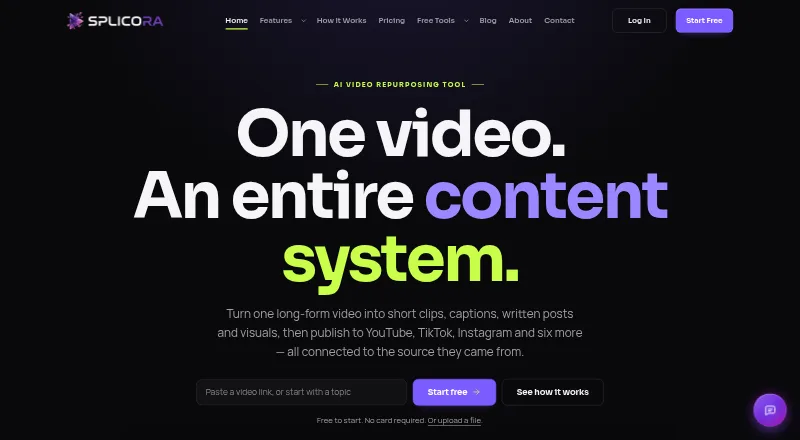
Splicora turns long-form video and other source material into short clips, captions, written content and visuals that can be organized and published from one project. It accepts YouTube links, video uploads, cloud storage files, Vimeo, podcast RSS feeds, direct video links, topics, scripts and articles. Its browser-based multi-track editor includes waveforms, royalty-free music, AI captions and B-roll, and exports up to 4K. It can also make narrated vertical videos from a topic, script or article, using an AI voice, stock footage and timed captions. The subtitle generator offers 100 styles, with 20 available free, and translates into more than 20 languages. Splicora says it can publish directly to YouTube, TikTok, Instagram, Facebook, LinkedIn, X, Pinterest, Threads and Bluesky. Project materials, scheduled posts and performance data stay grouped with the source project. The free plan includes 25 monthly credits and 1 GB storage; paid plans start at $19/mo. The site says paid upgrades are not open yet, although every feature is currently unlocked on every plan.
Who it suits
Splicora suits podcast and interview producers, talking-head channels, educators, marketing teams and agencies that want to turn source material into multiple content formats. Its web editor and mobile installation options may also suit creators working across devices.
What it does well
- Accepts video, cloud storage, RSS, topics, scripts and articles.
- Exports edited videos up to 4K.
- Offers 100 caption styles and translation to over 20 languages.
- Publishes to nine named social platforms.
- Privacy policy says content is not used to train AI models.
What to know first
- Free plan has 25 credits per month.
- Free plan includes 1 GB storage and seven-day history.
- Paid upgrades are not open yet.
- Paid plans start at $19/mo.
Limits
The Free plan has 25 credits per month, 1 GB storage, one brand voice and seven-day history. The pricing FAQ says a hook costs 1 credit and a full Clips analysis costs 10 credits; credit allowances refresh monthly. Paid plans list higher quotas and features, but paid upgrades are not open yet.
Plans
| Plan | Billed and limits | Price |
|---|---|---|
| Starter | 50 credits per month · 10 GB storage · 3 brand voices · Analytics dashboard · Brand kit & calendar · 30-day history · No watermark | $19 a month |
| Pro | 500 credits per month · 50 GB storage · 10 brand voices · Batch analysis · Thumbnail A/B testing · Clips with B-roll · Unlimited history · No watermark | $39 a month |
| Teams | 500 credits per month · 200 GB storage · 25 brand voices · 5 team seats · Priority processing · Everything in Pro | $79 a month |
| Free | 25 credits per month · 1 GB storage · 1 brand voice · 7-day history · Watermarked exports | On request |
As splicora.ai lists them, read 29 Sept 2026. The maker's own page has the final word.
Getting started
- Open the Splicora website.
- Use Splicora on the web, or install it on iPhone or iPad through Safari or Android through Chrome.
- Bring in a source using a video link, upload, cloud storage, podcast RSS feed, topic, script or article.
- Use the editor, caption tools or Faceless video creation for your content.
- Publish through one of the listed social integrations.
Splicora suits creators and teams who want to turn a source video or article into a coordinated set of clips and publishable content. Its breadth is a strength, but a small free credit allowance and storage cap make plan limits central to the decision.
Overview
Projects can start from video links, uploads, cloud storage or podcast RSS feeds, as well as a topic, script or article for faceless video creation. Splicora can produce short clips, narrated vertical videos, written pieces and visual assets. Keeping clips, writing, visuals, scheduled posts and performance data together around the source is useful for a recurring content workflow; it is less compelling if all you need is one narrow editing task.
Key features
Editing, captions and faceless video
The browser-based multi-track editor includes waveforms, royalty-free music, AI captions and B-roll, with exports up to 4K. The subtitle generator offers 100 styles, 20 on the Free plan, and translation into more than 20 languages. That gives creators useful options for adapting captions, although Free users get only a portion of the style collection.
Faceless turns a topic, script or article into a vertical short with AI narration, stock footage and word-timed captions. It offers an alternative to recording a presenter, while the editor and broader clip workflow suit people working from existing footage.
Repurposing and publishing
Output formats include blog articles, newsletters, show notes, LinkedIn posts, X threads, social captions, quote cards, carousels and cover images, alongside vertical, square and wide videos. Splicora says it publishes natively to YouTube, TikTok, Instagram, Facebook, LinkedIn, X, Pinterest, Threads and Bluesky. That combination can reduce the need to move each asset into a separate publishing workflow, though monthly credits still govern how much work can be generated.
The site says customer content is not used to train AI models or sold, and that data is encrypted in transit and at rest. Help is available through step-by-step guides and a 24/7 AI assistant.
Pricing
Splicora is freemium. The site says every feature is currently unlocked on every plan while paid upgrades are not open yet, so the listed paid allowances describe the plan structure rather than currently accessible upgrades.
| Plan | Price | Allowance and features |
|---|---|---|
| Free | free | 25 credits per month, 1 GB storage, 1 brand voice and 7-day history. No card is required. |
| Starter | $19 a month | 50 credits per month, 10 GB storage, 3 brand voices, analytics dashboard, brand kit and calendar, 30-day history, and no watermark. |
| Pro | $39 a month | 500 credits per month, 50 GB storage, 10 brand voices, batch analysis, thumbnail A/B testing, Clips with B-roll, unlimited history, and no watermark. |
| Teams | $79 a month | 500 credits per month, 200 GB storage, 25 brand voices, 5 team seats, priority processing, and everything in Pro. |
Free is a low-commitment way to try the workflow, but its 25 monthly credits and 1 GB storage are restrictive for frequent or large projects. The FAQ says a hook costs 1 credit and a full Clips analysis costs 10, with allowances refreshing monthly. Starter adds useful organization and analytics, but only 50 credits; creators processing sources regularly may find Pro’s 500-credit allowance and batch tools a more practical fit. Teams adds seats and storage without increasing the 500-credit allowance, so its higher price makes most sense when collaboration and capacity matter more than additional monthly analysis.
Platforms
Splicora is available on the web, Android and iOS. Its mobile experience can be installed through Chrome on Android or Safari on iPhone and iPad without an app store download.
Who it's for
Podcasts, interview shows, talking-head channels, teaching and tutorial creators, marketing teams and agencies are the clearest fit. The project-based workflow is most useful when one source needs to become several formats and scheduled posts. It is a weaker choice for someone who only needs occasional clip editing or wants a large monthly processing allowance at no cost.
Pros and cons
- Broad output from multiple source types: video links, uploads, RSS feeds, topics, scripts and articles can feed a workflow spanning video, writing and visuals.
- Publishing and project tracking in one workflow: scheduled posts and performance data stay with the source project, while native publishing spans nine named social platforms.
- Free access has meaningful limits: 25 credits, 1 GB storage and 7-day history can constrain ongoing use, even with all features currently unlocked.
- Team pricing does not add credits: Teams includes five seats and 200 GB storage but retains the same 500 monthly credits as Pro.
Alternatives
For a dedicated video-repurposing comparison, see AI Video Repurposing Tools; for a broader content workflow, browse AI Content Repurposing Tools.
Askube is worth considering if its free plan’s 12 upload minutes, one workspace, one short clip and 720p output better match a small-scale trial. Nova offers up to 12 clips per month, 30 source-minutes and 1080p vertical exports on Free, a clearer fit for someone prioritizing a clip allowance. PostNext is another option. ZeroTwo is another option. LoquiHQ is another option. PrimePost is another option. QuillBuster is another option. quso.ai is another option.
Verdict
Choose Splicora if you regularly repurpose source material into clips, copy and visuals and want publishing and project tracking alongside creation. Its strongest case is the breadth of that connected workflow. Look elsewhere if a 25-credit free ceiling is too tight or if you need more monthly credits at the Teams level, which does not exceed Pro’s 500.
Verdict
Splicora combines clip creation, captions, writing, visuals and publishing around source projects. The free plan has limited monthly credits and storage, while the site says all features are currently unlocked pending paid upgrades.
Questions
Is Splicora free?
Yes. The Free plan costs nothing and includes 25 credits per month, 1 GB storage, one brand voice and seven-day history.
What do paid plans cost?
Starter is $19 a month, Pro is $39 a month and Teams is $79 a month. The site says paid upgrades are not open yet.
Which platforms can I use?
Splicora is listed for Android, iOS and web. Its site also describes installing on iPhone or iPad through Safari and Android through Chrome.
Where can Splicora publish content?
It says it publishes natively to YouTube, TikTok, Instagram, Facebook, LinkedIn, X, Pinterest, Threads and Bluesky.
How does Splicora handle customer content?
Its privacy policy says data is encrypted in transit and at rest, and content is not used to train AI models or shared with third parties without consent. Its About page also says it does not sell customer data.
What help is available?
The Help Center offers step-by-step guides and says its AI assistant is available 24/7. The contact page lists [email protected] and a phone number.
Facts from Splicora's own pages
- Caption support
- The subtitle generator offers 100 caption styles, 20 of them free, and translation to more than 20 languages. · splicora.ai, 29 Sept 2026
- Content ownership and data sales
- The About page says Splicora does not use customer content to train models or sell customer data. · splicora.ai, 29 Sept 2026
- Credit limits
- The pricing FAQ says a hook costs 1 credit, a full Clips analysis costs 10 credits, and credit allowances refresh monthly. · splicora.ai, 29 Sept 2026
- Editing
- The browser-based multi-track editor includes waveforms, royalty-free music, AI captions and B-roll, with export up to 4K. · splicora.ai, 29 Sept 2026
- Faceless videos
- Given a topic, script or article, Faceless creates narration with an AI voice, stock footage and word-timed captions for a vertical short. · splicora.ai, 29 Sept 2026
- Free tier availability
- The free plan requires no card, and the site says every feature is currently unlocked on every plan while paid upgrades are not open yet. · splicora.ai, 29 Sept 2026
- Headquarters
- Hollywood, Florida, United States · splicora.ai, 23 Sept 2026
- Intended users
- The About page identifies podcasts and interview shows, talking-head channels, teaching and tutorials, marketing teams and agencies as audiences. · splicora.ai, 29 Sept 2026
- Mobile app
- The site says users can install Splicora on iPhone or iPad through Safari or on Android through Chrome without an app store download. · splicora.ai, 29 Sept 2026
- Office location
- The About page lists the office as Hollywood, Florida 33020. · splicora.ai, 29 Sept 2026
- Project tracking
- Clips, writing, visuals, scheduled posts and performance data are grouped under the source project. · splicora.ai, 29 Sept 2026
- Publishing integrations
- Splicora says it publishes natively to YouTube, TikTok, Instagram, Facebook, LinkedIn, X, Pinterest, Threads and Bluesky. · splicora.ai, 29 Sept 2026
- Security and content use
- The privacy policy says data is encrypted in transit and at rest, and content is not used to train AI models or shared with third parties without consent. · splicora.ai, 29 Sept 2026
- Support
- The Help Center offers step-by-step feature guides and says its AI assistant is available 24/7; the contact page lists [email protected] and a phone number. · splicora.ai, 29 Sept 2026
- Video sources
- It accepts YouTube links, uploads, Google Drive, Dropbox, OneDrive, Vimeo, podcast RSS feeds and direct video links. · splicora.ai, 29 Sept 2026
- What it does
- Splicora turns long-form video into short clips, captions, written posts and visuals that can be published from one project. · splicora.ai, 29 Sept 2026
Where Splicora stands on Freedom251
- AI Video Repurposing Tools#20 of 50
- AI Content Repurposing Tools#14 of 31