Freedom251 › AI Video Repurposing Tools

OpenClip
What OpenClip is
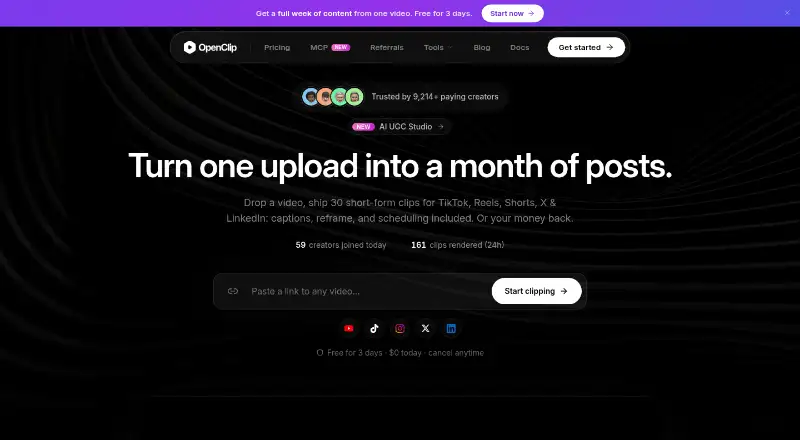
OpenClip is an AI video editor for finding moments in recordings and preparing them for different channels. Its clipping tools detect potential viral moments and assign a virality score, while controls let users set clip length, remove filler and silence, and track moving objects. It can add animated captions in more than 30 languages and automatically reframe video to vertical 9:16. A recording can also become social posts, blog posts, newsletters, or SEO drafts. The AI UGC Studio includes 28 AI creators, which users can shape by look, age, energy, wardrobe, and accent. OpenClip connects to Claude, ChatGPT, and AI agents through MCP. Pro adds social calendar publishing to X, Instagram Reels, Facebook, LinkedIn, TikTok, and YouTube Shorts. The Business plan includes an Integration API for Discord bots, Telegram bots, and enterprise applications, plus SSO, audit logs, and custom data-retention policies. OpenClip says workspace uploads, transcripts, and generated clips are private to that workspace and are not used to train external models. It is available through the web and API, with a free plan, paid plans from $14.99/mo, and a 3-day trial.
Who it suits
Starter is aimed at individual creators, while Pro suits professional creators, marketers, and teams that need social calendar publishing. Business is intended for brands and teams that run on video and need API access, custom integrations, or enterprise security features.
What it does well
- Detects potential viral moments and assigns a virality score.
- Captions support more than 30 languages and vertical 9:16 reframing.
- Repurposes recordings into social posts, newsletters, and SEO drafts.
- Free Tools hub includes transcription, editing, conversion, and image tools.
- Workspace content is not used to train external models, according to OpenClip.
What to know first
- Free visual outputs carry a watermark.
- Starter has no team seats or social calendar publishing.
- The Integration API is provisioned through Business-plan onboarding.
Limits
The free plan allows 10 runs per day, 200 MB inputs, and input durations up to 10 minutes; visual outputs carry a watermark. Starter includes 150 credits per month but has no team seats, social calendar publishing, or custom fonts.
Plans
| Plan | Billed and limits | Price |
|---|---|---|
| Free | Demo project · Tools access · 10 runs/day · 200 MB input · 10-minute input duration · Watermark on visual outputs | Free |
| Starter | $14.99/mo · 150 credits/month · 1 brand profile · No team seats · No social calendar publishing · No custom fonts | $14.99 a month |
| Pro | $24.99/mo · 350 credits/month · 3 brand profiles · Team workspace and seats · Social calendar publishing · Premiere Pro and DaVinci Resolve export | $24.99 a month |
| Business | $89.99/mo · 1,500 credits/month · Priority processing · Dedicated storage · Custom team seats · API, MCP and custom integrations · Dedicated Slack support | $89.99 a month |
As openclip.app lists them, read 30 Sept 2026. The maker's own page has the final word.
Getting started
- Open the OpenClip website.
- Use the web app or API platform.
- Start with the free plan or choose a paid plan from $14.99/mo.
- Use the 3-day trial to try a paid plan.
- For the Integration API, use Business-plan onboarding.
Verdict
Choose OpenClip if you want video clipping, captioning, and repurposing in one editor, with plans for individual creators through video-focused teams. Look elsewhere if you need team seats or social calendar publishing on Starter, or want visual outputs without a watermark on the free plan.
Questions
Is OpenClip free?
Yes. The Free plan costs nothing and includes a demo project, Tools access, and 10 runs per day.
How much do the paid plans cost?
Starter is $14.99/mo, Pro is $24.99/mo, and Business is $89.99/mo.
Is there a free trial?
Yes. OpenClip lists a 3-day trial.
Which platforms does OpenClip support?
The listed platforms are web and API.
Which plan includes social publishing?
Pro includes social calendar publishing for X, Instagram Reels, Facebook, LinkedIn, TikTok, and YouTube Shorts.
Does OpenClip offer an API?
The Business plan includes an Integration API intended for Discord bots, Telegram bots, and enterprise applications. It is provisioned through Business-plan onboarding.
Facts from OpenClip's own pages
- AI clipping
- AI clipping includes viral-moment detection with a virality score, custom clip length, filler and silence removal, and moving-object tracking. · openclip.app, 30 Sept 2026
- AI integrations
- OpenClip connects to Claude, ChatGPT, and AI agents through MCP. · openclip.app, 30 Sept 2026
- Audience
- Starter is for individual creators, Pro is for professional creators, marketers, and teams, and Business is for brands and teams that run on video. · openclip.app, 30 Sept 2026
- Captions
- OpenClip provides animated captions in more than 30 languages and automatic vertical 9:16 reframing. · openclip.app, 30 Sept 2026
- Developer API
- The Integration API is intended for Discord bots, Telegram bots, and enterprise applications and is provisioned through Business-plan onboarding. · openclip.app, 30 Sept 2026
- Enterprise security
- Business plans include SSO, audit logs, and custom data-retention policies. · openclip.app, 30 Sept 2026
- Free tools
- The Tools hub offers transcription, video editing, conversion, thumbnails, image editing, and background removal without a subscription. · openclip.app, 30 Sept 2026
- Privacy
- OpenClip says uploads, transcripts, and generated clips are private to the workspace and are not used to train external models. · openclip.app, 30 Sept 2026
- Product
- OpenClip is an AI editor that finds the best moments in videos, captions them, and formats them for every platform. · openclip.app, 30 Sept 2026
- Repurposing
- A recording can be turned into social posts, blog posts, newsletters, and SEO drafts. · openclip.app, 30 Sept 2026
- Social publishing
- Social scheduling supports X, Instagram Reels, Facebook, LinkedIn, TikTok, and YouTube Shorts, and is part of the Pro plan. · openclip.app, 30 Sept 2026
- Support
- OpenClip says it usually replies to support, billing, and other inquiries within 1–2 business days. · openclip.app, 30 Sept 2026
- UGC studio
- AI UGC Studio includes 28 AI creators and lets users design creators by look, age, energy, wardrobe, and accent. · openclip.app, 30 Sept 2026
Where OpenClip stands on Freedom251
- AI Video Repurposing Tools#17 of 50
- Podcast Clip Makers#14 of 30