Freedom251 › IEP Management Software
SPEDHub
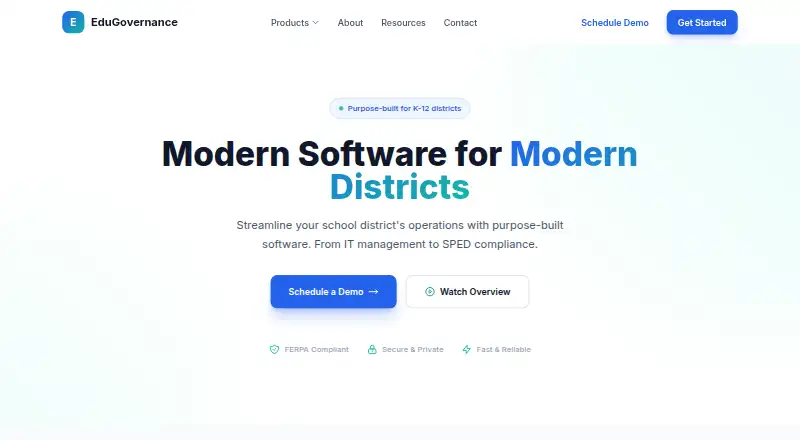
What SPEDHub is
SPEDHub is a special education management system for K-12 districts, covering processes from initial referrals through IEP development and annual reviews. Its IEP builder includes compliance checks, and a meeting scheduler sends reminders. Progress monitoring dashboards and a parent portal for document access are also listed, alongside state reporting automation and Medicaid billing integration. The web product is available through an API and lists connections to Google Workspace, Microsoft 365, PowerSchool, Infinite Campus, Skyward, SAML/SSO, and custom REST API integrations. EduGovernance says files are encrypted at rest and in transit, with role-based access controls and audit logging. Permissions sync automatically with OneRoster and Microsoft 365. EduGovernance describes SPEDHub as FERPA, COPPA, and SOC 2 compliant. Sign-in uses an organizational account, and an organization's IT administrator must authorize the app before users can access it. EduGovernance offers migration assistance and describes its support as coming from people who understand education. Pricing is available on request.
Who it suits
SPEDHub is designed for K-12 districts, including SPED directors managing IEPs and compliance deadlines. Access requires approval from the organization's IT administrator.
What it does well
- IEP builder includes compliance checks
- Parent portal provides document access
- Permissions sync with OneRoster and Microsoft 365
- Migration assistance is offered
What to know first
- Price is available on request
- IT admin authorization is required before sign-in
Getting started
- Visit the EduGovernance website and request a demo or contact sales for pricing.
- Ask your organization's IT administrator to authorize the app.
- Sign in with an organizational account using Microsoft or Google.
- Use the web service or its API.
SPEDHub is a district-oriented special education management system for K–12 schools. It suits teams coordinating referrals, IEPs, compliance deadlines, monitoring, and family access in one environment. Its broad workflow coverage and district integrations are compelling, while required IT authorization and custom pricing make it a considered procurement rather than an individual educator purchase.
Overview
SPEDHub follows a student’s special education process from initial referral through IEP development and annual reviews. It combines case management with progress dashboards, parent document access, state reporting automation, and Medicaid billing integration. That range is valuable for SPED directors responsible for connected operational and compliance work; a school seeking only a narrow IEP authoring tool may be paying for scope it will not use.
Access is managed through an organizational account. An IT administrator must authorize the application before anyone can sign in, and users can authenticate with Microsoft or Google. EduGovernance says files are encrypted both at rest and in transit, protected by role-based permissions, and covered by full audit logging. It also describes SPEDHub as FERPA, COPPA, and SOC 2 compliant. Those controls and the automatic permission synchronization with OneRoster and Microsoft 365 fit districts with formal identity and governance requirements, but they also make local IT involvement essential at rollout.
Key features
IEP workflows and scheduling
The IEP builder includes compliance checks, giving teams a way to catch requirements while preparing plans rather than relying solely on a final review. A meeting scheduler with reminders addresses coordination around IEP meetings and annual-review deadlines. Together, they are most useful to directors and case teams managing many timelines; they are less relevant to organizations that already have a separate, tightly integrated scheduling process.
Monitoring, families, and administration
Progress-monitoring dashboards give district staff a consolidated view of student progress. A parent portal provides document access, extending the workflow beyond internal staff and reducing the need to distribute files through separate channels. State-reporting automation and Medicaid billing integration broaden the system into administrative operations, potentially reducing duplicate entry for districts that need both functions. The feature set is correspondingly heavier than a simple plan-writing application.
Connections and support
SPEDHub lists Google Workspace, Microsoft 365, PowerSchool, Infinite Campus, and Skyward integrations, plus SAML/SSO and a REST API for custom connections. These options make it more practical for districts already invested in those identity and student-information systems. EduGovernance describes human support from staff who understand education and offers migration assistance, which matters when moving existing special education records and workflows.
Pricing
SPEDHub is paid software with pricing available on request. The product page provides demo and contact-sales routes rather than a published rate, so districts must obtain a proposal to compare total cost and terms. This approach can accommodate district-specific scope, integrations, and migration needs, but it prevents quick budget comparisons and gives smaller teams no self-service entry point.
Because there is no free plan or published trial term, organizations should treat authorization, migration planning, and procurement review as prerequisites before committing. The absence of a posted seat or usage schedule also means the sales discussion will need to establish how licensing maps to district users and students.
Platforms
SPEDHub is available on the web and through an API. Web access suits district staff working from standard browsers, while the REST API supports custom integrations. It is not presented as a native mobile application, so teams expecting dedicated Android or iOS clients should assess whether browser access meets their field-work needs.
Who it's for
SPEDHub is designed for K–12 districts, particularly SPED directors managing IEPs and compliance deadlines across schools. It is a strong candidate when a district wants referrals, plans, monitoring, parent access, reporting, billing, and identity controls connected in one system. It is less suitable for an individual teacher, a small team wanting an immediately priced tool, or a buyer that cannot provide organizational IT authorization.
Pros and cons
- Pro: Covers the full path from referral through annual review, reducing the need to stitch together separate special education workflows.
- Pro: Compliance checks, reminders, dashboards, parent access, reporting automation, and Medicaid integration address both casework and district administration.
- Pro: Encryption, role-based access, audit logging, stated FERPA/COPPA/SOC 2 compliance, and synchronized permissions support governed student-file handling.
- Pro: Broad SIS, productivity-suite, SSO, and API connections can fit established district technology environments.
- Con: Custom pricing and no published free tier or trial make initial cost and evaluation harder to judge.
- Con: IT-admin authorization is mandatory, so deployment cannot be decided by an individual school or educator alone.
- Con: Web and API access, without a stated native mobile app, may not suit teams requiring dedicated mobile workflows.
Alternatives
For a broader comparison of specialized tools, see IEP Management Software.
- CT-SEDS is the better fit for Connecticut local education agencies seeking a free service across web and desktop/mobile platforms, though Medicaid billing and local SIS synchronization can cost extra.
- CollaboratED suits teams wanting a free Starter plan, a free trial, learning-plan collaboration, an AI SPED Expert, and SIS/LMS interoperability.
- IEPWriter is worth choosing when Pennsylvania district pricing based on special-education student count and unlimited school users match the procurement model.
- PowerSchool Behavior Support is an alternative for organizations specifically seeking a PowerSchool behavior-support product with demo-led purchasing.
- SEIS is another paid, web and desktop-oriented option managed by CEDR Systems.
- SIRAS is a paid web-based alternative.
- EmbraceIEP fits districts wanting unlimited users and buildings, with student-population pricing supplied after a free demonstration; it does not offer a free trial.
- IEP Online is a paid option available on the web or self-hosted.
Verdict
Choose SPEDHub if you are a K–12 district that wants one governed system for referrals, IEP compliance, monitoring, family documents, reporting, billing, and existing identity or SIS connections. Its main reason to look elsewhere is procurement friction: pricing is custom, evaluation terms are not published, and IT authorization is required before access. Districts comfortable with that process get the broadest value from its integrated workflow and security model.
Verdict
SPEDHub covers a broad set of special education workflows, from referrals and IEPs to progress monitoring and reporting. Districts should account for the required IT authorization and request pricing from EduGovernance.
Questions
How much does SPEDHub cost?
Pricing is available on request; the product page provides demo and contact-sales links.
Who makes SPEDHub?
EduGovernance makes SPEDHub. The company identifies James White as its founder.
Which platforms can I use?
SPEDHub is available on the web and through an API.
What does SPEDHub do?
It manages special education processes from initial referrals through IEP development and annual reviews. Listed tools include compliance checks, meeting reminders, progress monitoring, parent document access, state reporting automation, and Medicaid billing integration.
What integrations are listed?
Google Workspace, Microsoft 365, PowerSchool, Infinite Campus, Skyward, SAML/SSO, and custom REST API integrations. Permissions also sync automatically with OneRoster and Microsoft 365.
What is required to sign in?
Users sign in with an organizational account through Microsoft or Google. An organization's IT administrator must authorize SPEDHub before users can sign in.
Facts from SPEDHub's own pages
- Access requirement
- An organization's IT admin must authorize the app before users can sign in. · sped.edugovernance.com, 5 Oct 2026
- Account access
- The app offers Microsoft and Google sign-in, and says an organization's IT admin must authorize it before sign-in. · sped.edugovernance.com, 5 Oct 2026
- Compliance
- EduGovernance says it is FERPA, COPPA, and SOC 2 compliant. · edugovernance.com, 5 Oct 2026
- Founder
- The company identifies James White as its founder. · edugovernance.com, 5 Oct 2026
- Headquarters
- Austin, Texas, United States · edugovernance.com, 28 Sept 2026
- IEP tools
- The feature list includes an IEP builder with compliance checks and a meeting scheduler with reminders. · edugovernance.com, 5 Oct 2026
- Integrations
- The product page lists Google Workspace, Microsoft 365, PowerSchool, Infinite Campus, Skyward, SAML/SSO, and a REST API for custom integrations. · edugovernance.com, 5 Oct 2026
- Intended users
- The product is designed for K-12 districts, and the company identifies SPED directors as users who manage IEPs and compliance deadlines. · edugovernance.com, 5 Oct 2026
- Maker and founder
- The maker is EduGovernance, and its About page names James White as founder. · edugovernance.com, 5 Oct 2026
- Monitoring
- SPEDHub lists progress monitoring dashboards. · edugovernance.com, 5 Oct 2026
- Monitoring and access
- Listed features include progress monitoring dashboards and a parent portal for document access. · edugovernance.com, 5 Oct 2026
- Parent access
- SPEDHub lists a parent portal for document access. · edugovernance.com, 5 Oct 2026
- Permission sync
- The sign-in page says permissions sync automatically with OneRoster and Microsoft 365. · sped.edugovernance.com, 5 Oct 2026
- Pricing availability
- The product page provides demo and contact-sales links but states no price. · edugovernance.com, 5 Oct 2026
- Privacy compliance
- EduGovernance says it is FERPA, COPPA, and SOC 2 compliant. · edugovernance.com, 5 Oct 2026
- Product scope
- SPEDHub manages special education processes from initial referrals through IEP development and annual reviews. · edugovernance.com, 5 Oct 2026
- Purpose
- SPEDHub is a special education management system for K-12 districts, covering referrals, IEP development, and annual reviews. · edugovernance.com, 5 Oct 2026
- Reporting and billing
- The feature list includes state reporting automation and Medicaid billing integration. · edugovernance.com, 5 Oct 2026
- Secure file access
- The SPEDHub sign-in page describes secure file management for special education students and says users sign in with an organizational account. · sped.edugovernance.com, 5 Oct 2026
- Secure file management
- The SPEDHub sign-in page describes the service as secure file management for special education students. · sped.edugovernance.com, 5 Oct 2026
- Security
- The app page says files are encrypted at rest and in transit, with role-based access control and full audit logging. · sped.edugovernance.com, 5 Oct 2026
- Security controls
- The sign-in page says files are encrypted at rest and in transit, with role-based access control and full audit logging. · sped.edugovernance.com, 5 Oct 2026
- Support
- EduGovernance describes its support as human support from people who understand education and says it offers migration assistance. · edugovernance.com, 5 Oct 2026
- Synchronization
- The app page says permissions sync automatically with OneRoster and Microsoft 365. · sped.edugovernance.com, 5 Oct 2026
Where SPEDHub stands on Freedom251
- IEP Management Software#15 of 17