Freedom251 › Music Identification Apps
SongRec
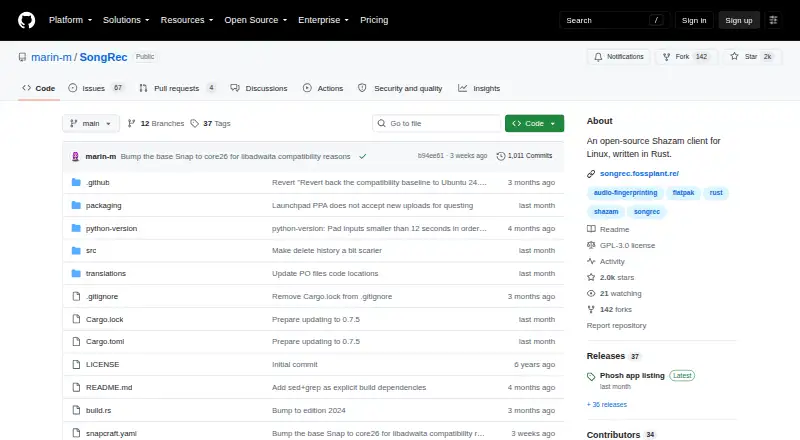
What SongRec is
SongRec is a free, open-source Shazam client written in Rust, focused on Linux. It recognizes songs from audio files, a microphone, or speakers, using either a graphical interface or the command line. The GUI can keep listening through a selected input device and saves recognized tracks in a history that can be exported to CSV. The command line can produce CSV or JSON output. Without FFmpeg, the listed file formats are MP3, FLAC, WAV, and OGG; with FFmpeg, formats supported by FFmpeg can be accepted. SongRec sends audio fingerprints to Shazam servers for lookup. The project says it collects no data, contacts no servers besides Shazam, and sends fingerprints rather than raw audio. It is licensed under GNU GPL v3. The project links Linux distribution and Windows x64 downloads and includes compile instructions. macOS is not officially supported, although compilation instructions are provided. The README warns that Flatpak filesystem sandboxing may make some command-line features unusable, and identification does not work offline.
Who it suits
SongRec may suit Linux users who want song recognition through a desktop interface or command line. It also offers Windows x64 downloads, while macOS users should note that the project does not officially support that platform.
What it does well
- Recognizes audio files, microphone input, and speakers.
- GUI history can be exported to CSV.
- Command line supports CSV and JSON output.
- Project says it uploads fingerprints, not raw audio.
What to know first
- Song identification requires Shazam servers.
- macOS is not officially supported.
- Flatpak sandboxing may limit command-line features.
- No offline identification.
Limits
The free plan is open-source and costs nothing. Identification is online, macOS is not officially supported, and Flatpak filesystem sandboxing may make some command-line features unusable.
Plans
| Plan | Billed and limits | Price |
|---|---|---|
| Free | Open-source Shazam client · Linux-focused desktop app | Free |
As github.com lists them, read 4 Oct 2026. The maker's own page has the final word.
Getting started
- Open the SongRec project website on GitHub.
- Download a build for a Linux distribution or Windows x64, or follow the project's compilation instructions.
- Launch the graphical interface or use the command line.
- For microphone detection, choose an input device in the GUI.
- For audio files, use MP3, FLAC, WAV, or OGG without FFmpeg, or use a format supported by FFmpeg when it is available.
SongRec is a free desktop music recognizer for people who want to identify tracks from files or live audio. It is best suited to Linux users who value both a graphical interface and command-line tools. Its flexible inputs and export options are useful, but recognition depends on Shazam’s online service.
Overview
Released under the GNU GPL v3, SongRec can identify music from audio files, a microphone, or speakers. That range makes it practical for both saved clips and live listening, while its desktop orientation is less suited to people looking primarily for a mobile music app.
For song lookup, SongRec sends audio fingerprints to Shazam servers. The project says it collects no data, contacts no servers besides Shazam, and uploads fingerprints rather than raw audio. That avoids sending the recording itself, but does not provide offline identification: each lookup still relies on Shazam.
Key features
Live and file recognition
The GUI supports continuous microphone detection and lets users select an input device, which suits a desktop set up to listen to a particular source over time. SongRec also recognizes audio files, so a saved clip need not be played aloud for identification.
History, formats, and output
The GUI keeps a recognition history that can be exported to CSV, useful for retaining or reviewing results outside the app. Without FFmpeg, the README lists MP3, FLAC, WAV, and OGG support; with FFmpeg, formats supported by that tool can be accepted. The command line can emit CSV or JSON, making it more useful than a GUI-only recognizer for scripted workflows.
Flatpak filesystem sandboxing may make some command-line features unusable. Users who need those functions should account for that limitation when choosing how to install SongRec.
Pricing
SongRec is free under the Free plan, priced at $0. The plan describes an open-source Shazam client and Linux-focused desktop app, with identification history. There is no free trial because the software is already free, and there is no offline identification. The GNU GPL v3 license also makes it a fit for users who value open-source software.
Platforms
SongRec is cross-platform, with downloads linked for Linux distributions and Windows x64, plus instructions to compile it yourself. Linux is its focus. macOS is not officially supported, although the README includes compilation instructions for it, so Mac users should expect a less assured route than Linux users. The project welcomes bug reports and feature requests through GitHub Issues and also lists a Matrix channel.
Who it's for
SongRec is a strong fit for Linux desktop users who want free song identification from either live audio or files, especially those who want a selectable microphone input, continuous detection, or exportable results. Its command-line CSV and JSON output also suits people who want to use recognition results programmatically. It is a weaker choice for anyone requiring offline recognition, an officially supported macOS app, or command-line features that cannot work within their Flatpak sandbox.
Pros and cons
- Multiple input sources: recognizes audio files, microphone input, and speakers, so users are not limited to one way of presenting a track.
- Useful exports: GUI history can be exported to CSV, while the command line supports CSV and JSON for programmatic use.
- Open-source and free: GNU GPL v3 and a free plan make it an accessible option for Linux-focused desktop use.
- Online dependency: song lookup goes through Shazam servers, so SongRec cannot identify music offline.
- Uneven platform support: Linux is the focus; macOS is unofficial, and Flatpak sandboxing can interfere with some command-line features.
Alternatives
Music Identification Apps is a useful place to compare other options. Choose AHA Music instead if its five-recognitions-per-day guest plan and BPM and key detection suit your needs; that plan is ad-supported and has no recognition history or playlists. WhoSampled is a better fit for text search, track ID, or scanning Spotify and Apple Music libraries, with an ad-free free plan.
Choose SoundHound if you want an Android or iOS option: its free plan is ad-supported, while its SoundHound∞ plan costs $6.99, paid once for an ad-free experience with no monthly fees. AirScrobble is an iOS alternative. Annie is a free Android and iOS option for music identification and universal links without a subscription. Audile is an Android option for Android 8.0 or later, though AudD and ACRCloud may require their own API account or token. Earworm is an iOS option free while in TestFlight beta, for iPhone and Apple Watch. Google Pixel Now Playing is a free Android alternative.
Verdict
Choose SongRec if you want a free, open-source desktop recognizer with flexible audio inputs and exportable results, particularly on Linux. Its strongest reason to choose it is the combination of live and file recognition with GUI and command-line output. Look elsewhere if offline identification, officially supported macOS use, or dependable Flatpak command-line access is essential.
Verdict
SongRec offers several ways to identify music and export recognition results. Its Linux focus, reliance on Shazam servers, and lack of offline identification are important considerations.
Questions
How much does SongRec cost?
The Free plan costs nothing.
Can SongRec identify songs offline?
No. SongRec sends audio fingerprints to Shazam servers for song lookup.
Which platforms does it support?
The listed platforms are Linux, macOS, and Windows. macOS is not officially supported, though the project includes compilation instructions.
Is SongRec open source?
Yes. It is released under the GNU GPL v3 license.
What audio file formats can it recognize?
Without FFmpeg, the listed formats are MP3, FLAC, WAV, and OGG. With FFmpeg, formats supported by FFmpeg can be accepted.
What does SongRec send to Shazam?
It sends audio fingerprints for lookup. The project says it does not collect data, contact servers besides Shazam, or upload raw audio.
Facts from SongRec's own pages
- Audio recognition
- It recognizes songs from audio files, a microphone, or speakers. · github.com, 4 Oct 2026
- CLI output
- The command line can emit CSV or JSON output for programmatic use. · github.com, 4 Oct 2026
- Continuous detection
- The GUI supports continuous microphone detection and lets users choose an input device. · github.com, 4 Oct 2026
- Downloads
- The project site links downloads for Linux distributions and Windows x64, and provides instructions to compile it yourself. · songrec.fossplant.re, 4 Oct 2026
- File formats
- Without FFmpeg, the README lists MP3, FLAC, WAV, and OGG support; with FFmpeg, it says formats supported by FFmpeg can be accepted. · github.com, 4 Oct 2026
- GUI and command line
- SongRec can be used from both a graphical interface and the command line. · github.com, 4 Oct 2026
- History export
- The GUI keeps a history of recognized songs that can be exported to CSV. · github.com, 4 Oct 2026
- License
- The software is released under the GNU GPL v3 license. · github.com, 4 Oct 2026
- macOS support
- The README says macOS is not officially supported, though it includes compilation instructions for macOS. · github.com, 4 Oct 2026
- Notable limitation
- The README warns that Flatpak filesystem sandboxing may make some command-line features unusable. · github.com, 4 Oct 2026
- Privacy
- The project says SongRec collects no data, contacts no servers besides Shazam, and uploads fingerprints rather than raw audio. · github.com, 4 Oct 2026
- Purpose
- SongRec is an open-source Shazam client for Linux, written in Rust. · github.com, 4 Oct 2026
- Shazam service
- SongRec sends audio fingerprints to Shazam servers for song lookup. · github.com, 4 Oct 2026
- Support
- The project asks users to report bugs and request features through GitHub Issues, and also lists a Matrix channel. · songrec.fossplant.re, 4 Oct 2026
Where SongRec stands on Freedom251
- Music Identification Apps#9 of 23