Freedom251 › Music Identification Apps
Google Pixel Now Playing
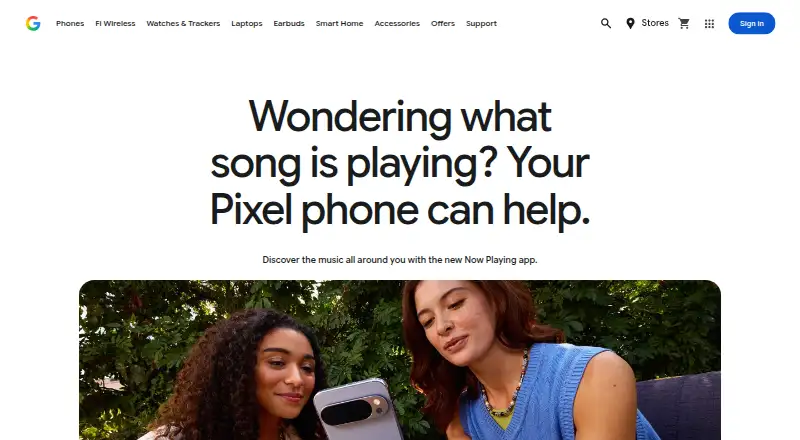
What Google Pixel Now Playing is
Google Pixel Now Playing identifies music playing nearby and displays song details on a Pixel lock screen. You can also start a song search from the app, Quick Settings, a widget, or a lock-screen shortcut. It keeps a searchable history of recently recognized tracks, with filters for date and time; you can favorite and share songs from the app, Favorites, or History. A connected music service can open a song, though Google notes that some preferred services may not yet be available. Recognition starts with an on-device music library. If a track is not found there, the app may send Google a short digital fingerprint for cloud search. Google says raw audio and background conversations are not sent, and those fingerprints are neither retained on its servers nor shared with Google or third parties. The app is free for Android, but requires a Pixel 6 or later with the March 2026 Pixel Drop update or newer. It may take up to 24 hours after download to become usable. The Play listing says it may collect app activity, app and performance information, and device IDs; data is encrypted in transit and cannot be deleted.
Who it suits
It suits Pixel 6 or later users who want nearby music identified and saved in a searchable history. The app requires the March 2026 Pixel Drop update or later.
What it does well
- Identifies music using an on-device library.
- Search songs from four Pixel entry points.
- History can be filtered by date and time.
- Favorite and share identified songs.
- Free to install for Android.
What to know first
- Requires a Pixel 6 or later.
- Needs the March 2026 Pixel Drop update or newer.
- Can take up to 24 hours to become usable.
- Collected data cannot be deleted, per the Play listing.
Limits
The app is limited to Pixel 6 and later phones with the March 2026 Pixel Drop update or later, and it may take up to 24 hours after download to become usable. Some preferred connected music services may not be available yet.
Plans
| Plan | Billed and limits | Price |
|---|---|---|
| Now Playing | No price listed; app is available to install from Google Play | Free |
As store.google.com lists them, read 7 Oct 2026. The maker's own page has the final word.
Getting started
- Open the Google Play listing from the Google website.
- Install the app on a Pixel 6 or later with the March 2026 Pixel Drop update or later.
- Allow up to 24 hours after download for the app to become usable.
- Search manually from the app, Quick Settings, a widget, or a lock-screen shortcut.
- Review identified songs in History and choose a connected music service to open them.
Verdict
Now Playing offers song identification, search, history, favorites, and sharing for compatible Pixel phones at no listed cost. Check device and update requirements, the possible setup delay, and the Play listing's data disclosure before installing.
Questions
How much does Google Pixel Now Playing cost?
It is free for Android. The listed free plan costs nothing.
Which phones can use it?
The Google Play listing says Pixel 6 and later phones with the March 2026 Pixel Drop update or later are compatible.
How does music recognition work?
Pixel phones use an on-device music library. If it cannot identify a song, the app may send a short digital audio fingerprint to Google for cloud search.
Does recognition send recorded audio?
Google says it does not send raw audio or background conversations. It also says recognition fingerprints are not stored on its server or shared with Google or third-party services.
Can I open songs in a music service?
You can choose a connected music service to open songs, though some preferred services may not be available yet.
Who publishes the app?
Google LLC publishes it. The Google Play listing provides a support email: [email protected].
Facts from Google Pixel Now Playing's own pages
- Cloud search
- If a song is not recognized from the on-device database, the app may send a short digital audio fingerprint to Google for cloud search; Google says it does not send raw audio or background conversations. · support.google.com, 7 Oct 2026
- Data handling
- Google says fingerprints sent for recognition are not stored on its server or shared with Google or third-party services. · support.google.com, 7 Oct 2026
- Data safety disclosure
- The Google Play listing says the app may collect app activity, app info and performance, and device or other IDs; it says data is encrypted in transit and cannot be deleted. · play.google.com, 7 Oct 2026
- Device compatibility
- The Google Play listing says the app is compatible with Pixel 6 and later phones with the March 2026 Pixel Drop update or later. · play.google.com, 7 Oct 2026
- Favorites and sharing
- You can favorite songs and share them from the app home screen, Favorites, or History. · support.google.com, 7 Oct 2026
- History
- The app keeps a list of recently identified songs that you can search and filter by date and time. · support.google.com, 7 Oct 2026
- Installation delay
- Google says the app may take up to 24 hours to become usable after download. · support.google.com, 7 Oct 2026
- Maker
- The app is published by Google LLC, whose Google Play listing gives an address in Mountain View, California. · play.google.com, 7 Oct 2026
- Manual search
- You can search for a song from the app, Quick Settings, a widget, or a lock-screen shortcut. · support.google.com, 7 Oct 2026
- On-device recognition
- Pixel phones use an on-device music library to identify songs privately. · support.google.com, 7 Oct 2026
- Purpose
- Now Playing automatically identifies music playing around you and shows song information on your Pixel lock screen. · store.google.com, 7 Oct 2026
- Streaming integrations
- You can choose a connected music service to open songs, but Google says some preferred services may not be available yet. · support.google.com, 7 Oct 2026
- Support
- The Google Play listing provides support email [email protected]. · play.google.com, 7 Oct 2026
Where Google Pixel Now Playing stands on Freedom251
- Music Identification Apps#7 of 23