Freedom251 › Music Identification Apps
Audile
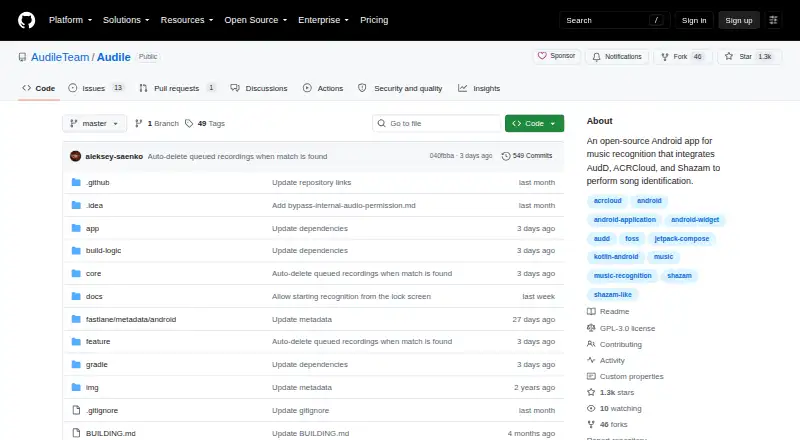
What Audile is
Audile is a free, open-source Android app for identifying music playing nearby. It uses AudD, ACRCloud, and Shazam for recognition, then retrieves platform-specific track links through Odesli. Recognition can start in one click, or users can save a recording for recognition after the device reconnects to the internet. Shortcuts are available through the notification drawer, a home screen widget, a floating button, and a quick settings tile. Track details can include title, artist, album, release year, artwork, lyrics, and music-service links. Its library stores recognized tracks and supports search, filtering, favorites, and deletion. Audile says it does not track or profile users and does not use ads, tracking, or analytics services. AudD and ACRCloud receive 3–10 second recordings; Shazam receives only audio fingerprints generated on the device. AudD requires a paid service token, and recognition without one is significantly restricted and not guaranteed. The listed Android requirement is version 8.0 or later.
Who it suits
Audile may suit Android users who want to identify nearby music, save recognition history, and find links to music services. Users who rely on AudD should note its token requirement.
What it does well
- Free and open source
- Recognition via AudD, ACRCloud, and Shazam
- Library supports search, filtering, and favorites
- Includes lyrics and music-service links
- No ads, tracking, analytics, or user profiling
What to know first
- Android 8.0 or later required
- AudD requires a paid service token
- No-token recognition is significantly restricted and not guaranteed
Limits
AudD requires a paid service token, and daily recognitions are significantly restricted without one; access without a token is not guaranteed by AudD. Recognition requires an internet connection, though recordings can be saved for later recognition.
Plans
| Plan | Billed and limits | Price |
|---|---|---|
| Audile | Android 8.0 or later · AudD and ACRCloud may require their own API account or token | Free |
As github.com lists them, read 30 Sept 2026. The maker's own page has the final word.
Getting started
- Open the Audile project website on GitHub.
- Use an Android device running version 8.0 or later.
- Install Audile and choose a recognition service.
- Provide an AudD or ACRCloud account or token if required.
- Start recognition from the app or an available Android shortcut.
Audile is a free, open-source Android tool for naming music playing around you. It is a strong fit for listeners who want multiple recognition back ends, quick-launch controls, and a permanent, searchable record of discoveries. The catch is that service availability and quotas differ, so it is less predictable than a single-provider app.
Overview
Audile combines AudD, ACRCloud, and Shazam in one recognition workflow, then uses Odesli to surface links for listening services. A lookup can begin with one tap, while a captured recording can wait until the phone reconnects before being submitted. This deferred submission is useful during a temporary connection loss, but it should not be mistaken for offline recognition: the app cannot identify a track without sending a request when connectivity returns.
Results may show the title, artist, album, release year, cover artwork, lyrics, and links to music services. That breadth makes Audile more useful after identification than a bare song-name result, although the fields shown can vary between tracks and recognition providers.
Key features
Fast entry points
Recognition can be triggered from the notification drawer, a home-screen widget, a floating button, or an Android quick-settings tile. These entry points matter when a song is fading out and opening an app would take too long. One-click recognition keeps the interaction focused on capturing a short sample rather than navigating menus.
History that remains useful
Every recognized track can be kept in the in-app library. Search and filters help with a growing collection, favorites mark songs worth returning to, and deletion removes unwanted entries. For occasional lookups this is convenient; for frequent discovery, it turns a series of identifications into an organized reference rather than a disposable result.
Privacy choices and provider differences
Audile says it has no advertising, tracking, or analytics and does not build user profiles. With AudD or ACRCloud, the app sends a three- to 10-second recording to the selected service. Shazam receives only an audio fingerprint generated on the device, a materially different treatment for people who prefer not to upload the sampled sound itself. Crash reports are not transmitted automatically; emailing one is an explicit user choice and includes device and crash information.
Pricing
The sole Audile plan costs free and covers Android 8.0 or later. There is no subscription or paid tier in the plan. The important qualification is recognition capacity: AudD requires a paid service token, and using AudD without one significantly restricts daily recognitions; access without a token is not guaranteed by AudD. AudD and ACRCloud may also require the user's own API account or token. In practice, Audile is an inexpensive way to consolidate services, but users with heavy daily recognition needs may need provider credentials and their associated costs.
Platforms
Audile is a mobile Android app, with support beginning at Android 8.0. It is not an offline identifier, and no iOS, desktop, or browser edition is provided in this offering.
Who it's for
Choose Audile if you use Android and want several recognition engines, flexible ways to start a capture, and a library that can be searched and curated later. It also suits privacy-conscious listeners who want to avoid advertising and automatic crash submissions, especially those who prefer Shazam's fingerprint-based exchange. It is a weaker choice for anyone requiring guaranteed high-volume recognition without managing API credentials, or for listeners who need identification with no internet connection.
Pros and cons
Pros
- Three recognition services: AudD, ACRCloud, and Shazam provide alternatives when one service does not return a match.
- Very quick access: notifications, widgets, a floating button, and quick settings reduce the time needed to capture a song.
- Useful follow-through: Odesli links, lyrics, artwork, release information, and a searchable library help turn identification into listening and cataloging.
- Clear privacy posture: no ads, tracking, analytics, or automatic crash reporting are part of the app's stated design.
- Open-source licensing: the project is released under GNU GPL version 3 or later.
Cons
- AudD quotas can be restrictive: without a paid token, daily recognition is significantly limited and not guaranteed.
- Internet remains necessary: queued recordings wait for reconnection rather than being identified on the device.
- Provider setup may be required: AudD and ACRCloud can require separate accounts or tokens, adding administration beyond installing Audile.
- Audio handling is not uniform: AudD and ACRCloud receive short recordings, while Shazam uses device-generated fingerprints, so provider choice affects data exposure.
Alternatives
Music Identification Apps is the broader starting point when you want to compare a range of music-finding tools.
AHA Music is the better pick for wider device coverage, including browsers and desktops, and its free guest plan includes five recognitions per day, BPM and key detection, but no history or playlists and includes ads.
WhoSampled suits research into samples and catalogs: its free plan offers text search, track identification, Spotify and Apple Music library scanning, and an ad-free experience across Android, iOS, and the web.
SongRec is the straightforward alternative for a Linux-focused desktop Shazam client, with macOS and Windows support as well.
SoundHound is a choice for Android or iOS users who accept ads for free use, or want a one-time 6.99 USD purchase for an ad-free experience.
AirScrobble is an iOS option centered on music discovery, Last.fm and Apple Music integration, automatic scrobbling, and Siri.
Annie offers free music identification and universal links on Android and iOS without a subscription.
Earworm is an iPhone and Apple Watch choice that is free while in its TestFlight beta.
Google Pixel Now Playing is the platform-native alternative for Android users with compatible Google Pixel devices.
Verdict
Audile is a compelling Android pick for people who value recognition-service choice, fast capture controls, and a well-organized history without ads or profiling. Its open-source, free distribution strengthens that case. Look elsewhere if you need dependable high-volume use without provider tokens, true offline identification, or support beyond Android.
Verdict
Audile offers several recognition services, track details, and a searchable library at no charge. Recognition limits may apply without an AudD token, and the app requires Android 8.0 or later.
Questions
How much does Audile cost?
The Audile plan is listed as free.
Which devices support Audile?
Audile is listed for Android and requires Android 8.0 or later.
Is Audile open source?
Yes. The project is distributed under the GNU General Public License version 3 or later.
Which recognition services does it use?
Audile integrates AudD, ACRCloud, and Shazam. AudD or ACRCloud may require their own API account or token.
Does Audile identify music offline?
No. You can save a recording and request recognition after the device reconnects to the internet.
How does Audile handle audio and crash reports?
AudD and ACRCloud receive 3–10 second recordings, while Shazam receives on-device audio fingerprints. Crash reports are not sent automatically; users can choose to email reports containing device and crash information.
Facts from Audile's own pages
- Audio handling
- For AudD or ACRCloud recognition, 3–10 second recordings are sent to the selected service; for Shazam, only on-device-generated audio fingerprints are sent. · github.com, 30 Sept 2026
- Background access
- Recognition is available through the notification drawer, home screen widget, floating button, and quick settings tile. · github.com, 30 Sept 2026
- Crash reports
- Crash reports are not sent automatically; users can choose to email reports containing device and crash information to the developers. · github.com, 30 Sept 2026
- Library
- The app library stores recognized tracks and supports filtering, favorites, search, and deletion. · github.com, 30 Sept 2026
- License
- The project is distributed under the GNU General Public License version 3 or later. · github.com, 30 Sept 2026
- Privacy
- Audile says it does not track or profile users and does not use ads, tracking, or analytics services. · github.com, 30 Sept 2026
- Purpose
- Audile is an open-source app for identifying music playing nearby. · github.com, 30 Sept 2026
- Recognition services
- It integrates AudD, ACRCloud, and Shazam for song identification. · github.com, 30 Sept 2026
- Recognition workflow
- Recognition can be started in one click, and a recording can be saved for recognition when the device reconnects to the internet. · github.com, 30 Sept 2026
- Service limits
- AudD requires a paid service token, and using the app without one significantly restricts daily recognitions; that no-token access is not guaranteed by AudD. · github.com, 30 Sept 2026
- Track details
- Recognized track information can include title, artist, album, release year, artwork, lyrics, and music service links. · github.com, 30 Sept 2026
- Track links
- It uses Odesli to retrieve platform-specific links to recognized tracks. · github.com, 30 Sept 2026
Where Audile stands on Freedom251
- Music Identification Apps#5 of 23