SkyORB
What SkyORB is
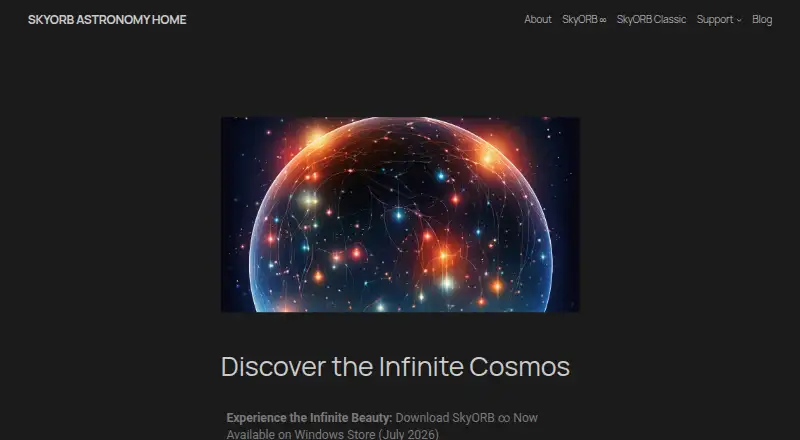
SkyORB is an astronomy app for exploring the sky, the Solar System, and astronomical events. Its SkyORB ∞ edition combines a real-time 3D planetarium and sky chart with augmented reality, placing astronomical information over the user’s surroundings. Users can choose an observation location or allow location access, then view the sky at different dates and times. An event calendar and notifications cover occurrences such as meteor showers, eclipses, sunrise, sunset, moonrise, and moonset. SkyORB ∞ also tracks satellites and provides information about planets, satellites, asteroids, and deep-space objects. SkyORB Classic offers a star catalog, interactive sky map with multiple projections, meteor-shower forecasts, and solar and lunar data. The maker lists Android, iOS, macOS, and Windows, with SkyORB ∞ also listed for Apple Watch and tvOS. Classic is free. SkyORB ∞ is listed at $4.99, paid once for iOS, tvOS, and Apple Watch, and $6.99, paid once for Mac.
Who it suits
SkyORB suits people who want to explore the sky, plan observations, or follow celestial events. Its Classic edition and SkyORB ∞ offer different sets of sky-viewing tools across several listed platforms.
What it does well
- Real-time 3D planetarium and augmented-reality sky chart.
- Calendar and alerts cover multiple celestial events.
- Tracks satellites and describes a range of celestial objects.
- Classic includes a star catalog and interactive sky map.
- Privacy policy says no account or personal-data collection.
What to know first
- SkyORB ∞ for Mac costs $6.99, paid once.
- SkyORB ∞ for iOS, tvOS, and Apple Watch costs $4.99, paid once.
- SkyORB ∞ widgets are not available in the described version.
Plans
| Plan | Billed and limits | Price |
|---|---|---|
| SkyORB Classic | The maker describes the 2026 Classic update as free | Free |
| SkyORB ∞ for iOS, tvOS and Apple Watch | No in-app purchases or subscriptions stated | $4.99, paid once |
| SkyORB ∞ for Mac | No in-app purchases or subscriptions stated | $6.99, paid once |
As skyorb.app lists them, read 9 Oct 2026. The maker's own page has the final word.
Getting started
- Visit skyorb.app to choose between SkyORB Classic and SkyORB ∞.
- Download SkyORB Classic for free, or choose a listed SkyORB ∞ edition.
- Install the edition for a supported device: Android, iOS, macOS or Windows; ∞ is also listed for Apple Watch and tvOS.
- Set an observation location or allow location access.
- Choose a date and time to view the sky.
SkyORB is an astronomy app for exploring the sky, tracking satellites, and planning around celestial events. It best suits curious observers who want a mix of sky charts, object information, and alerts across mobile and desktop devices. The free Classic edition is a practical starting point; SkyORB ∞ adds augmented reality and broader event tools for a one-time purchase.
Overview
SkyORB combines a 3D planetarium with real-time sky charts and information about objects ranging from planets to deep-space targets. Set an observation location or allow location access, then change the date and time to see how the sky will look. That makes the app useful for identifying what is overhead and preparing for a later observation, though the features available depend on the edition and platform.
SkyORB ∞ adds an augmented reality view that overlays astronomical data on the surroundings. Its privacy policy says the app does not collect personal information, require an account, track users, or store usage data on company servers. For an app that can use location, that policy is a welcome point of reassurance.
Key features
Charts and observation planning
The real-time chart and 3D planetarium give SkyORB ∞ its strongest appeal: users can explore the sky in context, use compass-oriented directions, and examine celestial coordinate trends. Changing the date and time supports advance planning, while ARKit provides automatic location detection on supported Apple devices. This is a useful combination for observers who want an interactive guide rather than a static star map.
Events and satellite tracking
SkyORB provides an event calendar and notifications for phenomena such as meteor showers, eclipses, sunrise, sunset, moonrise, and moonset. Satellite tracking adds another reason to open the app, and object pages cover planets, satellites, asteroids, and deep-space objects. These tools make it more than a charting app, although someone seeking only a basic sky guide may not need the extra breadth.
Classic tools and customization
SkyORB Classic includes a star catalog, an interactive sky map with multiple projections, meteor-shower forecasts, and solar and lunar data. Night mode is available, and the maker describes customizable widgets for iOS and macOS. Widget support varies by version: a maker comparison says the SkyORB ∞ version it discusses does not include iOS or macOS widgets, though widgets were planned. Check the edition before choosing SkyORB specifically for widgets.
Pricing
SkyORB uses a freemium model, with a free Classic edition and paid SkyORB ∞ editions. SkyORB Classic costs nothing and is a sensible choice for people who want the star catalog, map projections, forecasts, and solar and lunar data without paying.
SkyORB ∞ for iOS, tvOS and Apple Watch costs $4.99, paid once. It suits Apple users who want the expanded planetarium, augmented reality, event tools, tracking, and object information. SkyORB ∞ for Mac costs $6.99, paid once and is aimed at Mac users who want those paid-edition features on a desktop. The maker says SkyORB ∞ has no subscription fees; both prices are one-time purchases.
A complimentary App Clip provides a preview of SkyORB ∞. Windows Store availability is also announced, but no Windows price is given. The Classic edition is the lower-cost option, with the paid edition offering the broader feature set; compare the platform-specific features before buying.
Platforms
SkyORB covers Android, iOS, macOS, and Windows. SkyORB ∞ is also described for Apple Watch and tvOS, with Windows Store availability announced separately. The maker identifies iPhone, iPad, Mac, Windows, and Apple Watch among its supported devices. Since platform coverage and features differ between editions, confirm that the version you want supports your device and the tools you care about.
Who it's for
SkyORB fits casual stargazers, families, and astronomy enthusiasts who want an interactive way to identify objects, check upcoming events, or plan observations at different times. Its combination of charts, alerts, and object information is especially useful for people who want one app to cover several kinds of sky exploration. SkyORB Classic works for cost-conscious users who need its core map and astronomy data; those who want AR and the expanded tracking and event features should consider SkyORB ∞.
It is a weaker fit for anyone whose decision depends on a specific widget being present in SkyORB ∞, given the difference between the widget descriptions across versions. Desktop-focused users who want a free astronomy program may also prefer a free alternative.
Pros and cons
- Pros: The 3D planetarium, live chart, and augmented reality bring several ways to explore the sky together.
- Pros: Event notifications, satellite tracking, and detailed object information extend its usefulness beyond identifying stars.
- Pros: SkyORB Classic is free, and SkyORB ∞ uses one-time pricing rather than subscriptions.
- Pros: The privacy policy says no account is required and personal information, tracking, and usage data are not collected or stored on company servers.
- Cons: Widget availability differs across versions, which may disappoint users choosing SkyORB ∞ for iOS or macOS widgets.
- Cons: SkyORB ∞ has separate iOS-family and Mac purchases, so users who want it on both must account for both prices.
- Cons: The free Classic edition does not provide the full SkyORB ∞ feature set, so users seeking AR and its broader tools will need the paid edition.
Alternatives
Astronomy Apps is the broader category to browse if SkyORB's mix of features or platform options does not fit.
NASA Eyes is a free option that runs in a web browser and requires an internet connection, making it a fit for people who want a browser-based choice without a purchase.
Celestia is free and open source, so it may suit readers who prioritize open-source software.
Solar System Scope offers a free online version for desktop browsers, alongside a freemium model for readers comparing browser and app options.
Cosmic Watch has a free plan with sky, Earth, and solar-system views, a sky guide, layers, star names, a world clock, and notifications. It is a reasonable choice when those tools are the priority.
ISS Detector offers a free satellite-tracking plan with ads and in-app purchases, plus a $17.99, paid once Pro plan with all extensions and no ads. Choose it if satellite tracking is your main need and you prefer a dedicated tracker.
Star Chart offers every feature and upgrade in its free plan, with optional star sponsorship, making it an option for readers who want that model.
Star Chart is another free option, with in-app upgrades in its free version.
Stellarium is a free option for readers looking for an alternative on Linux, macOS, web, or Windows.
Verdict
SkyORB is a strong choice for curious observers who want sky charts, event alerts, object information, and satellite tracking in one app. Its free Classic edition makes the core experience accessible, while SkyORB ∞ adds AR and broader planning tools for a one-time fee. Look elsewhere if your choice hinges on a particular widget or if you want a free desktop astronomy program.
Verdict
SkyORB offers sky charts, event alerts, observation planning, and celestial-object information, with a free Classic edition and separately priced SkyORB ∞ options. Check which edition and platform fit your needs, since their listed features differ.
Questions
Is SkyORB free?
SkyORB Classic is available to download for free. SkyORB ∞ is listed at $4.99, paid once for iOS, tvOS and Apple Watch, and $6.99, paid once for Mac.
Does SkyORB ∞ require a subscription?
The maker says SkyORB ∞ has no subscription fees. Its listed prices are one-time purchases.
Which platforms support SkyORB?
The site lists SkyORB for Android, iOS, macOS and Windows. SkyORB ∞ is also listed for Apple Watch and tvOS.
What does SkyORB Classic include?
Classic includes a star catalog, an interactive sky map with multiple projections, meteor-shower forecasts, and solar and lunar data.
Does SkyORB require an account?
The privacy policy says the app does not require an account, collect personal information, track users or store usage data on company servers.
Who makes SkyORB?
RealTech VR makes SkyORB. The maker describes itself as a game developer since 1994 and says SkyORB is made in France.
Facts from SkyORB's own pages
- Additional features
- The site lists satellite tracking, astronomy events, detailed celestial object information, and an enhanced astronomer page. · skyorb.app, 9 Oct 2026
- Audience
- The maker describes SkyORB ∞ as designed for people aged 7 to 77 who are passionate about exploring the cosmos. · skyorb.app, 9 Oct 2026
- Celestial events
- The app provides an events calendar and notifications for events including meteor showers, eclipses, sunrise, sunset, moonrise, and moonset. · skyorb.app, 9 Oct 2026
- Charts and orientation
- The site describes real-time celestial coordinate trends and compass-oriented directions for exploring the sky. · skyorb.app, 9 Oct 2026
- Classic features
- SkyORB Classic lists a star catalog, interactive sky map with multiple projections, meteor-shower forecasts, and solar and lunar data. · skyorb.app, 9 Oct 2026
- Compatibility
- The maker says SkyORB ∞ is available on iOS, Apple Watch, macOS, and tvOS, and its homepage also announces Windows Store availability for SkyORB ∞. · skyorb.app, 9 Oct 2026
- Customization
- The site lists customizable widgets for iOS and macOS, plus a night mode. · skyorb.app, 9 Oct 2026
- Feature limits
- A maker comparison page says the SkyORB ∞ version it describes has no iOS or macOS widgets, while noting widgets were planned. · skyorb.app, 9 Oct 2026
- Founded
- 1994 · skyorb.app, 28 Sept 2026
- Free App Clip
- The maker offers a complimentary App Clip as a preview of SkyORB ∞. · skyorb.app, 9 Oct 2026
- Integrations
- SkyORB ∞ uses ARKit for automatic location detection, according to the maker’s development post. · skyorb.app, 9 Oct 2026
- Maker background
- A maker press release describes RealTech VR as a game developer since 1994. · skyorb.app, 9 Oct 2026
- Maker location
- The maker says SkyORB is designed by French developers and describes it as made in France. · skyorb.app, 9 Oct 2026
- Notifications
- It offers notifications for celestial events including sunset, moonrise, and eclipses. · skyorb.app, 9 Oct 2026
- Observation planning
- Users can set an observation location or let the app access their location, and can view the sky at different dates and times. · skyorb.app, 9 Oct 2026
- Planetarium and AR
- The app includes detailed 3D views and augmented reality features that overlay astronomical data on the user’s surroundings. · skyorb.app, 9 Oct 2026
- Planetarium and sky chart
- SkyORB ∞ includes a real-time 3D planetarium and sky chart with augmented reality. · skyorb.app, 9 Oct 2026
- Privacy
- The privacy policy says the app does not collect personal information, require an account, track users, or store usage data on company servers. · skyorb.app, 9 Oct 2026
- Product
- SkyORB is an astronomy app for exploring the sky, Solar System, and astronomical events. · skyorb.app, 9 Oct 2026
- Security
- The privacy policy says the app implements reasonable security measures, but does not name a certification or compliance standard. · skyorb.app, 9 Oct 2026
- SkyORB Classic
- The site says SkyORB Classic is available to download for free. · skyorb.app, 9 Oct 2026
- SkyORB ∞ pricing
- SkyORB ∞ is described as having no subscription fees; the page does not state a price. · skyorb.app, 9 Oct 2026
- Support
- The maker directs users to contact SkyORB support at [email protected]. · skyorb.app, 9 Oct 2026
- Supported devices
- The homepage lists iPhone, iPad, macOS, Windows, and Apple Watch as platforms for SkyORB ∞. · skyorb.app, 9 Oct 2026
Where SkyORB stands on Freedom251
- Astronomy Apps#11 of 35