NASA Eyes
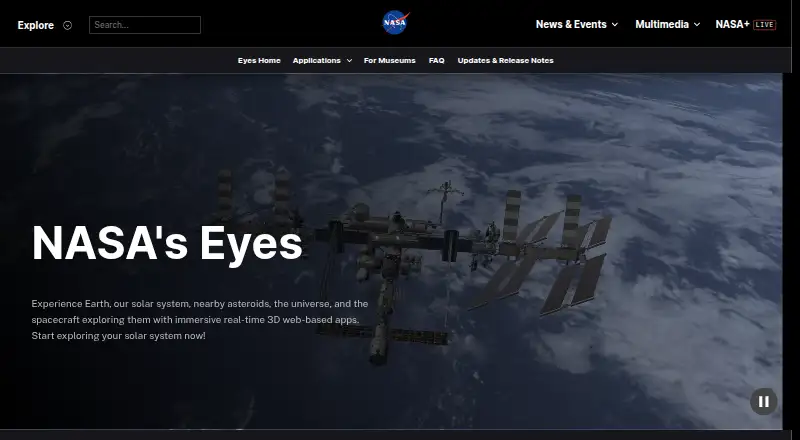
What NASA Eyes is
NASA Eyes is a free suite of interactive 3D applications for exploring NASA data and imagery in a web browser. Eyes on the Solar System lets users move among planets, moons, asteroids, comets, and spacecraft in a simulated view covering 1950 to 2050. Eyes on Asteroids follows more than 30,000 asteroids near Earth's orbit and displays the next five closest approaches. Eyes on the Earth presents mission data on topics such as carbon dioxide, ozone, sea level, weather, precipitation, and soil moisture. Eyes on Exoplanets provides views of more than 5,500 confirmed exoplanet systems, with filters for planet type, detection method, and observatory. DSN Now refreshes Deep Space Network communications information every five seconds; Mars Relay Network visualizes communications involving Mars orbiters, landers, and rovers. The browser apps work on internet-connected devices with a modern browser. NASA also provides guidance for museum exhibits, educational programs, embedded views, and kiosk setups. Older downloadable versions still run, but are no longer supported.
Who it suits
It suits people exploring NASA missions and science data, as well as museums and educators planning exhibits or educational programming. The browser-based apps can be used on phones, tablets, computers, and Linux systems with internet access.
What it does well
- Free to use in a web browser.
- Solar System view spans 1950 to 2050.
- Tracks over 30,000 near-Earth-orbit asteroids.
- Exoplanet views cover over 5,500 confirmed systems.
- Museum guidance includes embeds and kiosk options.
What to know first
- Requires an internet connection.
- Older downloadable versions are no longer supported.
- No offline access.
Limits
The free NASA's Eyes plan runs in a web browser and requires an internet connection. Offline access is unavailable.
Plans
| Plan | Billed and limits | Price |
|---|---|---|
| NASA's Eyes | Free to use · runs in a web browser · internet connection required | Free |
| Free | Browser-based access · Internet connection required | Free |
As eyes.nasa.gov lists them, read 30 Sept 2026. The maker's own page has the final word.
Getting started
- Open the NASA Eyes website in a modern browser on an internet-connected device.
- Choose a browser application, such as Eyes on the Solar System, Eyes on Asteroids, Eyes on the Earth, or Eyes on Exoplanets.
- For museum or education use, follow NASA's guidance for exhibits, programming, kiosk setups, or website embeds.
Overview
NASA Eyes is a collection of interactive 3D views built around NASA data and imagery, rather than a single astronomy app. It suits learners and curious space enthusiasts who want to explore missions, planetary systems and Earth science visually. Its breadth costs nothing, but browser access depends on an internet connection.
Key features
Explore nearby space
Eyes on the Solar System covers planets, moons, asteroids, comets and spacecraft in a simulated view spanning 1950 to 2050. That makes it useful for exploring how objects and missions fit into a longer timeline, though it is not a substitute for an offline reference. Eyes on Asteroids focuses on more than 30,000 asteroids near Earth's orbit and shows the next five closest approaches, giving visitors interested in near-Earth objects a more focused view.
Earth science and exoplanets
Eyes on the Earth displays NASA Earth science missions alongside information and imagery on carbon dioxide, ozone, sea level, weather, precipitation and soil moisture. It is the strongest fit for visitors interested in how NASA observes our planet, rather than in sky identification. Eyes on Exoplanets provides an interactive 3D exploration of more than 5,500 confirmed exoplanet systems, with filters for planet type, detection method and observatory. Those filters help narrow a large collection, while the emphasis remains on exploration rather than telescope control.
Follow spacecraft communications
DSN Now refreshes every five seconds with data from Deep Space Network ground stations about spacecraft communications. Mars Relay Network visualizes current, past and future communications involving Mars orbiters, landers and rovers. These views add a mission-operations angle that a typical planetarium-style app may not provide; they are a better fit for following NASA communications than for planning an observing session.
Use in exhibits and teaching
NASA provides guidance for museum exhibits, educational programming, kiosks and website embeds. The embed examples cover Earth satellites, the International Space Station, asteroid watch and DSN Now. Kiosk options include timeouts, locked interface features and removal of external links, and the kiosk page also mentions a downloadable EXE. This makes the suite adaptable for public displays, though the browser applications still require internet access. Older downloadable Eyes versions continue to run but no longer receive support from NASA or the Eyes team.
Pricing
NASA's Eyes is free to use, with no free trial because there is no paid plan to trial. The browser-based suite requires an internet connection and does not offer offline access. There are no paid tiers or seat limits to weigh, making it a straightforward option for individual exploration as well as the museum and education uses NASA describes.
Platforms
The applications run in a modern web browser on phones, tablets, desktops and laptops, including Linux systems. The suite is listed for Android, iOS, Linux, macOS, web and Windows, but browser access—not an offline installation—is the practical basis for using it. It does not offer an AR sky view or telescope control.
Who it's for
Choose NASA Eyes if you want free, NASA-focused visualizations for exploring the Solar System, Earth science, exoplanets or spacecraft communications, or need views for an educational display. It is less suitable if you need offline access, telescope control or an AR view of the sky.
Pros and cons
Pros
- Broad subject coverage at no cost: one suite spans solar-system objects, Earth science, exoplanets and communications.
- Useful depth for specific interests: asteroid tracking, exoplanet filters and rapidly refreshed DSN data offer more than a static overview.
- Exhibit options: embed guidance and configurable kiosk features support museum and education settings.
Cons
- Internet required: the browser suite cannot serve as an offline resource.
- No observing controls: there is no AR sky view or telescope control, limiting its use for people seeking a guided or instrument-connected observing app.
- Legacy downloads are unsupported: continuing to run does not mean those older versions receive NASA or team support.
Alternatives
Browse astronomy apps if you want to compare a wider range of options. Solar System Scope is another choice for a free desktop-browser Solar System view, with mobile versions and other plans also listed. Cosmic Watch may suit readers looking for sky, Earth and solar-system views, a sky guide, layers, star names, a world clock and notifications; its free plan is complemented by a monthly plan. Night Sky is another freemium astronomy app. Luminos Pro may be a better fit for readers seeking a paid iOS or macOS astronomy option, with monthly, yearly and three-month plans and a free trial. Seestar App is a free alternative. Star Chart and Star Chart are further options listed as free or freemium, respectively. UNISTELLAR App is another free option for Android and iOS.
Verdict
NASA Eyes is an excellent fit for learners, educators and space enthusiasts who want broad NASA data visualizations without a subscription. Its strongest reason to choose it is the range—from long-span Solar System exploration to Earth science and spacecraft communications—in one free suite. Look elsewhere if offline use, telescope control or an AR sky view is central to your choice.
Verdict
NASA Eyes brings several NASA data visualizations together in a browser-based suite, from Solar System exploration to Earth science and spacecraft communications. It is free, but requires internet access and its older downloads no longer receive support.
Questions
Is NASA Eyes free?
Yes. NASA describes Eyes as free to use; the listed plan is free.
Which platforms does it support?
The listed platforms are Android, iOS, Linux, macOS, web, and Windows. NASA says browser applications work on devices with a modern browser, including phones, tablets, desktops, and laptops.
Can I use NASA Eyes offline?
No. The browser applications require an internet connection, and offline access is unavailable.
What can I explore in NASA Eyes?
The suite includes Solar System objects, near-Earth asteroids, Earth science data, exoplanet systems, Deep Space Network communications, and Mars relay communications.
Can a museum embed NASA Eyes or set up a kiosk?
Yes. NASA provides embedding examples and kiosk options, including timeouts, locked interface features, and removal of external links.
Are the downloadable versions supported?
Former downloadable versions continue to run, but NASA and the Eyes team no longer support them.
Facts from NASA Eyes's own pages
- Apple listing details
- The App Store lists Spacecraft AR as free, designed for iPhone and iPad, 168.1 MB in size and developed by Jet Propulsion Laboratory. · apps.apple.com, 15 Oct 2026
- Asteroids
- Eyes on Asteroids tracks over 30,000 asteroids near Earth's orbit and shows the next five closest approaches. · science.nasa.gov, 30 Sept 2026
- Asteroid tracking
- Eyes on Asteroids tracks more than 30,000 near-Earth asteroids and shows the next five closest approaches. · science.nasa.gov, 15 Oct 2026
- August 2026 update
- The August release added full Mars terrain and free-fly navigation on desktop and laptop computers, plus Roman Space Telescope and SOLAR-1 content. · science.nasa.gov, 15 Oct 2026
- Browser access
- The apps run in a regular web browser, and NASA says devices with a browser and internet connection can use them. · science.nasa.gov, 30 Sept 2026
- Browser guidance
- NASA's classroom lesson identifies Chrome and Firefox as the preferred browsers for Eyes. · jpl.nasa.gov, 15 Oct 2026
- Company headquarters
- LinkedIn lists NASA Jet Propulsion Laboratory headquarters in Pasadena, California. · linkedin.com, 15 Oct 2026
- Company relationship
- LinkedIn identifies NASA's Jet Propulsion Laboratory as a federally funded research center managed for NASA by Caltech. · linkedin.com, 15 Oct 2026
- Company size
- LinkedIn lists NASA Jet Propulsion Laboratory's company size as 5,001–10,000 employees. · linkedin.com, 15 Oct 2026
- Deep Space Network
- DSN Now refreshes ground-station communication information every five seconds and shows live spacecraft links. · science.nasa.gov, 15 Oct 2026
- Device support
- NASA says the browser applications work on modern-browser devices including phones, tablets, desktops, laptops and Linux systems. · science.nasa.gov, 15 Oct 2026
- Earth data
- Eyes on the Earth displays NASA Earth science missions and data including carbon dioxide, ozone, sea level, weather imagery, precipitation, and soil moisture. · science.nasa.gov, 30 Sept 2026
- Earth observation
- Eyes on the Earth visualizes satellite measurements such as carbon dioxide, ozone, sea level, precipitation and soil moisture, with historical playback extending about twenty years. · science.nasa.gov, 15 Oct 2026
- Embedding
- NASA's educator material documents iframe embedding with customizable dimensions and URL parameters for spacecraft, timing and playback rate. · science.nasa.gov, 15 Oct 2026
- Exoplanets
- Eyes on Exoplanets contains more than 5,500 confirmed exoplanet systems and supports filtering by planet type, detection method and observatory. · science.nasa.gov, 15 Oct 2026
- Founded
- 1958 · eyes.nasa.gov, 28 Sept 2026
- Headquarters
- Washington, DC, United States · eyes.nasa.gov, 28 Sept 2026
- Historical award
- Wikipedia records Webby Awards for Experience Curiosity in 2016 and Eyes on the Earth in 2009. · en.wikipedia.org, 15 Oct 2026
- Independent data note
- The JPL education material states that Eyes data are compiled from real scientific observations. · jpl.nasa.gov, 15 Oct 2026
- Independent technical praise
- GHacks describes the software as a free program and mobile application covering Earth, the Solar System, the universe and spacecraft. · ghacks.net, 15 Oct 2026
- June 2026 update
- The June release gave all 4,716 listed stars in Eyes on Exoplanets their own description panels and added Mars Relay Network improvements. · science.nasa.gov, 15 Oct 2026
- Kiosk options
- NASA's kiosk link offers options such as timeouts, locked interface features, and removal of external links; the page also mentions a downloadable EXE. · science.nasa.gov, 30 Sept 2026
- Landing simulation
- The suite includes an interactive Mars 2020 entry, descent and landing experience for Perseverance. · science.nasa.gov, 15 Oct 2026
- Legacy downloads
- Older downloadable Eyes editions may continue to run but are no longer supported by NASA or the Eyes team. · science.nasa.gov, 15 Oct 2026
Where NASA Eyes stands on Freedom251
- Astronomy Apps#2 of 35