Freedom251 › Developer Handoff Software

Sketch
What Sketch is
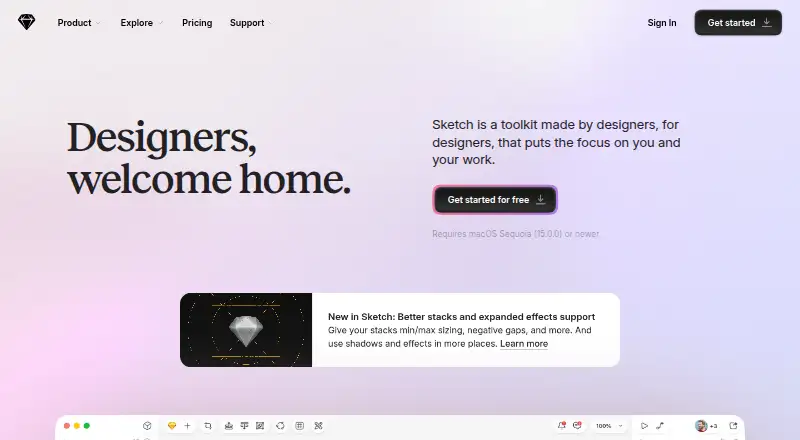
Sketch is a product design tool for creating interfaces, design systems, and interactive prototypes, then handing work to developers. Its native Mac app supports interface design, reusable components, design systems, and prototyping. The web app lets developers, managers, and stakeholders view, inspect, and comment on work from a browser, including without a Mac. The iOS app previews documents and prototypes on iPhone or iPad and can mirror designs while they are edited in the Mac app. Standard includes real-time collaboration, unlimited documents, unlimited free viewers, document version history, and free developer handoff. Plans start at $12 a month per Editor, billed yearly, and include a 30-day trial. The Mac-only license costs $120 per seat and includes one year of updates, but has no collaborative features, online document sharing, iOS device preview, or free trial. Sketch offers an official Slack app for rich previews of document or comment links shared from a connected Workspace. Its MCP Server lets AI assistants with MCP support access Sketch designs. The plugin directory is generated from developer submissions, which Sketch says it does not individually check or guarantee.
Who it suits
Sketch is aimed at UI and UX designers, especially those working on a Mac. Its web and iOS apps also support developers, managers, stakeholders, and people previewing designs on mobile devices.
What it does well
- Mac app supports reusable components and design systems.
- Web app supports viewing, inspecting, and commenting.
- Standard includes real-time collaboration and unlimited documents.
- iOS app previews documents and prototypes.
- Two-factor authentication is available to account holders.
What to know first
- Native design app is focused on Mac.
- Mac-only license has no collaborative features.
- Mac-only license has no free trial.
- Plugin functionality is not individually checked or guaranteed.
Limits
The Standard plan provides 50GB per Editor. The Mac-only license is a one-time 120.00 USD purchase with one year of updates, offline local documents, and no collaborative features, online sharing, iOS device preview, or free trial.
Plans
| Plan | Billed and limits | Price |
|---|---|---|
| Standard | Monthly / per Editor, billed yearly · Real-time collaboration · Unlimited documents · Unlimited free viewers · Document version history · Free developer handoff | $12 a month |
| Mac-only license | Per seat, includes one year of updates · Native Mac app · Offline work · Local documents · No collaborative features · No online document sharing · No iOS device preview · No free trial | $120, paid once |
| Professional | Monthly / per Editor, billed yearly · Everything in Standard · SSO · Project archiving · Permissions groups | $24 a month |
| Enterprise | Monthly / per Editor, billed yearly · Everything in Professional · SCIM provisioning · BYOK encryption · Dedicated support · Custom reviews and terms | $44 a month |
| Private Cloud | Contact for pricing; one-time setup fee applies · Everything in Professional · Private cloud environment · Choice of hosting locations · Unlimited Workspaces · SCIM provisioning · BYOK encryption | On request |
As sketch.com lists them, read 7 Oct 2026. The maker's own page has the final word.
Getting started
- Open the Sketch website
- Choose a yearly Editor plan or the Mac-only license
- Start the 30-day trial with a paid plan
- Install or open Sketch on Mac, web, or iOS
- Invite collaborators and share documents through your Workspace
Verdict
Sketch covers product design from interface creation through prototyping and developer handoff, with web and iOS access for review and preview. Compare the collaborative subscription plans with the more limited Mac-only license.
Questions
How much does Sketch cost?
Standard is $12 a month per Editor when billed yearly. Professional is 24.00 USD, Enterprise is 44.00 USD, and the Mac-only license is $120 per seat once.
Is there a free plan or trial?
Sketch has no free plan. Paid plans include a 30-day trial; the Mac-only license has no free trial.
Which platforms does Sketch support?
Sketch provides Mac desktop, web, and iOS apps. The web app supports viewing and commenting from any browser and platform.
Does Sketch support collaboration?
Standard includes real-time collaboration, unlimited documents, unlimited free viewers, version history, and free developer handoff.
Can Sketch connect with Slack?
Yes. Its official Slack app provides rich previews for document or comment links shared from a connected Workspace.
Is Sketch available for enterprise security needs?
Security features include two-factor authentication, SAML single sign-on, and a permissions directory. Enterprise adds SCIM provisioning, BYOK encryption, dedicated support, and custom reviews and terms.
Facts from Sketch's own pages
- AI access
- Sketch says its MCP Server lets AI assistants with MCP support access Sketch designs. · sketch.com, 7 Oct 2026
- Collaboration
- Standard includes real-time collaboration, unlimited documents, unlimited free viewers, document version history, and free developer handoff. · sketch.com, 7 Oct 2026
- Company focus
- Sketch says its focus is making a Mac app for UI and UX designers. · sketch.com, 7 Oct 2026
- Company history
- Sketch says it has been around since 2010. · sketch.com, 7 Oct 2026
- Company size fit
- solo, small, mid market, enterprise · sketch.com, 21 Sept 2026
- Compliance
- GDPR, iso27001, sso saml, two factor · sketch.com, 21 Sept 2026
- Data location
- Sketch says its data is located in AWS us-east-1 across multiple availability zones, while Private Cloud offers hosting locations in the US and EU. · sketch.com, 7 Oct 2026
- Deployment
- cloud, desktop, mobile · sketch.com, 21 Sept 2026
- Founded
- 2010 · sketch.com, 23 Sept 2026
- Headquarters
- Eindhoven, Netherlands · sketch.com, 23 Sept 2026
- Integrations
- Slack · sketch.com, 21 Sept 2026
- iOS app
- The iOS app previews documents and prototypes on iPhone or iPad and can mirror designs while they are edited in the Mac app. · sketch.com, 7 Oct 2026
- Mac app
- The native Mac app is for designing, building interfaces, creating reusable components and design systems, and prototyping interactions. · sketch.com, 7 Oct 2026
- Plugin caveat
- Sketch says its plugin directory is automatically generated from developer submissions and it does not check each plugin or guarantee its functionality. · sketch.com, 7 Oct 2026
- Plugins
- Sketch’s plugin directory includes an official Slack app that provides rich previews for document or comment links shared from a connected Workspace. · sketch.com, 7 Oct 2026
- Product
- Sketch covers product design work including building interfaces, creating design systems, prototyping interactions, and handing off to developers. · sketch.com, 7 Oct 2026
- Security
- Two-factor authentication is available to anyone with a Sketch account, and the security page also lists SAML single sign-on and a permissions directory. · sketch.com, 7 Oct 2026
- Storage limits
- The plan comparison lists 50GB per Editor for Standard and Professional, and unlimited storage for Enterprise and Private Cloud. · sketch.com, 7 Oct 2026
- Support
- The pricing page lists dedicated support with Enterprise and priority support for Enterprise with 15 or more Editors. · sketch.com, 7 Oct 2026
- Support channels
- email, community, docs · sketch.com, 21 Sept 2026
- Web app
- The web app lets developers, managers, and stakeholders view, inspect, and comment on work from any browser and platform without a Mac. · sketch.com, 7 Oct 2026
Where Sketch stands on Freedom251
- Developer Handoff Software#19 of 25
- Web Design Software#33 of 41
- Designing Solutions#25 of 29
- Logo Designing Softwares Software#20 of 23
- Interface Design Tools#23 of 26
- Design Collaboration Software#26 of 28
- Wireframe Tools#21 of 22
- UI/UX Design Tools#25 of 26
- Game UI Design Software#31 of 32
- UI design tools#36 of 37
- Ui Ux Designing Software#22 of 22