Freedom251 › PDF Form Software
SimplePDF
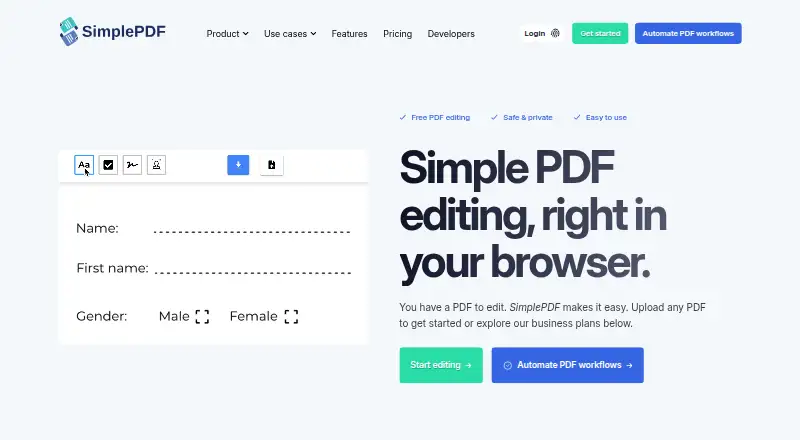
What SimplePDF is
SimplePDF is a browser-based PDF tool for editing, filling, signing, and managing documents. Its editing tools add text, checkboxes, and images, detect form fields automatically, and support signature fields. Page controls let users merge PDFs, reorder, rotate, or delete pages, and insert blank pages or additional PDFs. The maker says editing takes place in the browser and documents stay on the user’s device. For business workflows, PDFs can be embedded on websites so organizations can collect submissions and automate processing. SimplePDF offers a Chrome extension, React component, web script, iframe, Bubble plugin, and WordPress plugin, and connects with Make and n8n. Completed submissions can trigger email alerts or webhooks, and documents can be saved to S3-compatible storage. Data can be exported as CSV or Excel, by webhook, or through the API. Free is available free of charge, with no monthly quota for documents and submissions. Paid plans start with Basic at $99 a month; a seven-day trial is available. GDPR compliance is marked on every plan, while HIPAA compliance is marked on Free, Pro, and Premium.
Who it suits
SimplePDF suits individuals and professionals who need to edit, fill, or sign PDFs, as well as teams that collect documents through embedded forms. Its submission automation, integrations, storage options, and dashboard plans also fit businesses handling document workflows at different volumes.
What it does well
- Free includes no monthly document or submission quota.
- Automatically detects form fields and supports signature fields.
- Includes multiple embedding and integration options.
- Exports data as CSV, Excel, webhook, or API.
- GDPR compliance is marked on all plans.
What to know first
- Basic is $99 a month.
- Basic caps combined monthly documents and submissions at 2,500.
- Basic dashboard supports five users.
Limits
Free has no monthly quota for documents and submissions. Basic, the lowest-priced paid plan at $99 a month, allows up to 2,500 combined documents and submissions per month and a five-user dashboard.
Plans
| Plan | Billed and limits | Price |
|---|---|---|
| Free | For individuals editing PDFs · no monthly quota for documents and submissions | Free |
| Pro | $349/ month · Up to 20,000 documents and submissions/month · dashboard with 25 users | $349 a month |
| Premium | $899/ month · Up to 75,000 documents and submissions/month · dashboard with 250 seats | $899 a month |
| Basic | $99/ month · Up to 2,500 documents and submissions/month · dashboard with 5 users | $99 a month |
As simplepdf.com lists them, read 30 Sept 2026. The maker's own page has the final word.
Getting started
- Open https://simplepdf.com/ in a web browser.
- Use the web app or install the Chrome extension.
- Import an existing PDF to edit, fill, or sign it.
- Choose Free for individual editing or select a paid plan for a business workflow.
- Use the seven-day trial to explore a paid plan.
Verdict
Choose SimplePDF for browser-based PDF editing or for embedding document workflows that collect submissions and connect to automation tools. Free covers individual editing without a monthly document or submission quota; businesses should compare the paid plan’s combined quota and dashboard user cap with their needs.
Questions
Is there a free plan?
Yes. Free costs nothing and has no monthly quota for documents and submissions.
How much do paid plans cost?
Basic is $99 a month, Pro is $349 a month, and Premium is $899 a month. A seven-day trial is available.
Which platforms does SimplePDF support?
SimplePDF is available on the web and as an extension.
Can SimplePDF connect to other tools?
It connects with Make and n8n and offers a Chrome extension, React component, web script, iframe, Bubble plugin, and WordPress plugin.
What compliance designations are listed?
GDPR compliance is marked on all plans. HIPAA compliance is marked on Free, Pro, and Premium; for paid workflows involving PHI, the maker says to use Bring Your Own Storage, and a BAA is available upon request.
Facts from SimplePDF's own pages
- Audience
- The maker says SimplePDF is for individuals, professionals, teams, and businesses, from students and freelancers to IT teams and enterprise operations. · simplepdf.com, 30 Sept 2026
- Automation integrations
- The features page says SimplePDF connects with Make and n8n for document processing. · simplepdf.com, 30 Sept 2026
- Business workflows
- Businesses can embed PDFs on websites, collect submissions, and automate workflows. · simplepdf.com, 30 Sept 2026
- Compliance
- The pricing page marks GDPR compliance on all plans and HIPAA compliance on Free, Pro, and Premium. · simplepdf.com, 30 Sept 2026
- Editing tools
- Features include adding text, checkboxes, and images, signing documents, and automatic form-field detection. · simplepdf.com, 30 Sept 2026
- Founder
- The maker identifies Benjamin André-Micolon as its founder and describes him as a principal engineer. · simplepdf.com, 30 Sept 2026
- Headquarters
- Tallinn, Estonia · simplepdf.com, 28 Sept 2026
- HIPAA workflows
- The maker says paid workflows involving PHI should use Bring Your Own Storage and that a BAA is available upon request. · simplepdf.com, 30 Sept 2026
- Integrations
- The maker lists a Chrome extension, React component, web script, iframe, Bubble plugin, and WordPress plugin. · simplepdf.com, 30 Sept 2026
- Page tools
- Users can merge PDFs, reorder, rotate, and delete pages, and add blank pages or additional PDFs. · simplepdf.com, 30 Sept 2026
- Plan limits
- Monthly quotas count documents and submissions together; the listed Basic, Pro, and Premium quotas are 2,500, 20,000, and 75,000. · simplepdf.com, 30 Sept 2026
- Privacy
- The maker says editing is performed in the browser and documents do not leave the user's device. · simplepdf.com, 30 Sept 2026
- Product
- SimplePDF edits, fills, signs, and manages PDF documents in a browser. · simplepdf.com, 30 Sept 2026
- Storage and notifications
- The product supports saving documents to S3-compatible storage, webhooks, and email alerts for completed submissions. · simplepdf.com, 30 Sept 2026
- Support
- Premium includes priority support, listed as 24-hour support in the feature comparison. · simplepdf.com, 30 Sept 2026
Where SimplePDF stands on Freedom251
- PDF Form Software#17 of 27