Scribe OCR
What Scribe OCR is
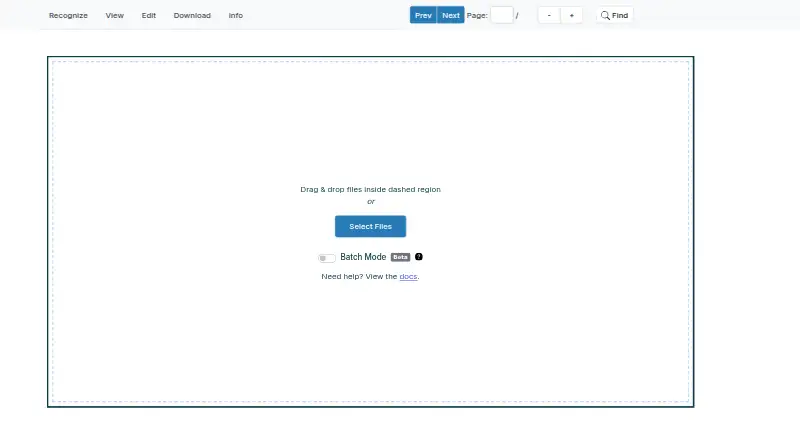
Scribe OCR recognizes text in images and supports proofreading before users create digitized documents. Editable OCR text is overlaid on the source image, and the tool can optimize a custom font for each document to improve alignment. For PDFs, it can add a searchable text layer or create text-native, ebook-style PDFs intended to represent the original. It imports PDF, PNG and JPEG files, as well as existing Tesseract HOCR or Abbyy XML data with character-level metrics. Popular Latin-script languages are supported; Simplified Chinese support is experimental, with less accurate character positioning. An optional experimental feature exports extracted tables to XLSX. The maker says the browser-based program does not send data to a remote server. Scribe OCR is free and open-source, with web and self-hosted options. A local copy requires serving project files over a local HTTP server; there is no standalone desktop application. PDF pages are rendered to PNG during import, and the tool does not directly edit PDFs.
Who it suits
Scribe OCR suits people digitizing documents who want to proofread recognized text and create searchable or text-native PDFs. It may also suit users who need browser-based processing or a locally served copy.
What it does well
- Overlays editable OCR text on source images.
- Can add searchable text layers to PDFs.
- Imports PDF, PNG and JPEG files.
- Runs in a browser without sending data to a remote server.
- Free and open-source.
What to know first
- Does not directly edit PDFs.
- No standalone desktop application is available.
- Simplified Chinese positioning is less accurate.
- Table extraction is experimental.
Plans
| Plan | Billed and limits | Price |
|---|---|---|
| Free | Free, open-source web application | Free |
As scribeocr.com lists them, read 3 Oct 2026. The maker's own page has the final word.
Getting started
- Open https://scribeocr.com/ in a web browser.
- Import a PDF, PNG, or JPEG, or compatible Tesseract HOCR or Abbyy XML data.
- Proofread and edit the recognized text over the source image.
- For local use, serve the project files over a local HTTP server.
- Save the editing session in a Scribe file and keep the original image or PDF for importing it again.
Verdict
Scribe OCR combines image-based text recognition with proofreading and PDF output options. Note that PDFs are rendered as images on import, while self-hosting requires a local HTTP server.
Questions
How much does Scribe OCR cost?
The Free plan costs nothing. It is described as a free, open-source web application.
Which files can I import?
Scribe OCR imports PDF, PNG, and JPEG files. It can also import Tesseract HOCR and Abbyy XML data with character-level metrics.
Does Scribe OCR edit PDFs directly?
No. It renders PDF pages to PNG images when importing them. It can add a searchable text layer to PDF documents or create text-native PDFs.
Which languages does it support?
Popular Latin-script languages are supported. Simplified Chinese support is experimental, and character positioning is less accurate.
Can I use it locally, and where does processing happen?
The app runs in a browser, and the maker says no data is sent to a remote server. A local copy can be run by serving the project files over a local HTTP server.
How do I get support?
The maker directs users to GitHub issues and discussions, and offers email support at [email protected].
Facts from Scribe OCR's own pages
- Development status
- The support page says the software is in active development and has no formal versions or releases. · docs.scribeocr.com, 3 Oct 2026
- Digitized documents
- It can create text-native, ebook-style PDFs intended to represent the original document. · github.com, 3 Oct 2026
- External OCR data
- Existing Tesseract HOCR and Abbyy XML data with character-level metrics can be imported for editing. · docs.scribeocr.com, 3 Oct 2026
- Free plan
- Yes · scribeocr.com, 23 Sept 2026
- Input files
- The documentation describes importing PDF, PNG, and JPEG files. · docs.scribeocr.com, 3 Oct 2026
- Supported inputs
- both · scribeocr.com, 23 Sept 2026
- Local use
- A local copy can be run by serving the project files over a local HTTP server; the repository says there is no standalone desktop application. · github.com, 3 Oct 2026
- PDF limitation
- The FAQ says Scribe OCR does not directly edit PDFs and renders PDF pages to PNG images when importing them. · docs.scribeocr.com, 3 Oct 2026
- Primary platform
- web · scribeocr.com, 23 Sept 2026
- Processing and privacy
- The maker says the program runs in the browser and no data is sent to a remote server. · github.com, 3 Oct 2026
- Proofreading
- It overlays editable OCR text on source images and can optimize a custom font for each document to improve alignment. · docs.scribeocr.com, 3 Oct 2026
- Purpose
- Scribe OCR recognizes text from images, supports OCR proofreading, and creates digitized documents. · docs.scribeocr.com, 3 Oct 2026
- Recognition languages
- The FAQ says popular Latin-script languages are supported and Simplified Chinese has experimental support with less accurate character positioning. · docs.scribeocr.com, 3 Oct 2026
- Save and resume
- The table extraction guide says Scribe files preserve an editing session and must be imported with the original image or PDF files. · docs.scribeocr.com, 3 Oct 2026
- Searchable PDF
- Yes · scribeocr.com, 23 Sept 2026
- Searchable PDFs
- The maker lists adding a searchable text layer to PDF documents as a primary use case. · github.com, 3 Oct 2026
- Support
- The maker directs users to GitHub issues and discussions, with email support available at [email protected]. · docs.scribeocr.com, 3 Oct 2026
- Table extraction
- An optional experimental feature can export extracted table data to XLSX. · docs.scribeocr.com, 3 Oct 2026
- Word export
- Yes · scribeocr.com, 23 Sept 2026
Where Scribe OCR stands on Freedom251
- OCR tools#3 of 13
- OCR software#16 of 40