i2OCR
What i2OCR is
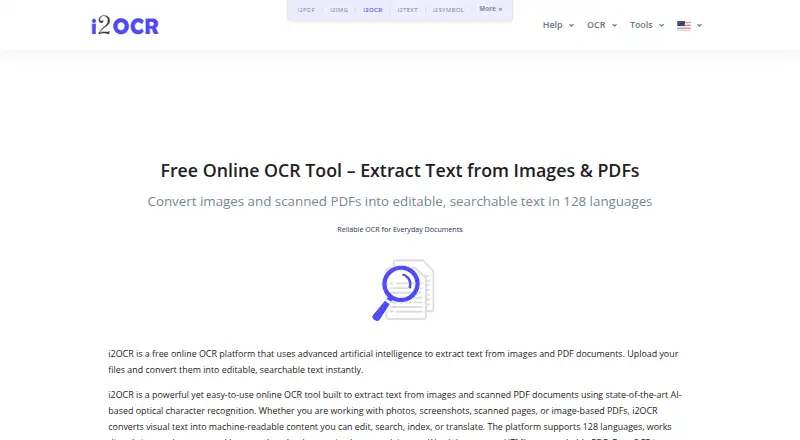
i2OCR is a web service that extracts text from images and scanned PDF documents. It runs in modern browsers without installation and supports 128 languages. The free OCR option handles one image or one PDF page at a time; bulk processing for larger document sets is a premium option. Results can be exported as plain text, Word documents, HTML, searchable PDF, or ZIP files. The service provides image OCR, PDF OCR, and batch OCR tools, alongside editing functions for summarization, paraphrasing, spelling fixes, number normalization, and diacritics. It says it uses AI-powered optical character recognition and automatically deletes uploaded files and extracted text after processing. Recognition results depend on image quality and document clarity, and complex layouts or handwriting may reduce precision. i2OCR lists handwriting OCR support but notes that limitation. It targets students, professionals, researchers, translators, editors, and businesses. For unanswered questions, it provides [email protected] as a support contact.
Who it suits
i2OCR suits people who need to extract or edit text from images and scanned PDFs in a browser. Its listed audiences include students, professionals, researchers, translators, editors, and businesses.
What it does well
- Supports 128 languages.
- Runs in modern browsers without installation.
- Offers searchable PDF and Word document output.
- Uploaded files and extracted text are deleted after processing.
What to know first
- Free OCR processes only one image or PDF page at a time.
- Bulk processing is a premium option.
- Complex layouts and handwriting may reduce precision.
Limits
The free plan processes one image or PDF page at a time. Bulk OCR for larger document sets is a premium option.
Plans
| Plan | Billed and limits | Price |
|---|---|---|
| Free OCR | — | On request |
As i2ocr.com lists them, read 28 Sept 2026. The maker's own page has the final word.
Getting started
- Visit https://www.i2ocr.com/ in a modern web browser.
- Choose image OCR or PDF OCR.
- Process one image or PDF page at a time on the free plan.
- Use a premium bulk OCR option for larger document sets.
- Export the result as plain text, Word, HTML, searchable PDF or ZIP.
Verdict
i2OCR covers single-page OCR for free and offers bulk tools as a premium option. Check source image quality and layout, since they can affect recognition results.
Questions
Does i2OCR have a free plan?
Yes. The free OCR plan processes one image or PDF page at a time.
Which platforms does i2OCR support?
It runs in modern web browsers without installation.
What languages and output formats does it support?
It supports 128 languages and can export plain text, Word documents, HTML, searchable PDF and ZIP.
Can i2OCR process batches?
Yes. Batch OCR for images and PDF documents is available, and bulk processing for larger document sets is a premium option.
Does it support handwriting OCR?
Yes. i2OCR lists handwriting OCR support, though handwriting may reduce precision.
How can I contact i2OCR with questions?
For unanswered questions, it provides [email protected].
Facts from i2OCR's own pages
- Accuracy Limitations
- Accuracy depends on image quality and document clarity. · i2ocr.com, 28 Sept 2026
- AI OCR
- Uses artificial intelligence and AI-powered optical character recognition. · i2ocr.com, 28 Sept 2026
- Browser Platform
- Runs directly in modern web browsers without installation. · i2ocr.com, 28 Sept 2026
- Bulk Processing
- Bulk OCR is available as a premium option for larger document sets. · i2ocr.com, 28 Sept 2026
- Editing Tools
- Includes summarization, paraphrasing, spelling fixes, number normalization, and diacritics. · i2ocr.com, 28 Sept 2026
- Automatic Deletion
- Uploaded files and extracted text are automatically deleted after processing. · i2ocr.com, 28 Sept 2026
- Free Tier Limit
- Free OCR processes one image or PDF page at a time. · i2ocr.com, 28 Sept 2026
- Free Online OCR
- i2OCR provides free online OCR for images and scanned PDF documents. · i2ocr.com, 28 Sept 2026
- Free plan
- Yes · i2ocr.com, 23 Sept 2026
- Handwriting Limitation
- Complex layouts and handwriting may reduce precision. · i2ocr.com, 28 Sept 2026
- Handwriting OCR
- Yes · i2ocr.com, 23 Sept 2026
- Headquarters
- USA · i2ocr.com, 28 Sept 2026
- Supported inputs
- both · i2ocr.com, 23 Sept 2026
- Supported languages
- 128 · i2ocr.com, 23 Sept 2026
- OCR Tools
- Provides image OCR, PDF OCR, batch OCR images, and batch OCR PDF documents. · i2ocr.com, 28 Sept 2026
- Output Formats
- Outputs plain text, Word documents, HTML, searchable PDF, and ZIP. · i2ocr.com, 28 Sept 2026
- Primary platform
- web · i2ocr.com, 23 Sept 2026
- Recognition Accuracy
- The page claims high recognition accuracy across supported languages. · i2ocr.com, 28 Sept 2026
- Searchable PDF
- Yes · i2ocr.com, 23 Sept 2026
- Secure File Handling
- The platform describes its processing as secure, with automatic file deletion. · i2ocr.com, 28 Sept 2026
- Support Contact
- Provides [email protected] for unanswered questions. · i2ocr.com, 28 Sept 2026
- Supported Languages
- Supports OCR in 128 languages and scripts. · i2ocr.com, 28 Sept 2026
- Target Users
- Targets students, professionals, researchers, translators, editors, and businesses. · i2ocr.com, 28 Sept 2026
- Word export
- Yes · i2ocr.com, 23 Sept 2026
Where i2OCR stands on Freedom251
- OCR tools#4 of 13
- OCR software#17 of 40