NewOCR
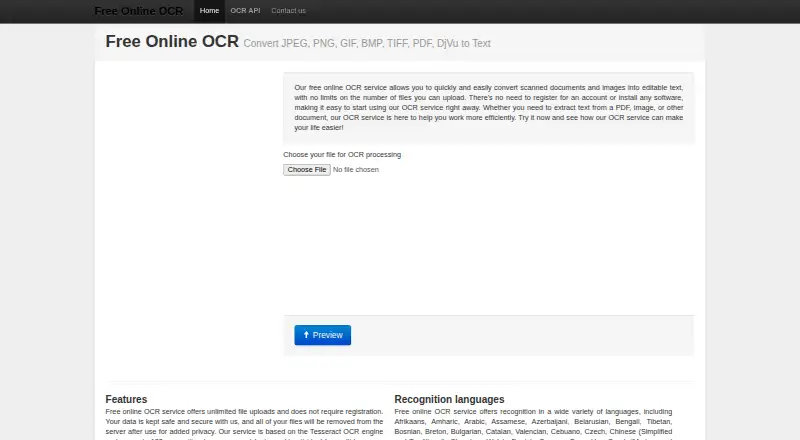
What NewOCR is
NewOCR converts scanned documents and images into editable text through a web service, with a REST API for OCR requests. It uses the Tesseract OCR engine and says it recognizes 122 languages and fonts. Its recognition tools include mathematical equations and page-layout analysis, and can handle poorly scanned, photographed, or low-resolution pages. Users can select an area of a page, rotate it, and send recognized text to Google Docs, Google Translate, or Bing Translator. Supported inputs include common image formats, multipage TIFF, PDF, DjVu, DOCX, ODT, and ZIP archives containing images. Results can be saved as TXT, DOC, or PDF. The site says uploaded files are removed from the server after use. The online service requires no registration or software installation. The free online plan allows unlimited uploads; the free API plan includes 20 image pages. The paid OCR API costs $0.50 USD once, with 1,000 recognitions listed at $5.
Who it suits
NewOCR suits people who need to turn scanned pages or images into editable text without registering or installing software. Its API may suit developers who want to submit files and specify OCR settings in requests.
What it does well
- Recognizes 122 languages and fonts
- Can analyze layouts and mathematical equations
- Accepts PDF, DjVu, DOCX, and image formats
- Outputs TXT, DOC, or PDF
- Free online plan allows unlimited uploads
What to know first
- Free OCR API includes 20 image pages
- Paid API rate lists 1,000 recognitions at $5
- The site names no security certification or compliance standard
Limits
The free OCR API includes 20 image pages. The paid OCR API is listed at $0.50, paid once, with 1,000 recognitions costing $5; the free online plan allows unlimited file uploads.
Plans
| Plan | Billed and limits | Price |
|---|---|---|
| Free online OCR | Unlimited file uploads · no registration · no software installation | Free |
| Free OCR API | 20 image pages free | Free |
| Paid OCR API | Pay by PayPal · 1000 recognitions cost $5 | $0.50, paid once |
As newocr.com lists them, read 5 Oct 2026. The maker's own page has the final word.
Getting started
- Open https://www.newocr.com/ for online OCR.
- Use the online service without registering or installing software.
- Upload a supported document or image file.
- For API access, use an API key to submit an OCR request.
- Choose the free API plan or the paid OCR API plan if using the API.
Verdict
NewOCR offers a free browser-based OCR service alongside an API and several output formats. Its listed API allowance and paid rate are worth checking if you need OCR through an integration.
Questions
Is NewOCR free?
Yes. The free online OCR plan costs nothing and allows unlimited file uploads. The free OCR API plan is also free and includes 20 image pages.
What does the paid OCR API cost?
The paid OCR API is listed at $0.50, paid once. The listed rate says 1,000 recognitions cost $5.
Which platforms can I use?
NewOCR lists web and API platforms, with web as its primary platform.
What file types can it recognize?
Online inputs include common images, multipage TIFF, PDF, DjVu, DOCX, ODT, and ZIP archives containing images. The API documents JPEG, PNG, GIF, BMP, TIFF, PDF, and DjVu uploads.
What output formats are available?
Recognized text can be output as TXT, DOC, or PDF.
Do I need to register to use the online service?
No. The online service says users can start without registering or installing software.
Facts from NewOCR's own pages
- API
- The REST API supports file upload and OCR requests, uses API keys, and documents JPEG, PNG, GIF, BMP, TIFF, PDF, and DjVu uploads. · newocr.com, 5 Oct 2026
- API controls
- API OCR requests can specify page, language, page segmentation mode, and image rotation. · newocr.com, 5 Oct 2026
- Editing tools
- Users can select a page area for OCR, rotate pages, and send recognized text to Google Docs, Google Translate, or Bing Translator. · newocr.com, 5 Oct 2026
- Free plan
- Yes · newocr.com, 23 Sept 2026
- Input formats
- Supported inputs include common image files, multipage TIFF, PDF, DjVu, DOCX, ODT, and ZIP archives containing images. · newocr.com, 5 Oct 2026
- Supported inputs
- both · newocr.com, 23 Sept 2026
- Supported languages
- 122 · newocr.com, 23 Sept 2026
- Languages
- The service says it supports 122 recognition languages and fonts. · newocr.com, 5 Oct 2026
- No account required
- The online service says users can begin without registering or installing software. · newocr.com, 5 Oct 2026
- OCR engine
- The service is based on the Tesseract OCR engine. · newocr.com, 5 Oct 2026
- Output formats
- Recognized text can be output as TXT, DOC, or PDF. · newocr.com, 5 Oct 2026
- Primary platform
- web · newocr.com, 23 Sept 2026
- Privacy statement
- The site says uploaded files are removed from the server after use; it does not name a security certification or compliance standard on the page. · newocr.com, 5 Oct 2026
- Purpose
- The service converts scanned documents and images into editable text. · newocr.com, 5 Oct 2026
- Recognition features
- It can recognize mathematical equations, analyze page layouts, and process poorly scanned, photographed, or low-resolution pages. · newocr.com, 5 Oct 2026
- Support
- The contact form offers Suggestions and Product Support as subject options. · newocr.com, 5 Oct 2026
- Word export
- Yes · newocr.com, 23 Sept 2026
Where NewOCR stands on Freedom251
- OCR software#19 of 40
- OCR tools#7 of 13