Freedom251 › Digital Signage Software
Screentæm
What Screentæm is
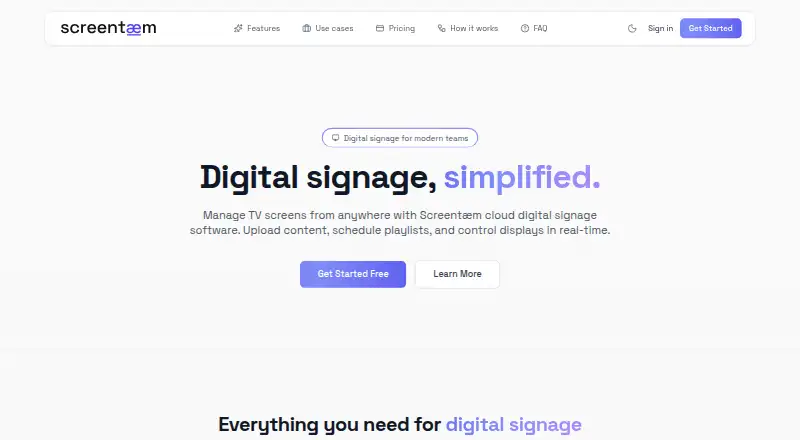
Screentæm is cloud digital signage software for remote screen management, playlist scheduling, and live content updates. Users control displays from a browser, pair them with a code, and organize images, videos, and presentations in one content library. Playlists support custom durations and drag-and-drop ordering before assignment to screens. The site says updates synchronize instantly through WebSocket and displays show live status. Presentation Mode Pro lets presenters control slides remotely from a phone using a QR code. Screen Sharing Pro sends a screen, browser tab, or application to a connected display, while Guest Share Premium lets visitors join by room code and share without an account. A free plan requires no credit card. Team costs $99 a month for five users, ten displays, and 2 GB storage. Premium costs $249 a month for 15 users, 25 displays, and 10 GB storage. Enterprise lists unlimited users and displays without a price.
Who it suits
Screentæm suits retail, offices, hospitality, education, and multi-site teams managing connected displays. It is useful for organizations needing browser control, scheduled playlists, and optional guest or presentation sharing.
What it does well
- Free plan without a credit card
- Browser-based remote screen control
- Images, videos, and presentations supported
- Instant synchronization and live display status
- Playlist durations and drag-and-drop ordering
What to know first
- Free plan has a ten-screen limit
- Team costs $99 a month
- Premium costs $249 a month
Plans
| Plan | Billed and limits | Price |
|---|---|---|
| Free | Start free · Start free · No credit card required | Free |
| Team | $99/month · 5 users · 10 displays · 2 GB storage · multi-user + roles · full audit logs · email support | $99 a month |
| Premium | $249/month · 15 users · 25 displays · 10 GB storage · guest share · SSO · custom branding · priority support | $249 a month |
| Enterprise | Custom · Unlimited users · unlimited displays · custom storage · dedicated support · custom integrations · SLA | On request |
As screentaem.com lists them, read 21 Sept 2026. The maker's own page has the final word.
Verdict
Screentæm covers core signage management with a no-card free tier and paid plans that add users, displays, storage, and sharing controls. Choose a plan according to screen count and whether guest sharing, SSO, or custom branding is needed.
Facts from Screentæm's own pages
- Billing
- The site says Polar processes payments as merchant of record and handles billing, taxes, and compliance. · screentaem.com, 12 Oct 2026
- Content library
- The content library accepts images, videos, and presentations and organizes them in one place. · screentaem.com, 12 Oct 2026
- Content types
- images,videos,presentations · screentaem.com, 21 Sept 2026
- Free access
- The site says users can start with a free plan without a credit card and upgrade for more storage, users, or advanced features. · screentaem.com, 12 Oct 2026
- Free plan
- Yes · screentaem.com, 21 Sept 2026
- Guest sharing
- Guest Share Premium lets guests join a display by room code and share content without an account. · screentaem.com, 12 Oct 2026
- Live status
- The site says changes sync instantly via WebSocket and displays show live status. · screentaem.com, 12 Oct 2026
- Playlists
- Users can build playlists with custom durations and drag-and-drop ordering, then assign them to displays. · screentaem.com, 12 Oct 2026
- Presentations
- Presentation Mode Pro lets users present slides and control them remotely from a phone using a QR code. · screentaem.com, 12 Oct 2026
- Product
- Screentæm is cloud digital signage software for remote screen management, playlist scheduling, and real-time content updates. · screentaem.com, 12 Oct 2026
- Remote management
- Users can control screens from a browser and pair displays with a code. · screentaem.com, 12 Oct 2026
- Screen limit
- 10 · screentaem.com, 21 Sept 2026
- Screen sharing
- Screen Sharing Pro lets users share a screen, browser tab, or application to a connected display. · screentaem.com, 12 Oct 2026
- Setup
- The described setup is to create an account, upload content, and pair a kiosk device using its pairing code. · screentaem.com, 12 Oct 2026
- Use cases
- The product is presented for retail, offices, hospitality, education, and multi-site teams. · screentaem.com, 12 Oct 2026
- User roles
- advanced · screentaem.com, 21 Sept 2026
Where Screentæm stands on Freedom251
- Digital Signage Software#66 of 207