Freedom251 › Screen Capture Software

ScreenFox
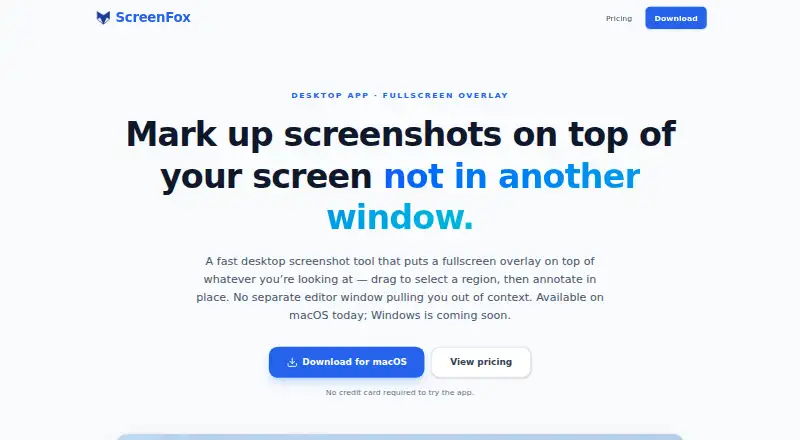
What ScreenFox is
ScreenFox is a paid macOS screenshot tool for selecting part of the screen and annotating it on a fullscreen overlay. The overlay leaves the real screen visible while you choose an area and add rectangles, arrows, text, and preset colors. You can undo or redo edits without opening a separate editor window. ScreenFox stays in the menu bar for capture, using ⌘⇧A by default; the shortcut can be changed in Settings. After editing, you can copy the cropped region to the clipboard, save a PNG, or download it from the overlay. The app notifies you about new versions and supports one-click installation. A free trial does not require a credit card, but there is no free plan. The ScreenFox license costs $16 a month and includes lifetime updates and a 30-day money-back guarantee. Windows is in development, and cloud sharing is not included.
Who it suits
ScreenFox suits macOS users who want focused capture and annotation tools with PNG output. It is less suited to people seeking a broad screenshot suite or cloud-sharing feature.
What it does well
- Fullscreen overlay keeps the screen visible
- Rectangles, arrows, text, and preset colors
- Clipboard, PNG, and overlay download options
- Lifetime updates included with the license
- Free trial requires no credit card
What to know first
- No free plan
- Available on macOS only
- Cloud sharing is not included
- Costs $16 a month
Plans
| Plan | Billed and limits | Price |
|---|---|---|
| ScreenFox license | One-time purchase · lifetime updates · Full ScreenFox desktop app (macOS now; Windows coming soon) · lifetime updates included · 30-day money-back guarantee | $16, paid once |
As screenfox.io lists them, read 8 Oct 2026. The maker's own page has the final word.
Verdict
ScreenFox focuses on quick Mac captures with editing directly on the overlay. Its monthly license, macOS-only availability, and lack of cloud sharing are important considerations.
Facts from ScreenFox's own pages
- Annotations
- Users can add rectangles, arrows, and text, choose preset colors, and undo or redo changes. · screenfox.io, 8 Oct 2026
- Data collection
- The app may send basic app telemetry, including app version, macOS version, architecture, a per-device licensing identifier, and a temporary session identifier. · screenfox.io, 8 Oct 2026
- Export formats
- PNG · screenfox.io, 19 Sept 2026
- Exports
- Users can copy the cropped region to the clipboard, save a PNG, or download it from the overlay. · screenfox.io, 8 Oct 2026
- Free plan
- No · screenfox.io, 19 Sept 2026
- Menu bar
- The app stays in the menu bar for screenshot capture. · screenfox.io, 8 Oct 2026
- Platform availability
- ScreenFox is available for macOS; a Windows version is in development. · screenfox.io, 8 Oct 2026
- Product focus
- The site describes ScreenFox as an intentionally focused tool and says heavier screenshot suites may be more suitable for users who need a sprawling capture suite. · screenfox.io, 8 Oct 2026
- Purpose
- ScreenFox is a desktop screenshot tool that lets users select a screen region and annotate it on a fullscreen overlay. · screenfox.io, 8 Oct 2026
- Screenshot handling
- The privacy policy says screenshots stay on the Mac unless users choose to copy, save, or share them, and that ScreenFox does not sell personal information. · screenfox.io, 8 Oct 2026
- Shortcut
- The default screenshot shortcut is ⌘⇧A and can be changed in Settings. · screenfox.io, 8 Oct 2026
- Support
- Users can report bugs or request features in the app or email [email protected]. · screenfox.io, 8 Oct 2026
- Trial
- The site says no credit card is required to try the app; the privacy policy says the app contacts the server to start and check a trial. · screenfox.io, 8 Oct 2026
- Updates
- The app notifies users when a new version is available and offers one-click installation. · screenfox.io, 8 Oct 2026
- Workflow
- The fullscreen overlay keeps the real screen visible during selection and annotation, without opening a separate editor window. · screenfox.io, 8 Oct 2026
Where ScreenFox stands on Freedom251
- Screen Capture Software#56 of 61
- Screenshot Annotation Software#73 of 76