Freedom251 › Screenshot Software

CleanShot X
What CleanShot X is
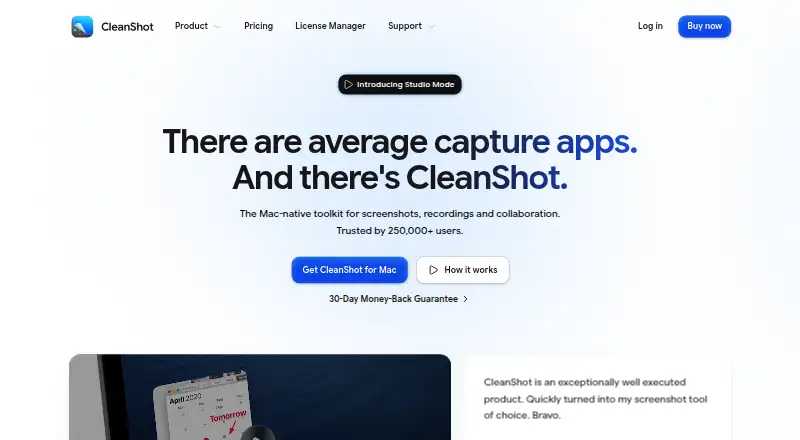
CleanShot X is a Mac-native toolkit for screenshots, screen recordings, and collaboration. It captures selected areas, windows, full screens, and scrolling content horizontally or vertically. Its editor can annotate, crop, resize, blur, and pixelate screenshots. Recordings can include microphone and computer audio and be saved as MP4 H.264 video or GIF. The built-in video editor offers smart zooms, cursor adjustments, backgrounds, and landscape, square, or vertical exports.
CleanShot Cloud uploads captures and recordings and provides share links. Cloud collaboration includes comments, video transcription, access controls, and password-protected links. The Quick Access Overlay lets users save, copy, or drag captures into other apps. On-device OCR recognizes text in more than 30 languages and can read QR codes. CleanShot says it is ISO 27001 certified and encrypts Cloud data at rest and in transit. It requires macOS 13.0 or newer. CleanShot Basic is listed at $35 a month and includes one year of updates and 1 GB of cloud storage; optional updates renewal costs $19 per year.
Who it suits
CleanShot X suits Mac users who need screenshot and recording tools alongside editing, OCR, and cloud sharing. Its cloud collaboration features may also suit people who need comments, access controls, or password-protected links.
What it does well
- Captures scrolling content in both directions.
- Recordings can be exported as MP4 H.264 or GIF.
- On-device OCR supports over 30 languages and QR codes.
- Cloud links can be password-protected.
- Cloud data is encrypted at rest and in transit.
What to know first
- Requires macOS 13.0 or newer.
- There is no free plan or trial.
- Basic includes 1 GB of cloud storage.
- Basic includes one year of updates; renewal is optional at $19 per year.
Plans
| Plan | Billed and limits | Price |
|---|---|---|
| CleanShot Pro | $120.00 per user per year (= $10.00 per user/month, billed annually) · Mac app · Always up to date · Unlimited Cloud storage · Custom domain and branding · Team management · SSO and SCIM | $120 a year |
| CleanShot Basic | Pay once, use forever. · Mac app · One year of updates · 1 GB Cloud storage | $35, paid once |
As cleanshot.com lists them, read 4 Oct 2026. The maker's own page has the final word.
Verdict
CleanShot X combines capture, editing, recording, OCR, and cloud collaboration tools for macOS. The listed Basic price is $35 a month, and the app requires macOS 13.0 or newer.
Facts from CleanShot X's own pages
- Annotation
- Its built-in editor includes tools to annotate, crop, resize, blur and pixelate screenshots. · cleanshot.com, 4 Oct 2026
- Capture
- The app captures areas, windows, full screens and scrolling content, including horizontal and vertical scrolling. · cleanshot.com, 4 Oct 2026
- Cloud collaboration
- Cloud features include comments, video transcription, file access control and password-protected links. · cleanshot.com, 4 Oct 2026
- Cloud sharing
- CleanShot Cloud lets users upload screenshots and recordings and share them through generated links. · cleanshot.com, 4 Oct 2026
- Export formats
- MP4, GIF · cleanshot.com, 19 Sept 2026
- Free plan
- No · cleanshot.com, 19 Sept 2026
- Integrations
- The Quick Access Overlay supports saving, copying or dragging captures into other apps. · cleanshot.com, 4 Oct 2026
- OCR
- Text recognition runs on-device, supports more than 30 languages and can read QR codes. · cleanshot.com, 4 Oct 2026
- Plan limit
- Basic includes one year of updates, with optional renewal at $19 per year. · cleanshot.com, 4 Oct 2026
- Product
- CleanShot describes itself as a Mac-native toolkit for screenshots, recordings and collaboration. · cleanshot.com, 4 Oct 2026
- Recording
- Screen recordings can be saved as MP4 H.264 video or GIF, with microphone and computer audio capture options. · cleanshot.com, 4 Oct 2026
- Scrolling capture
- Yes · cleanshot.com, 19 Sept 2026
- Security
- CleanShot says it is ISO 27001 certified and encrypts Cloud data at rest and in transit. · cleanshot.com, 4 Oct 2026
- Support
- The pricing FAQ directs users to [email protected] for help. · cleanshot.com, 4 Oct 2026
- System requirements
- CleanShot requires macOS 13.0 or newer. · cleanshot.com, 4 Oct 2026
- Trial and refund
- CleanShot says it does not provide a trial and offers a 30-day money-back guarantee. · cleanshot.com, 4 Oct 2026
- Video editing
- The built-in video editor offers smart zooms, cursor adjustments, backgrounds and landscape, square or vertical exports. · cleanshot.com, 4 Oct 2026
Where CleanShot X stands on Freedom251
- Screenshot Software#32 of 39
- Screen Capture Software#52 of 61
- Screenshot tools#35 of 40
- Screenshot Annotation Software#70 of 76