Freedom251 › Screen Recorder Software

Screen Studio
What Screen Studio is
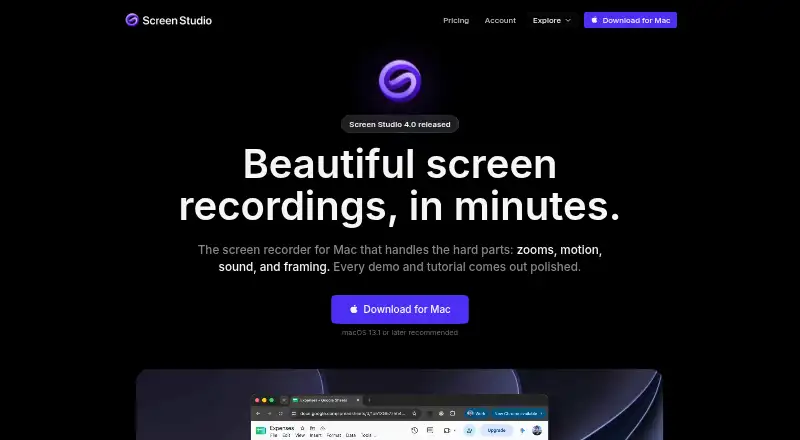
Screen Studio is a macOS screen recorder for product demos, courses, tutorials, and social posts. It captures webcam video, system audio, and microphone audio, with exports up to 4K at 60 fps. Automatic zoom can emphasize actions such as clicks, while manual zooms are also available. Camera layouts include fullscreen, split screen, overlay, screen-only, and camera cutout views. Editing works from a transcript and can remove filler words and pauses, trim clips, and change playback speed. The app creates captions, provides on-device noise reduction, and includes Podcast mode. Finished videos can be copied into Slack, Linear, or a document, or shared as browser links and editable projects. Recordings stay local by default; cloud transcription is optional. Screen Studio supports macOS only and recommends Ventura 13.1 or higher. Plans list $29 a month monthly, or $9 a year billed yearly as shown.
Who it suits
It suits Mac users creating polished demos, tutorials, courses, or social videos. It is also useful for people who want transcript editing, captions, zoom controls, and local-first storage.
What it does well
- Webcam, system audio, and microphone capture
- Exports up to 4K at 60 fps
- Automatic and manual zoom controls
- Transcript editing and caption creation
- Local storage by default
What to know first
- macOS only
- No free plan
- Exporting video files requires an active plan
- Shareable links support videos up to 30 minutes
Plans
| Plan | Billed and limits | Price |
|---|---|---|
| Screen Studio | Per month billed monthly · 3 personal macOS devices | $29 a month |
| Monthly | $29/mo. · All Screen Studio features · Export up to 4K at 60 fps · Shareable links · Cloud transcript · Sharing projects · New features as they ship | $29 a month |
| Yearly | $9/mo. billed yearly; Save 69% · All Screen Studio features · Export up to 4K at 60 fps · Shareable links · Cloud transcript · Sharing projects · New features as they ship | $9 a month |
As screen.studio lists them, read 20 Sept 2026. The maker's own page has the final word.
Verdict
Screen Studio brings recording, camera layouts, transcript editing, captions, and sharing into a Mac-focused workflow. Check the platform requirement and plan terms if video-file exports are essential.
Facts from Screen Studio's own pages
- Automatic zoom
- It can automatically zoom in on relevant moments based on actions such as clicks, and users can add manual zooms. · screen.studio, 8 Oct 2026
- Camera layouts
- A recording can switch among fullscreen camera, split screen, camera overlay, screen only, and camera cutout layouts. · screen.studio, 8 Oct 2026
- Captions and audio
- Screen Studio creates captions and offers on-device noise reduction and Podcast mode. · screen.studio, 8 Oct 2026
- Editing
- Users can edit recordings by transcript, remove filler words and pauses, trim clips, and change playback speed. · screen.studio, 8 Oct 2026
- Export limits
- Exports include MP4 at 720p, 1080p, or 4K up to 60 fps, plus GIFs up to 1080p; shareable links support videos up to 30 minutes. · screen.studio, 8 Oct 2026
- Free plan
- Yes · screen.studio, 20 Sept 2026
- Free use limitation
- Without an active plan, users can access all features except exporting video files. · screen.studio, 8 Oct 2026
- Headquarters
- Kraków, Poland · screen.studio, 28 Sept 2026
- Intended use
- The maker describes Screen Studio for product demos, courses, tutorials, and social posts. · screen.studio, 8 Oct 2026
- Microphone recording
- Yes · screen.studio, 20 Sept 2026
- Optional cloud processing
- Cloud transcription is optional and its audio is deleted from the server once the transcript is returned. · screen.studio, 8 Oct 2026
- Supported platforms
- macos · screen.studio, 20 Sept 2026
- Privacy
- Recordings and projects are stored locally by default and are uploaded only when the user chooses to create a shareable link. · screen.studio, 8 Oct 2026
- Purpose
- Screen Studio is a Mac screen recorder for creating polished demos and tutorials. · screen.studio, 8 Oct 2026
- Security disclosure
- The privacy policy says the company uses commercially acceptable protections but cannot guarantee absolute security of internet transmission or electronic storage. · screen.studio, 8 Oct 2026
- Sharing integrations
- Users can copy finished videos into Slack, Linear, or a document, and share browser-viewable links or editable projects. · screen.studio, 8 Oct 2026
- Support
- The maker lists [email protected] for questions and also links to a Telegram group and Screen Studio Guide. · screen.studio, 8 Oct 2026
- Supported platform
- Screen Studio supports macOS only, and recommends macOS Ventura 13.1 or higher. · screen.studio, 8 Oct 2026
- System audio
- Yes · screen.studio, 20 Sept 2026
- Maximum video quality
- 4k · screen.studio, 20 Sept 2026
- Webcam recording
- Yes · screen.studio, 20 Sept 2026
Where Screen Studio stands on Freedom251
- Screen Recorder Software#17 of 19
- Screen Recording Software#120 of 131
- Screen and Video Capture Software#29 of 29