Freedom251 › Screen Recorder Software
Kap
What Kap is
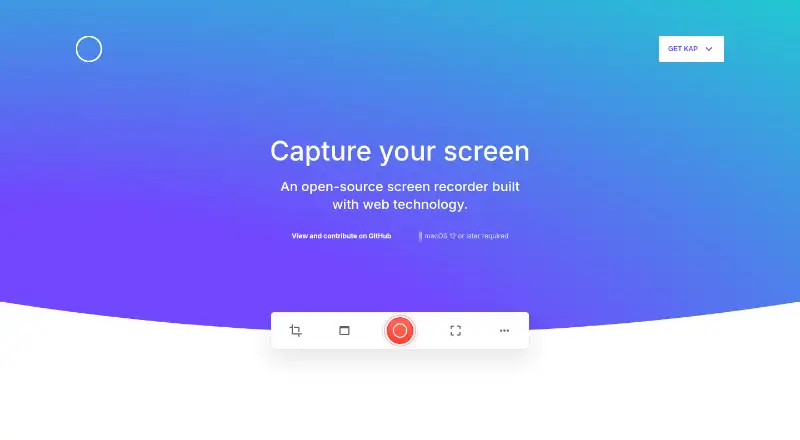
Kap is a free, open-source screen recorder for macOS, built with web technology. It records a selected area, with controls in the menu bar; Option-clicking the menu bar icon pauses recording, and clicking it again stops. Recordings export as GIF, MP4, WebM, or APNG, with optional audio. Listed editing tools include click highlighting and trimming. Kap supports plugins, and plugins can add custom share destinations to the editor export menu. The project lists sharing GIFs on Giphy, deployment with Vercel, and uploads to Streamable, with documentation for creating plugins. Kap requires macOS 12 or later and provides Apple silicon and Intel downloads; Homebrew Cask installation is also listed. It is distributed under the MIT License. The site identifies designers, developers, and project managers as users. Its privacy statement says it is not monetized through user data and aims to collect only data needed to improve the product.
Who it suits
Kap suits designers, developers, and project managers who need a macOS screen recorder with multiple export formats. It also fits users seeking an open-source, plugin-capable tool.
What it does well
- Free and open-source under MIT License
- Exports GIF, MP4, WebM, and APNG
- Optional audio, trimming, and click highlighting
- Plugins add custom share targets
- Apple silicon and Intel downloads
What to know first
- Requires macOS 12 or later
- Supports macOS only
- No free trial is offered
Plans
| Plan | Billed and limits | Price |
|---|---|---|
| Free | Open-source screen recorder · macOS 12 or later | Free |
As getkap.co lists them, read 11 Oct 2026. The maker's own page has the final word.
Verdict
Kap provides focused screen capture with flexible exports, simple editing, and plugin-based sharing. Its main constraint is the macOS 12-or-newer requirement.
Facts from Kap's own pages
- Analytics
- The privacy statement says it uses Google Analytics, requests IP anonymization, and does not use analytics to track personally identifiable information. · github.com, 11 Oct 2026
- Audience
- The site says designers, developers, and project managers use Kap. · getkap.co, 11 Oct 2026
- Audio and editing
- Exports can include optional audio, and the site lists click highlighting and trimming. · getkap.co, 11 Oct 2026
- Download options
- The site links to downloads for Apple M1 and Apple Intel Macs. · getkap.co, 11 Oct 2026
- Export formats
- Kap exports recordings as GIF, MP4, WebM, or APNG. · getkap.co, 11 Oct 2026
- Exports
- It exports recordings as GIF, MP4, WebM, or APNG. · getkap.co, 11 Oct 2026
- Extensibility
- Kap plugins can add custom share targets to the editor export menu. · github.com, 11 Oct 2026
- Free plan
- Yes · getkap.co, 21 Sept 2026
- Install option
- The project README also lists installation through Homebrew Cask. · github.com, 11 Oct 2026
- Integrations
- The site lists plugins to share GIFs on Giphy, deploy with Vercel, and upload to Streamable. · getkap.co, 11 Oct 2026
- Intended users
- The site says designers, developers, and project managers use Kap. · getkap.co, 11 Oct 2026
- License
- The project is distributed under the MIT License. · github.com, 11 Oct 2026
- Pause
- While recording, users can Option-click the menu bar icon to pause. · github.com, 11 Oct 2026
- Platform requirement
- Kap requires macOS 12 or later and offers downloads for Apple silicon and Intel Macs. · getkap.co, 11 Oct 2026
- Capture platforms
- macOS · getkap.co, 21 Sept 2026
- Plugin formats
- The plugin documentation lists GIF, MP4, WebM, and APNG as supported share-service formats. · github.com, 11 Oct 2026
- Plugins
- Kap supports plugins and links to documentation for creating them. · github.com, 11 Oct 2026
- Privacy
- Kap’s privacy statement says it aims to collect only the minimum data needed to improve the product and does not monetize the product or user data. · github.com, 11 Oct 2026
- Product
- Kap is an open-source screen recorder built with web technology. · getkap.co, 11 Oct 2026
- Recording
- Kap lets users select a portion of the screen to record and start or stop recording from the menu bar. · github.com, 11 Oct 2026
- Recording workflow
- The README says to choose a screen area from the menu bar recorder, start recording, and click the menu bar icon again to stop. · github.com, 11 Oct 2026
- Security
- Kap’s privacy statement says its traffic is served over HTTPS and its SSL/TLS certificate is issued by Let’s Encrypt. · github.com, 11 Oct 2026
- Support
- The project directs users to open a GitHub issue or email the maintainers with privacy feedback. · github.com, 11 Oct 2026
- Website security
- The privacy page states that Kap website traffic is served over HTTPS and its SSL/TLS certificate is issued by Let's Encrypt. · github.com, 11 Oct 2026
Where Kap stands on Freedom251
- Screen Recorder Software#11 of 19
- Screen Recording Software#85 of 131
- Screen recorders#20 of 27