Freedom251 › Screen Capture Software
ScreenFloat
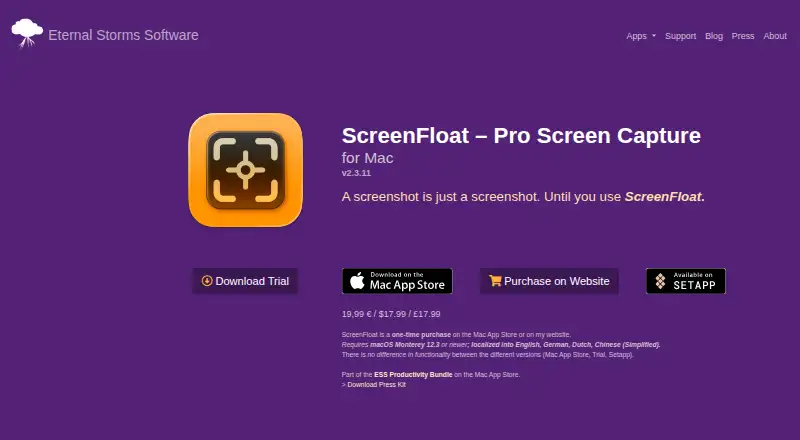
What ScreenFloat is
ScreenFloat is a macOS tool for capturing, recording, editing, sharing, and archiving screenshots and screen recordings. It captures selected areas, windows, and timed screenshots, and records the screen with Mac audio input or output. Captured shots can stay above other windows, including across Spaces and full-screen apps, or be pinned to specific apps or Spaces. Text and barcode recognition supports copying, searching, viewing, and redaction. Editing includes cropping, folding, resizing, rotating, video trimming, audio-track removal, and non-destructive annotations or redactions. The Shots Browser organizes captures with names, notes, tags, ratings, favorites, and folders; optional iCloud sync carries shots and metadata across Macs. Sharing includes drag and drop, multiple export formats, GIF creation, and links through iCloud, ImageKit, or Cloudinary. Automation supports Siri Shortcuts, widgets, custom AppleScripts, and an esssf2:// URL scheme. ScreenFloat costs 17.99 USD one-time and requires macOS Monterey 12.3 or newer. A trial download is available.
Who it suits
ScreenFloat suits Mac users who need capture, recording, editing, organization, and sharing in one utility. It also fits workflows using iCloud sync, Shortcuts, AppleScripts, or pinned reference shots.
What it does well
- Captures areas, windows, timed shots, and screen audio
- Shots can float across Spaces and full-screen apps
- Recognizes text and barcodes for copying or redaction
- Organizes captures with tags, ratings, favorites, and folders
- Supports GIF creation and several sharing services
What to know first
- Requires macOS Monterey 12.3 or newer
- No free plan; costs 17.99 USD one-time
- Some sharing services require accounts
Plans
| Plan | Billed and limits | Price |
|---|---|---|
| ScreenFloat for Mac | One-time purchase on the Mac App Store or maker’s website · macOS Monterey 12.3 or newer | $17.99, paid once |
As eternalstorms.at lists them, read 5 Oct 2026. The maker's own page has the final word.
Verdict
ScreenFloat covers capture through archiving, with floating shots, recognition tools, editing, and automation. Its Mac-only availability and one-time price make the system requirement and purchase model important to check.
Facts from ScreenFloat's own pages
- Automation
- Integrations include Siri Shortcuts, widgets, custom AppleScripts, and an esssf2:// URL scheme. · eternalstorms.at, 5 Oct 2026
- Capture
- It captures selected areas, windows, and timed screenshots, and can record the screen with Mac audio input or output. · eternalstorms.at, 5 Oct 2026
- Cloud sharing details
- iCloud Link Sharing uploads a selected file to iCloud and links are usually valid for 30 days; ImageKit and Cloudinary require free accounts. · eternalstorms.at, 5 Oct 2026
- Developer
- Eternal Storms Software is run by founder and indie developer Matthias Gansrigler-Hrad, with a listed location in Vienna, Austria. · eternalstorms.at, 5 Oct 2026
- Editing
- Editing features include cropping, folding, resizing, rotating, trimming video, removing audio tracks, and adding non-destructive annotations and redactions. · eternalstorms.at, 5 Oct 2026
- Floating shots
- Captured shots can float above windows, including in other Spaces and full-screen apps, and can be pinned to specific apps or Spaces. · eternalstorms.at, 5 Oct 2026
- Import
- Users can import images, videos, and text from the clipboard, Finder, files, iOS devices, and Shortcuts workflows. · eternalstorms.at, 5 Oct 2026
- Permissions
- Screen recording and audio permissions are used for captures and recordings; keyboard input is monitored only during a recording if the user enables highlighting of modifier keys and shortcuts. · eternalstorms.at, 5 Oct 2026
- Privacy
- The maker says ScreenFloat collects or transmits no data to the maker or third parties, and screenshots are stored locally unless the user opts into syncing or sharing. · eternalstorms.at, 5 Oct 2026
- Product
- ScreenFloat is a Mac screen capture tool for capturing, recording, editing, sharing, and archiving screenshots and recordings. · eternalstorms.at, 5 Oct 2026
- Sharing
- It supports drag-and-drop sharing, export in multiple formats, GIF creation from recordings, and link sharing through iCloud, ImageKit, and Cloudinary. · eternalstorms.at, 5 Oct 2026
- Storage and sync
- The Shots Browser organizes captures with names, notes, tags, ratings, favorites, and folders; optional iCloud sync can sync shots and related metadata across Macs. · eternalstorms.at, 5 Oct 2026
- Support
- The maker lists [email protected] as its contact address. · eternalstorms.at, 5 Oct 2026
- Text and barcode tools
- It can recognize text and barcodes in shots for copying, searching, viewing, and redaction. · eternalstorms.at, 5 Oct 2026
- Trial and editions
- The product page offers a trial download and says the Mac App Store, Trial, and Setapp versions have no difference in functionality. · eternalstorms.at, 5 Oct 2026
Where ScreenFloat stands on Freedom251
- Screen Capture Software#55 of 61