Freedom251 › Screen Recording Software
Screen Charm
What Screen Charm is
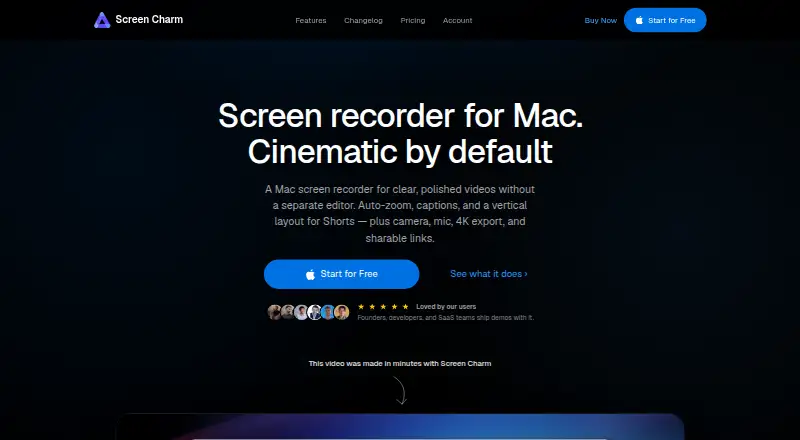
Screen Charm is a paid macOS screen recorder for product demos, tutorials, and online courses. It captures a full screen, window, or selected area with optional camera, microphone, and system audio, at up to 4K quality. After recording, automatic zoom and cursor-smoothing effects can be adjusted or disabled. Editing tools trim, split, mute, change speed, and blur sensitive areas. The app can generate captions from narration and reduce hiss, keyboard clicks, and room noise in microphone audio. It exports split vertical videos for Reels, Shorts, and TikTok, with the screen following the cursor. Recordings can be saved as local MP4 files up to 4K or uploaded for a shareable link. The Lifetime access plan is a 79.00 USD one-time purchase for up to three devices. There is no free plan. The maker offers a 14-day, no-questions-asked refund by email.
Who it suits
Screen Charm suits developers, course creators, and founders making polished recordings on Mac. It is also useful for creators needing captions, audio cleanup, or vertical exports.
What it does well
- Captures camera, microphone, and system audio
- Records at up to 4K
- Includes blur and speed editing tools
- Generates captions from narration
- Exports vertical videos for short-form platforms
What to know first
- Available only for macOS
- No free plan is offered
- Shared links can be viewed by anyone with the link
- Lifetime plan supports up to three devices
Plans
| Plan | Billed and limits | Price |
|---|---|---|
| Lifetime Access | One-time purchase; lifetime access; no subscription or renewals · All features included · free lifetime updates · shareable links · up to 3 devices · 14-day money-back guarantee | $99, paid once |
As screencharm.com lists them, read 11 Oct 2026. The maker's own page has the final word.
Verdict
Screen Charm combines high-resolution capture, post-recording effects, editing, captions, and short-form exports in a Mac-only app. Consider its one-time price, platform restriction, and public-link viewing model.
Facts from Screen Charm's own pages
- Analytics
- The privacy policy says the app sends basic anonymous usage events to PostHog that do not include personal information or screen content. · screencharm.com, 11 Oct 2026
- Auto-zoom and cursor
- It automatically applies zoom effects after recording and smooths cursor movement, with controls to adjust or disable effects. · screencharm.com, 11 Oct 2026
- Captions and audio
- It can generate captions from narration and enhance microphone audio to reduce hiss, keyboard clicks, and room noise. · screencharm.com, 11 Oct 2026
- Capture
- It records the entire screen, a single window, or a selected area, with camera, microphone, and system audio options. · screencharm.com, 11 Oct 2026
- Editing
- The editor supports trimming, splitting, muting clips, changing clip speed, and blurring sensitive areas. · screencharm.com, 11 Oct 2026
- Export and sharing
- Recordings can be exported locally as MP4 files up to 4K or uploaded to create a shareable link; anyone with the link can view a shared video. · screencharm.com, 11 Oct 2026
- Free plan
- No · screencharm.com, 22 Sept 2026
- Intended users
- The maker identifies developers, course creators, and founders as users who create polished Mac screen recordings. · screencharm.com, 11 Oct 2026
- Local privacy
- The maker says locally saved recordings stay on the user's Mac where no one else can see them. · screencharm.com, 11 Oct 2026
- Microphone recording
- Yes · screencharm.com, 22 Sept 2026
- Supported platforms
- macos · screencharm.com, 22 Sept 2026
- Product
- Screen Charm is a macOS screen recorder for making polished product demos, tutorials, and online courses. · screencharm.com, 11 Oct 2026
- Refunds
- The maker offers a no-questions-asked full refund within 14 days of purchase by email request. · screencharm.com, 11 Oct 2026
- Support
- The maker directs users to contact support by email at [email protected]. · screencharm.com, 11 Oct 2026
- System audio
- Yes · screencharm.com, 22 Sept 2026
- Vertical video
- It exports split vertical videos for Reels, Shorts, and TikTok, with the screen following the cursor. · screencharm.com, 11 Oct 2026
- Maximum video quality
- 4k · screencharm.com, 22 Sept 2026
- Webcam recording
- Yes · screencharm.com, 22 Sept 2026
- Website analytics
- The privacy policy says the website uses Google Analytics and PostHog to collect anonymized visit information, and says it does not collect names, emails, or other personally identifiable information there. · screencharm.com, 11 Oct 2026
Where Screen Charm stands on Freedom251
- Screen Recording Software#122 of 131