Freedom251 › Screen Recording Software
LosslessRec
What LosslessRec is
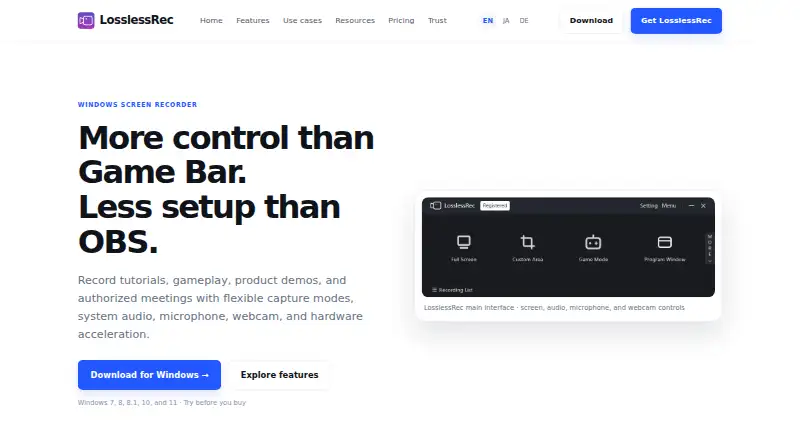
LosslessRec is paid Windows software for recording screens, applications, gameplay, tutorials, product demonstrations, and meetings or calls you are authorized to capture. Recording modes cover the full screen, a selected area, a program window, or a game. It can record system audio and microphone audio together or separately, and can place an optional webcam overlay on the recording. Cursor effects, annotations, hotkeys, and screenshots help explain actions. Scheduled recording tasks and display selection support multi-monitor setups. Output options include MP4, AVI, FLV, and GIF video, plus MP3 and WAV audio. Compatible NVIDIA, Intel, and AMD hardware acceleration is supported subject to listed GPU requirements. Requirements list 64-bit Windows 7, 8/8.1, 10, and 11 or later. A free trial is available, but each trial recording lasts two minutes, carries a watermark, and limits high-frame-rate recording to 24 fps or lower. Pricing starts at $19.99/yr, with paid editing limits.
Who it suits
LosslessRec suits Windows users recording instruction, gameplay, demonstrations, or authorized meetings. It also fits educators, product teams, creators, and gamers who need webcam, audio, and annotation options.
What it does well
- Full-screen, area, window, and game capture modes
- System and microphone audio can record together or separately
- Optional webcam overlay and annotation tools
- Scheduled tasks and multi-monitor display selection
- MP4, AVI, FLV, GIF, MP3, and WAV outputs
What to know first
- No free plan
- Trial recordings limited to two minutes
- Trial watermark and high-frame-rate limit
- Some editing and automation require a paid license
Plans
| Plan | Billed and limits | Price |
|---|---|---|
| Premium 365 | Automatically renews annually until canceled · 1 PC license · Updates during active term · Email support included | $19.99 a year |
| Lifetime | One-time payment · 1 PC license · No recurring payments · Product updates included* · Email support included | $39.96, paid once |
| Group Lifetime | One-time payment · 2 PC licenses · No recurring payments · Product updates included* · Email support included | $59.96, paid once |
As losslessrec.com lists them, read 12 Oct 2026. The maker's own page has the final word.
Verdict
LosslessRec combines flexible Windows capture modes with audio, webcam, annotation, scheduling, and multiple output formats. Its trial restrictions and paid-only features matter if you need unrestricted recording or editing.
Facts from LosslessRec's own pages
- Audio and webcam
- It can capture system audio and microphone audio together or separately, and supports an optional webcam overlay. · losslessrec.com, 12 Oct 2026
- Capture modes
- It offers full-screen, custom-area, program-window, and game recording modes. · losslessrec.com, 12 Oct 2026
- DRM boundary
- LosslessRec says it does not bypass DRM, encryption, or access controls and is for content users own or are authorized to capture. · losslessrec.com, 12 Oct 2026
- Editing limits
- Some automation and editing features require a paid license. · losslessrec.com, 12 Oct 2026
- Free plan
- No · losslessrec.com, 21 Sept 2026
- Guidance tools
- Cursor effects, annotations, hotkeys, and screenshots are available to help explain actions during recording. · losslessrec.com, 12 Oct 2026
- Hardware acceleration
- LosslessRec supports compatible NVIDIA, Intel, and AMD hardware acceleration, with specific GPU requirements listed in its technical specifications. · losslessrec.com, 12 Oct 2026
- Integrations
- The maker positions LosslessRec as focused recording software and says broadcasting software such as OBS Studio may be a better fit for live production with streaming integrations. · losslessrec.com, 12 Oct 2026
- Microphone recording
- Yes · losslessrec.com, 21 Sept 2026
- Operator and headquarters
- The maker identifies Ke.BingKui, an independent software developer operating under the LosslessAI and LosslessRec brands, based in Chongqing, China. · losslessrec.com, 12 Oct 2026
- Output formats
- Listed video formats include MP4, AVI, FLV, and GIF; listed audio formats include MP3 and WAV. · losslessrec.com, 12 Oct 2026
- Supported platforms
- windows · losslessrec.com, 21 Sept 2026
- Purpose
- LosslessRec is a Windows screen recorder for capturing screens, applications, gameplay, tutorials, product demonstrations, and authorized meetings. · losslessrec.com, 12 Oct 2026
- Recording audience
- The maker presents the product for educators, product teams, creators, gamers, and people making authorized meeting or call recordings. · losslessrec.com, 12 Oct 2026
- Scheduling and monitors
- The product supports scheduled recording tasks and selecting displays in multi-monitor setups. · losslessrec.com, 12 Oct 2026
- Support
- Paid plans include email support, and the maker lists technical support at [email protected]. · losslessrec.com, 12 Oct 2026
- System audio
- Yes · losslessrec.com, 21 Sept 2026
- Trial limits
- Each trial recording is limited to two minutes, includes a LosslessRec watermark, and limits high-frame-rate recording to 24 fps or lower. · losslessrec.com, 12 Oct 2026
- Webcam recording
- Yes · losslessrec.com, 21 Sept 2026
- Windows requirements
- The published system requirements list 64-bit Windows 7, 8/8.1, 10, and 11 or later. · losslessrec.com, 12 Oct 2026
Where LosslessRec stands on Freedom251
- Screen Recording Software#118 of 131