Freedom251 › Screen Recording Software

Podsplice
What Podsplice is
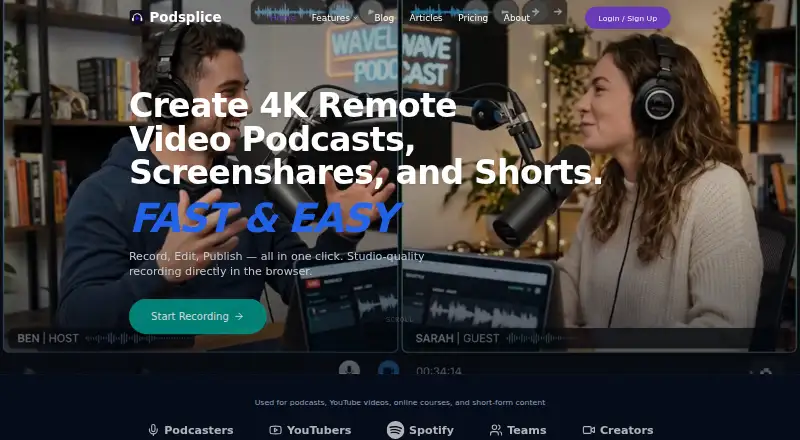
Podsplice is a browser-based recording studio for creators who need to record, edit, and publish content. It captures screen, webcam, microphone, and system audio, with recordings up to 4K and separate tracks. For remote interviews, guests record locally on their own devices and their files sync to the cloud. Guests can join through Chrome, Edge, or Safari without downloading software or drivers. Its Shorts tool transcribes long-form video so users can select text and cut matching clips with karaoke-style subtitles. Publishing connections include YouTube, TikTok, Instagram, Facebook, LinkedIn, and Pinterest. A Canva workflow sends media for design and returns finished creative for social publishing. The Android app records screen, camera, microphone, mobile audio, and Dual Camera reactions as separate files; iOS is described as coming later. Creator costs $29 a month, billed monthly, and includes one Brand Profile and in-app support tickets. Teams is $59 a month and Agency is $99 a month, both billed monthly. A 14-day trial is available, but there is no free plan.
Who it suits
Podsplice lists podcasters, course and tutorial creators, coaches, YouTube reaction creators, SaaS founders, affiliate marketers, and content teams as intended users. It may suit creators who need remote recording, editing, and social publishing in one workflow.
What it does well
- Records separate screen, webcam, microphone, and system audio tracks.
- Remote guests record locally and files sync to the cloud.
- Shorts creates clips from transcripts with karaoke-style subtitles.
- Connects to six listed social publishing destinations.
- Android app records several sources as separate files.
What to know first
- No free plan; Creator starts at $29 a month.
- iOS app is described as coming later.
- Agency includes up to four team seats.
Limits
Creator includes one Brand Profile. Teams includes up to two team members and five Brand Profiles, while Agency includes up to four team members and ten Brand Profiles.
Plans
| Plan | Billed and limits | Price |
|---|---|---|
| Creator | Billed monthly; yearly plans save about 20%. With PODSPLICE50: $14.50 / month. · 1 Brand Profile · screen, mic, webcam, and tab recording · in-app support tickets | $29 a month |
| Teams | Billed monthly; yearly plans save about 20%. With PODSPLICE50: $29.50 / month. · Up to 2 team members · up to 5 Brand Profiles · priority support tickets, scheduled live demos, and support calls during beta | $59 a month |
| Agency | Billed monthly; yearly plans save about 20%. With PODSPLICE50: $49.50 / month. · Up to 4 team members · up to 10 Brand Profiles · agency onboarding and setup help · priority support | $99 a month |
| Enterprise | Custom · Custom team, storage, and Brand Profile limits · advanced onboarding and migration help · API, white-label, or custom integration discussions | On request |
As podsplice.com lists them, read 4 Oct 2026. The maker's own page has the final word.
Getting started
- Open Podsplice in a supported browser
- Start the 14-day trial or choose a paid plan
- Record in the browser or use the Android app
- Invite remote guests through Chrome, Edge, or Safari
- Edit clips with Shorts and send designs through Canva
- Connect publishing destinations and publish
Verdict
Podsplice combines browser recording, remote interviews, transcript-based clip creation, and social publishing. Its paid plans and Android-only mobile app are important considerations for prospective users.
Questions
Is there a free plan or trial?
There is no free plan, but a 14-day trial is listed.
Which platforms can I use?
Podsplice runs in a browser and has an Android app. The page says iOS is coming later.
Where can Podsplice publish?
Its listed connected destinations are YouTube, TikTok, Instagram, Facebook, LinkedIn, and Pinterest.
Can remote guests join without installing software?
Yes. Guests can join in Chrome, Edge, or Safari without downloading software or drivers.
Does Podsplice integrate with Canva?
Yes. Media can move between Podsplice and Canva for design, then finished creative can return for social publishing.
Facts from Podsplice's own pages
- Agency limits
- The Agency page states that its plan includes up to 10 Brand Profiles and four total team seats, including one admin. · podsplice.com, 4 Oct 2026
- AI editing
- Its Shorts tool transcribes long-form video, lets users select text to cut matching clips, and applies karaoke-style subtitles. · podsplice.com, 4 Oct 2026
- Browser support
- The podcast FAQ says guests can join in Chrome, Edge, or Safari without downloading software or drivers. · podsplice.com, 4 Oct 2026
- Canva integration
- Podsplice says its workflow sends media between Podsplice and Canva for design, then brings finished creative back for social publishing. · podsplice.com, 4 Oct 2026
- Free plan
- No · app.podsplice.com, 21 Sept 2026
- Intended users
- Podsplice lists YouTube reaction creators, course creators, coaches, podcasters, SaaS founders, affiliate marketers, tutorial creators, and content teams as intended users. · podsplice.com, 4 Oct 2026
- Mobile app
- An Android app records screen, camera, microphone, mobile audio, and Dual Camera reactions as separate files; the page says iOS is coming later. · podsplice.com, 4 Oct 2026
- Product
- Podsplice describes itself as a browser-based recording studio for creators, with recording, editing, and publishing tools. · podsplice.com, 4 Oct 2026
- Publishing integrations
- The social publishing page lists YouTube, TikTok, Instagram, Facebook, LinkedIn, and Pinterest as connected destinations. · podsplice.com, 4 Oct 2026
- Recording
- It records screen, webcam, microphone, and system audio, and says recordings can be captured at up to 4K with separate tracks. · podsplice.com, 4 Oct 2026
- Remote podcasts
- For remote interviews, each guest records locally on their own device and the files sync to the cloud. · podsplice.com, 4 Oct 2026
- Security and privacy
- The Terms say YouTube access can be revoked through Podsplice connection controls or the user's Google Account; no specific security certification is stated on that page. · podsplice.com, 4 Oct 2026
- Support
- Creator includes in-app support tickets; Teams and Agency list priority support tickets and scheduled live demos and support calls during beta. · app.podsplice.com, 4 Oct 2026
- YouTube API
- The Terms state that Podsplice uses YouTube API Services for optional video publishing, live-streaming, broadcast management, and live-chat features. · podsplice.com, 4 Oct 2026
Where Podsplice stands on Freedom251
- Screen Recording Software#114 of 132
- Podcast Recording Software#21 of 22