Freedom251 › Screen Recording Software
ScreenCraft
What ScreenCraft is
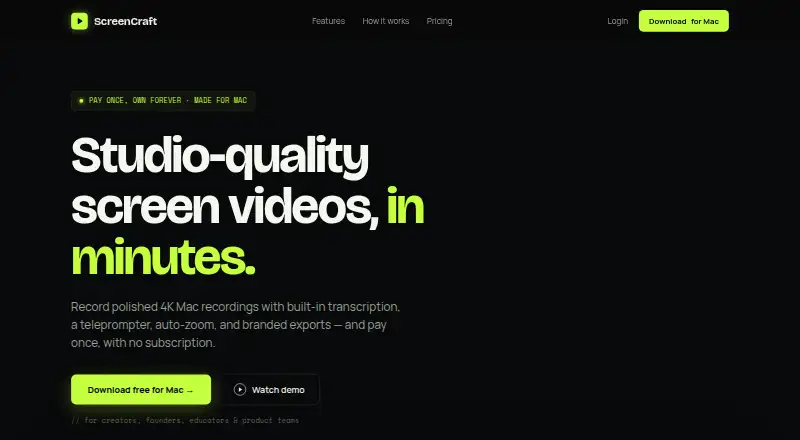
ScreenCraft is a native macOS app for recording and refining screen videos. It captures a full screen, window, or selected area with webcam footage, microphone audio, and system audio. Videos export as MP4 or GIF at 1080p, 2K, or 4K. Editing tools include trimming, cutting, speed changes, automatic zoom, and cursor smoothing. An offline local engine creates transcripts and captions; users can edit words and export SRT files. The teleprompter offers adjustable text size and scroll speed, with pause and resume controls. Exports can carry a logo watermark. Its MCP server lets compatible AI agents control recording and export workflows, including Claude Code, Claude Desktop, and Cursor. The maker says the server uses a same-user Unix socket, stores no credentials or data, and does not listen on the network. A seven-day trial is available without a credit card; macOS 12+ is required.
Who it suits
ScreenCraft is aimed at creators, founders, educators, and product teams making demos, courses, tutorials, and team walkthroughs. It suits Mac users who need recording, editing, captions, and teleprompter tools.
What it does well
- Records webcam, microphone, and system audio
- Exports MP4 or GIF up to 4K
- Offline transcripts and editable captions
- Teleprompter includes pause and resume
- MCP controls for compatible AI agents
What to know first
- macOS 12 or later required
- No free plan
- Lifetime License is listed at $89 a month
- License covers one Mac
Plans
| Plan | Billed and limits | Price |
|---|---|---|
| Lifetime License | $89 once · One Mac · 4K exports · Transcription · Teleprompter · Logo watermark · Auto-zoom and cursor polish · Future updates included | $89, paid once |
As screencraft.live lists them, read 11 Oct 2026. The maker's own page has the final word.
Verdict
ScreenCraft combines screen capture, editing, transcription, and presentation aids in a Mac application. Its local caption engine and AI-agent controls add workflow options beyond basic recording.
Facts from ScreenCraft's own pages
- AI agent integration
- Its MCP server lets compatible AI agents control recording and export workflows, and the maker names Claude Code, Claude Desktop, Cursor, and other MCP clients. · screencraft.live, 11 Oct 2026
- Branding
- Users can add a logo watermark to exports. · screencraft.live, 11 Oct 2026
- Data handling
- The maker says the MCP server holds no credentials and stores no data, and recordings are saved under the user's Movies/ScreenCraft folder. · screencraft.live, 11 Oct 2026
- Editing
- Its editing tools include trimming, cutting, speed adjustment, auto-zoom, and cursor smoothing. · screencraft.live, 11 Oct 2026
- Exports
- It exports MP4 or GIF videos at 1080p, 2K, or 4K. · screencraft.live, 11 Oct 2026
- Free plan
- No · screencraft.live, 22 Sept 2026
- Intended users
- The site describes ScreenCraft as designed for creators, founders, educators, and product teams, with uses including demos, courses, tutorials, and team walkthroughs. · screencraft.live, 11 Oct 2026
- Microphone recording
- Yes · screencraft.live, 22 Sept 2026
- Supported platforms
- macOS · screencraft.live, 22 Sept 2026
- Product
- ScreenCraft is a native Mac app for recording and polishing screen videos. · screencraft.live, 11 Oct 2026
- Recording
- It captures a screen, window, or area with camera, microphone, and system audio. · screencraft.live, 11 Oct 2026
- Security
- The MCP server communicates over a same-user Unix socket with mode 0600, and the maker says nothing listens on the network. · screencraft.live, 11 Oct 2026
- Support
- The maker lists support at [email protected]. · screencraft.live, 11 Oct 2026
- System audio
- Yes · screencraft.live, 22 Sept 2026
- Teleprompter
- The teleprompter supports adjustable scroll speed and text size, plus pause and resume. · screencraft.live, 11 Oct 2026
- Transcription
- ScreenCraft generates transcripts and captions with an offline local engine, and supports editing words and exporting SRT files. · screencraft.live, 11 Oct 2026
- Trial and requirements
- The download page offers a seven-day trial without a credit card and states macOS 12+ is required. · screencraft.live, 11 Oct 2026
- Maximum video quality
- 4k · screencraft.live, 22 Sept 2026
- Webcam recording
- Yes · screencraft.live, 22 Sept 2026
Where ScreenCraft stands on Freedom251
- Screen Recording Software#117 of 131