Freedom251 › Screenshot Software
Screely
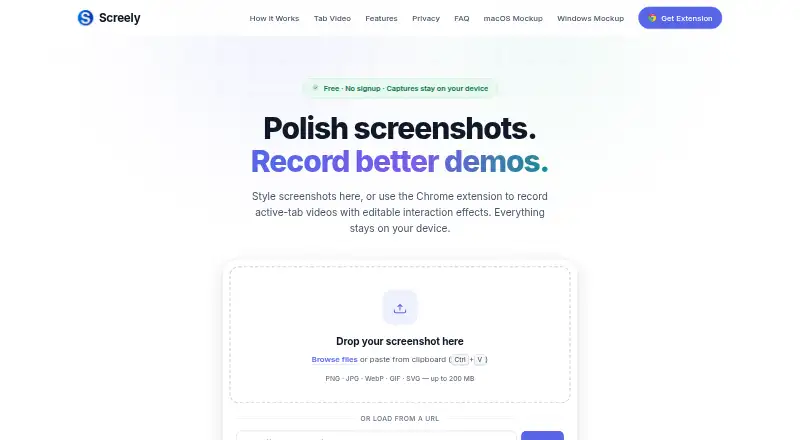
What Screely is
Screely turns screenshots into shareable mockups and records active browser tabs through its Chrome extension. The editor can add macOS or Windows frames, backgrounds, annotations, blur and solid redaction, then export high-resolution PNG or PDF files without a watermark. Its extension records tabs at 720p or 1080p for up to three minutes, with optional tab audio. Recordings can include editable cursor focus, click ripples and safe-keystroke callouts in the local Gallery.
Screenshot edits and extension recordings are processed locally, and capture media is not uploaded to Screely’s servers. Captures remain in local browser storage until downloaded or deleted. The editor is cached after the first visit and can continue working offline. It accepts PNG, JPG, WebP, GIF, BMP and SVG files up to 200 MB and 16,000 pixels on the longest side. Screely is free, with no signup, watermark or export limits. Its listed platforms are web and Chrome extension. The maker identifies designers, developers, founders, support teams and course creators among its users.
Who it suits
Screely suits people preparing screenshots or browser recordings for product pages, documentation, bug reports, social posts or presentations. The maker names designers, developers, founders, support teams and course creators as audiences.
What it does well
- Exports PNG and PDF without a watermark
- Records tabs at 720p or 1080p
- Capture media is processed locally
- Editor can work offline after its first visit
- Free plan has no export limits
What to know first
- Tab recordings are limited to three minutes
- Recording is through a Chrome extension
- Captures remain in local browser storage until downloaded or deleted
Limits
The free plan includes tab recordings of up to three minutes at 720p or 1080p. It has no export limits, and exports have no watermark.
Plans
| Plan | Billed and limits | Price |
|---|---|---|
| Free | No signup · No watermark · No export limits · Tab recordings up to 3 minutes at 720p or 1080p | Free |
As screely.app lists them, read 10 Oct 2026. The maker's own page has the final word.
Getting started
- Open Screely’s website in a browser.
- Use the web editor to edit a screenshot or image.
- Add the Chrome extension for screenshot capture and active-tab recording.
- Edit a capture, then download it as PNG or PDF.
Verdict
Screely combines screenshot presentation tools with short browser-tab recordings, and its free plan has no export limits. Note the recording duration and local-storage behavior when deciding whether it fits your workflow.
Questions
How much does Screely cost?
The Free plan costs nothing.
Does Screely require signup?
No. The Free plan requires no signup.
Which platforms does Screely support?
Screely is available as a web editor and a Chrome extension.
What file formats can I export?
The editor exports PNG and PDF files.
How long can Screely record a browser tab?
The Chrome extension records for up to three minutes at 720p or 1080p, with optional tab audio.
Who makes Screely?
Independent developer Muhammad Umar builds and maintains Screely under the Aticmatic banner.
Facts from Screely's own pages
- Audience
- The maker names designers, developers, founders, support teams, and course creators as users preparing visuals for product pages, listings, documentation, bug reports, social posts, and presentations. · screely.app, 10 Oct 2026
- Export formats
- PNG,PDF · screely.app, 20 Sept 2026
- Data collection
- The privacy policy says Screely uses Google Analytics and Google AdSense on its website and does not collect screenshots, recordings, tab audio, or interaction timelines. · screely.app, 10 Oct 2026
- Editing
- Screenshot tools include macOS and Windows frames, backgrounds, annotations, blur, and solid redaction. · screely.app, 10 Oct 2026
- Export
- The editor exports high-resolution PNG or PDF files at full quality without a watermark. · screely.app, 10 Oct 2026
- Free plan
- Yes · screely.app, 20 Sept 2026
- Integrations
- The maker identifies a Chrome extension for screenshot capture and active-tab recording; no other integrations are stated on the pages reviewed. · screely.app, 10 Oct 2026
- Local storage
- Captures remain in local browser storage until downloaded or deleted. · screely.app, 10 Oct 2026
- Maker
- Screely is built and maintained by independent developer Muhammad Umar under the Aticmatic banner. · screely.app, 10 Oct 2026
- Offline use
- Screely says its editor is cached after the first visit and can keep working offline. · screely.app, 10 Oct 2026
- Supported platforms
- web,chrome_extension · screely.app, 20 Sept 2026
- Privacy
- Screenshot edits and extension recordings are processed locally and capture media is not uploaded to Screely’s servers. · screely.app, 10 Oct 2026
- Purpose
- Screely turns screenshots into share-ready mockups and records active browser-tab videos with its Chrome extension. · screely.app, 10 Oct 2026
- Recording effects
- Recordings support editable cursor focus, click ripples, and safe-keystroke callouts in the local Gallery. · screely.app, 10 Oct 2026
- Scrolling capture
- Yes · screely.app, 20 Sept 2026
- Support
- Users can submit or track support tickets, report bugs, and request features through Screely’s support center. · screely.app, 10 Oct 2026
- Supported input
- The FAQ lists PNG, JPG, WebP, GIF, BMP, and SVG files up to 200 MB and 16,000 pixels on the longest side. · screely.app, 10 Oct 2026
- Tab recording
- The Chrome extension records active tabs at 720p or 1080p for up to three minutes, with optional tab audio. · screely.app, 10 Oct 2026
Where Screely stands on Freedom251
- Screenshot Software#17 of 39
- Screenshot tools#27 of 40