SciPen Studio
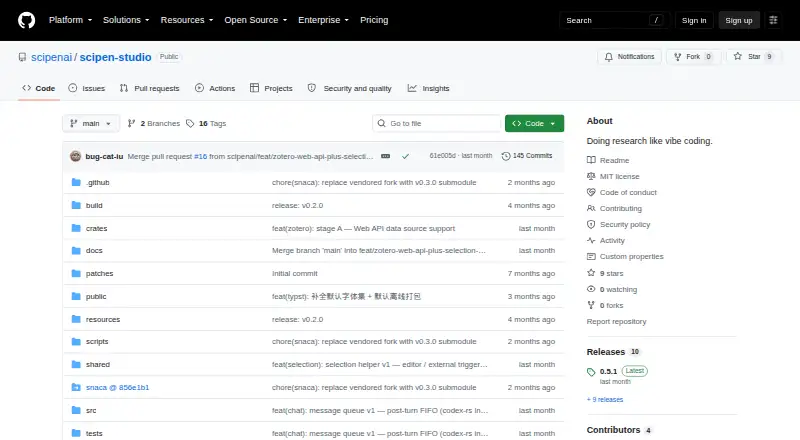
What SciPen Studio is
SciPen Studio is a free desktop IDE for writing LaTeX and Typst research documents on Windows, macOS, and Linux. It bundles WebAssembly pdfTeX, XeTeX, LuaLaTeX, and Typst compilers, allowing standard projects to compile without a separate local TeX installation. The Monaco editor uses TexLab, Tinymist, and Marksman for completion, diagnostics, hover documentation, and navigation in LaTeX, Typst, and Markdown. Its PDF preview supports two-way SyncTeX navigation, inline KaTeX mathematics, and CJK glyph rendering. The SNACA agent can edit files with diff review, answer questions, search and fetch web pages, retain project memory, and use bundled academic research skills. Zotero connects through Better BibTeX or its Web API, while Overleaf projects can be edited offline and synchronized with three-way merge. Local snapshots provide checkpoints, compile milestones, diffs, restores, and chat rollback. The current release has no LaTeX or Typst templates, and unsigned pre-1.0 builds may trigger operating-system warnings.
Who it suits
It suits researchers and writers who create LaTeX or Typst documents on desktop systems and want local compilation, PDF navigation, and research-tool integrations. Offline editors and Overleaf or Zotero users may find its workflow relevant.
What it does well
- Bundles four document compilers
- Supports LaTeX, Typst, and Markdown tooling
- PDF preview includes SyncTeX navigation
- Overleaf projects remain editable offline
- Local snapshots work without Git
What to know first
- No LaTeX or Typst project templates
- Unsigned pre-1.0 builds may warn
- WebSearch requires a Tavily API key
- Desktop software only
Limits
The current release includes no LaTeX or Typst project templates, so a project folder must be created manually. SNACA WebSearch needs a Tavily API key, and pre-1.0 installers may produce operating-system warnings.
Getting started
- Open the SciPen Studio GitHub website
- Install the Windows, macOS, or Linux package
- Create a project folder because templates are not included
- Open a LaTeX or Typst project and compile with the bundled engines
- Connect Zotero through Better BibTeX or the Zotero Web API
- Configure a supported AI provider and keys for inline completion if needed
Verdict
SciPen Studio brings document editing, local compilation, PDF navigation, AI assistance, and research integrations into one desktop application. Its missing templates and unsigned early builds are practical considerations before setup.
Questions
Is SciPen Studio free?
Yes. It is offered as free software with a free plan.
Which platforms are supported?
Installers are provided for Windows, macOS on Intel or Apple Silicon, and Linux through AppImage or .deb packages.
Does it require a local TeX installation?
No. The application bundles WebAssembly pdfTeX, XeTeX, LuaLaTeX, and Typst compilers for standard projects.
Can it connect to Zotero?
Yes. Zotero can connect through a local Better BibTeX endpoint or the Zotero Web API, with citation autocomplete and a paper PDF view.
Does it work with Overleaf?
Overleaf projects can be downloaded for offline editing and pushed back using a three-way merge.
Which AI providers are supported?
The guide lists OpenAI, Anthropic, DeepSeek, and OpenAI-compatible chat providers. Inline completion supports OpenAI and Anthropic API keys.
Facts from SciPen Studio's own pages
- AI assistance
- The built-in SNACA agent can read and edit project files, with bot-authored edits shown for diff review before they are applied. · github.com, 8 Oct 2026
- AI assistant
- The built-in SNACA agent supports file editing with diff review, web search and fetch, interactive questions, per-project memory, and bundled academic research skills. · github.com, 7 Oct 2026
- AI providers
- The user guide says chat providers include OpenAI, Anthropic, DeepSeek, and OpenAI-compatible services, while inline completion uses a separately configured provider API key. · github.com, 8 Oct 2026
- Editor
- The Monaco editor supports LaTeX, Typst, and Markdown with completion, diagnostics, hover information, and jump-to-definition. · github.com, 8 Oct 2026
- History
- Local project snapshots provide named checkpoints, compile milestones, diffing, restore, and per-message chat rollback without requiring Git. · github.com, 7 Oct 2026
- Integrations
- SciPen Studio integrates with Overleaf for local-first project sync and with Zotero through its local API or Web API. · github.com, 8 Oct 2026
- License
- The repository identifies SciPen Studio as MIT licensed. · github.com, 8 Oct 2026
- Local compilation
- The app bundles WebAssembly BusyTeX and Typst compilers, so standard projects can compile without a local TeX installation. · github.com, 8 Oct 2026
- Notable limitations
- The current release has no LaTeX or Typst project templates, and pre-1.0 builds are unsigned and may trigger operating-system warnings. · github.com, 7 Oct 2026
- Notable limits
- The current release ships no LaTeX or Typst project templates, so users must create a project folder themselves. · github.com, 8 Oct 2026
- Overleaf integration
- Overleaf projects download to disk, remain editable offline, and can be pushed with three-way merge. · github.com, 7 Oct 2026
- PDF preview
- The live PDF preview uses pdf.js and supports two-way SyncTeX navigation between source and PDF. · github.com, 8 Oct 2026
- Platform availability
- The maker provides installers for Windows, macOS (Intel and Apple Silicon), and Linux (AppImage or .deb). · github.com, 8 Oct 2026
- Product
- SciPen Studio is a desktop IDE for writing LaTeX and Typst documents, designed for research writing. · github.com, 8 Oct 2026
- Purpose
- SciPen Studio is a desktop IDE for writing LaTeX and Typst research documents. · github.com, 7 Oct 2026
- Security
- The maker says Zotero Web API keys are stored in the operating system keychain and do not round-trip to the renderer. · github.com, 8 Oct 2026
- Support
- The repository directs users to GitHub Issues for bug reports and feature requests and GitHub Discussions for questions and ideas. · github.com, 8 Oct 2026
- Supported platforms
- Installers are offered for Windows, macOS (Intel and Apple Silicon), and Linux (AppImage or .deb). · github.com, 7 Oct 2026
- Web search
- The agent's WebSearch tool requires a Tavily API key, while WebFetch works without one. · github.com, 7 Oct 2026
- Web tools
- The agent's WebFetch tool needs no key, while WebSearch requires a Tavily API key. · github.com, 8 Oct 2026
- Zotero features
- The Zotero integration provides live BibTeX, citation autocomplete, a paper PDF pane, semantic PDF search, and agent tools for Zotero lookups. · github.com, 8 Oct 2026
- Zotero integration
- Zotero can connect through a local Better BibTeX endpoint or the Zotero Web API, with citation autocomplete and a paper PDF view. · github.com, 7 Oct 2026
Where SciPen Studio stands on Freedom251
- LaTeX Editors#22 of 32