TeXstudio
by TeXstudio
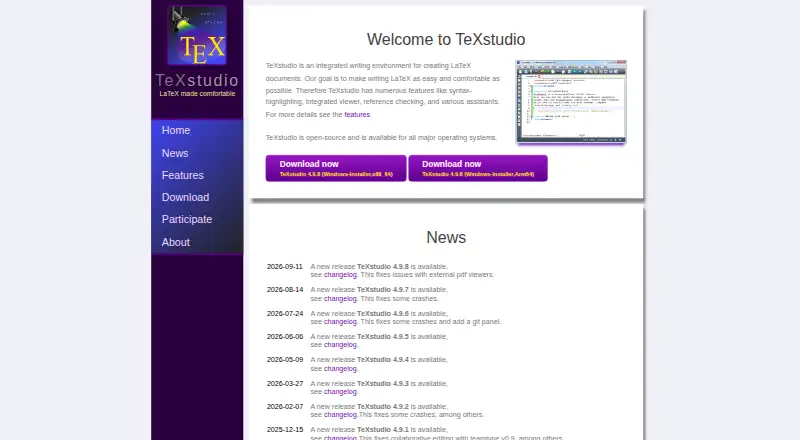
What TeXstudio is
TeXstudio is a free desktop environment for writing LaTeX documents, available for Windows, Linux and macOS. Its editing tools include multi-cursors, completion, more than 1,000 mathematical symbols, bookmarks, link overlays, assistants, image drag and drop, and table formatting. Structure view, code folding, syntax highlighting, spellchecking, grammar and reference checking, and LaTeX error and warning displays help with document review. The build system supports LaTeX compilers, index, bibliography and glossary tools, Latexmk, automatic detection of multiple runs, and custom program execution. An integrated PDF viewer offers near word-level syncing and live previews of formulas and code. Setup can detect MikTeX, TeX Live, Ghostscript and Standardlatex, and SVN is supported. Collaborative editing through teamtype is available on OSX and Linux. TeXstudio is licensed under GPL v2, allowing users to use and modify it.
Who it suits
TeXstudio suits people creating LaTeX documents who want editing, checking, build tools and PDF viewing in one desktop environment. Teams using OSX or Linux can use its teamtype collaborative editing.
What it does well
- Free under GPL v2, with permission to modify.
- Editing includes over 1,000 mathematical symbols.
- Integrated PDF viewer syncs closely with document text.
- Build system supports Latexmk and custom programs.
- Teamtype collaboration is available on OSX and Linux.
What to know first
- Windows 11 requires the Visual Studio runtime.
- No release is available for macOS 10.x.
- Teamtype collaboration is limited to OSX and Linux.
Limits
Windows 11 requires the Visual Studio runtime. There is no TeXstudio release for macOS 10.x, though it can be compiled from source or with Homebrew.
Plans
| Plan | Billed and limits | Price |
|---|---|---|
| TeXstudio (GPL v2 open-source) | Windows, Linux, macOS · use and modify under GPL v2 | Free |
As texstudio.org lists them, read 30 Sept 2026. The maker's own page has the final word.
Getting started
- Visit https://texstudio.org/.
- Choose the Windows, Linux, or macOS release for your system.
- On Windows 11, ensure the Visual Studio runtime is available.
- Set up your LaTeX tools; TeXstudio can detect MikTeX, TeX Live, Ghostscript, and Standardlatex.
- Open or create a LaTeX document and use the editor and integrated PDF viewer.
Verdict
TeXstudio combines LaTeX editing, document checks, build tools and PDF viewing in a free desktop application. Check the operating-system requirements, particularly for Windows 11 and macOS 10.x.
Questions
Is TeXstudio free?
Yes. The GPL v2 open-source plan costs nothing, and users may use and modify the software under that license.
Which platforms does it support?
It runs on Windows, Linux, and macOS. The operating-system list also includes Unix/Linux, BSD, and Mac OS X.
Does it support collaborative editing?
Yes. Collaborative editing with teamtype is available on OSX and Linux.
What tools does its build system support?
It supports LaTeX compilers, index, bibliography and glossary tools, Latexmk, automatic multiple-run detection, and custom program execution.
Who makes TeXstudio?
The listed maker is TeXstudio. It was founded in 2009 and is headquartered in Lübeck, Germany.
What should Windows 11 users know?
The Visual Studio runtime is required on Windows 11.
Facts from TeXstudio's own pages
- Build system
- The build system supports LaTeX compilers, index, bibliography and glossary tools, Latexmk, automatic multiple-run detection, and custom program execution. · texstudio.org, 30 Sept 2026
- Checking
- It provides structure view, code folding, syntax highlighting, spellchecking, grammar checking, reference checking, and LaTeX error and warning displays. · texstudio.org, 30 Sept 2026
- Code signing
- Windows code signing is provided free by SignPath.io with a SignPath Foundation certificate. · texstudio.org, 30 Sept 2026
- Collaboration
- Release 4.9.0 introduced collaborative editing with teamtype, currently available on OSX and Linux. · texstudio.org, 30 Sept 2026
- Editing
- Features include multi-cursors, auto-completion, more than 1000 mathematical symbols, bookmarks, link overlays, assistants, image drag and drop, and table formatting. · texstudio.org, 30 Sept 2026
- Founded
- 2009 · texstudio.org, 28 Sept 2026
- Free plan
- Yes · texstudio.org, 20 Sept 2026
- Integrations
- The setup can automatically detect MikTeX, TeX Live, Ghostscript and Standardlatex, and it supports SVN. · texstudio.org, 30 Sept 2026
- License
- TeXstudio is licensed under the GPL v2 and users are free to use and modify it. · texstudio.org, 30 Sept 2026
- macOS limit
- There is no TeXstudio release for macOS 10.x, although it can be compiled from source or with Homebrew. · texstudio.org, 30 Sept 2026
- Network behavior
- The Windows download page states that the program will not transfer information to other networked systems unless specifically requested by the user or operator. · texstudio.org, 30 Sept 2026
- Operating systems
- TeXstudio runs on Windows, Unix/Linux, BSD, and Mac OS X. · texstudio.org, 30 Sept 2026
- PDF viewing
- It includes an integrated PDF viewer with almost word-level syncing and live-updating inline previews for formulas and code segments. · texstudio.org, 30 Sept 2026
- Purpose
- TeXstudio is an integrated writing environment for creating LaTeX documents. · texstudio.org, 30 Sept 2026
- Support
- Feature requests, bug reports and questions can be submitted through the GitHub issue tracker. · texstudio.org, 30 Sept 2026
- Windows requirement
- On Windows 11, the Visual Studio runtime is required. · texstudio.org, 30 Sept 2026
Where TeXstudio stands on Freedom251
- Writing Apps#15 of 135
- Document Creation Software#12 of 25
- LaTeX Editors#20 of 32