Freedom251 › Study Planner Apps

School Planner
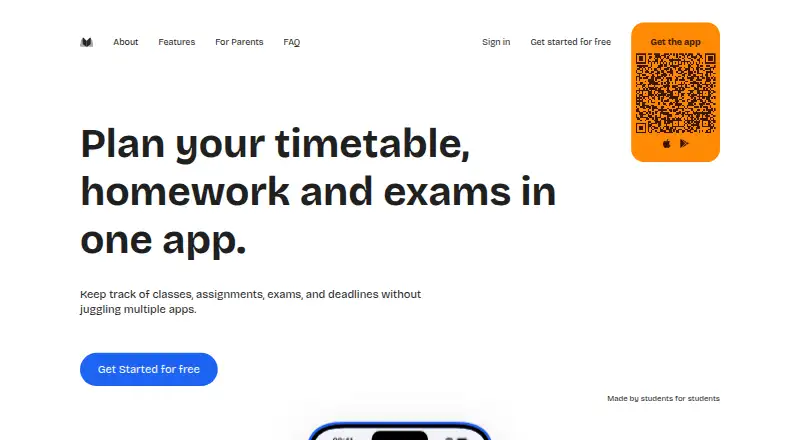
What School Planner is
School Planner brings students’ timetables, assignments, exams, grades, and attendance together in one planner. It also includes notes, holidays, reminders, instructors, semesters, classes, courses, events, and tasks. Class schedules can repeat weekly or fortnightly on odd and even weeks, be entered as one-off lessons, or be marked canceled. Grades can be linked to a subject and type, weighted, and recorded using one of 15 grading systems. Attendance tracking works by day or subject, with configurable limits for absences and late arrivals and separate handling for excused absences. The service is available in a browser and on iPhone, Android, and macOS, with the same account across browser and mobile. Parents can view upcoming classes, assignments, exams, and reminders. The free plan costs $0.00 USD and the web app has no ads; the iPhone and Android apps show ads unless users buy Premium. The web app needs an internet connection to load and save changes, and reminders depend on device and notification settings.
Who it suits
School Planner suits school and university students organizing classes and schoolwork. Parents can use it to view students’ upcoming classes, assignments, exams, and reminders.
What it does well
- Includes timetables, homework, exams, grades, and attendance.
- Supports 15 grading systems.
- Same account works across browser and mobile.
- Free plan includes an ad-free web app.
What to know first
- Web app needs internet to load and save changes.
- iPhone and Android apps show ads unless Premium is purchased.
- Reminders depend on device and notification settings.
Limits
The free plan includes the web app without ads, while the iPhone and Android apps display ads. Premium removes mobile ads and unlocks premium features; subscriptions are purchased in the iPhone or Android app.
Plans
| Plan | Billed and limits | Price |
|---|---|---|
| Premium Monthly | Removes ads · Unlocks premium features | On request |
| Premium Yearly | Removes ads · Unlocks premium features | On request |
| Premium 1 Year | Removes ads · Unlocks premium features | On request |
| Premium Lifetime | Lifetime premium access | On request |
| Free | Free to use · web app has no ads · iPhone and Android apps show ads | Free |
| Premium | Subscription renews until canceled; billing and cancellation are handled through the App Store or Google Play. · Optional upgrade · removes ads in iPhone and Android apps · subscription is purchased in the iPhone or Android app | On request |
As schoolplanner.me lists them, read 22 Sept 2026. The maker's own page has the final word.
Getting started
- Visit the School Planner website or open the app on iPhone or Android.
- Create an account with email and password, Apple sign-in, or Google sign-in.
- Add classes and set weekly or fortnightly repeats, one-off lessons, or cancellations.
- Enter assignments, exams, grades, and attendance.
- Choose Premium in the iPhone or Android app if you want to remove mobile ads and unlock premium features.
Verdict
School Planner brings academic schedules, assessments, and attendance into one cross-platform planner. The web app is free and ad-free, while its mobile apps show ads unless users buy Premium.
Questions
Is School Planner free?
Yes. Its Free plan is listed as free. The web app has no ads, while the iPhone and Android apps show ads.
What does Premium include?
Premium removes ads in the iPhone and Android apps and unlocks premium features. Monthly, yearly, one-year, and lifetime options are listed, but no prices are given.
Which platforms does it support?
School Planner is available on the web, iPhone, Android, and macOS. The same account works across browser and mobile.
How can I sign in?
Users can register with an email address and password, use Sign in with Apple, or use Google Sign-In.
Can parents use School Planner?
Yes. Parents can view upcoming classes, assignments, exams, and reminders.
Does the web app work offline?
The web app needs an internet connection to load and save changes. Reminders also depend on device and notification settings.
Facts from School Planner's own pages
- Account deletion
- Users can request account deletion by emailing the address on their account, and the maker says account data is removed within 72 hours and cannot be recovered. · schoolplanner.me, 11 Oct 2026
- Advertising
- The iPhone and Android apps show Google AdMob ads unless the user buys Premium, while the web app and website show no ads. · schoolplanner.me, 11 Oct 2026
- Attendance
- Attendance can be tracked by day or subject, with configurable absence and late limits and excused absences handled separately. · schoolplanner.me, 11 Oct 2026
- Core features
- The homepage lists schedule, assignments, exams, grades, attendance, notes, holidays, reminders, instructors, semesters, classes, courses, events, and tasks. · schoolplanner.me, 11 Oct 2026
- Data handling
- The privacy policy says planner content is stored for cross-device access, is not sold, and is not used to target advertising. · schoolplanner.me, 11 Oct 2026
- Free plan
- Yes · schoolplanner.me, 22 Sept 2026
- Grades
- The student planner page describes 15 grading systems and says grades can be associated with a subject and type and weighted. · schoolplanner.me, 11 Oct 2026
- Headquarters
- Bursa, Türkiye · schoolplanner.me, 28 Sept 2026
- Integrations and sign-in
- Users can create an account with email and password or use Sign in with Apple or Google Sign-In. · schoolplanner.me, 11 Oct 2026
- Mobile platforms
- both · schoolplanner.me, 22 Sept 2026
- Planning method
- hybrid · schoolplanner.me, 22 Sept 2026
- Platforms and syncing
- The product is available in a browser and on iPhone and Android, using the same account across them. · schoolplanner.me, 11 Oct 2026
- Purpose
- School Planner brings students’ timetables, homework, exams, grades, and attendance together in one planner. · schoolplanner.me, 11 Oct 2026
- Service limitation
- The web app needs an internet connection to load and save changes, and reminders depend on device and notification settings. · schoolplanner.me, 11 Oct 2026
- Support
- The maker directs questions, bug reports, feature requests, and account or data questions to [email protected]. · schoolplanner.me, 11 Oct 2026
- Third-party services
- The privacy policy identifies Google Firebase for sign-in, database, hosting, notifications, analytics, crash reporting, and advertising, and Apple for App Store purchase verification. · schoolplanner.me, 11 Oct 2026
- Timetables
- Classes can repeat weekly or fortnightly on odd and even weeks, be added as one-off lessons, or be marked canceled. · schoolplanner.me, 11 Oct 2026
- Who it is for
- The maker describes it for school and university students, and says parents can view upcoming classes, assignments, exams, and reminders. · schoolplanner.me, 11 Oct 2026
Where School Planner stands on Freedom251
- Study Planner Apps#17 of 38
- Daily Planner Apps#69 of 137