Freedom251 › Open Source License Compliance Software
ScanCode Workbench
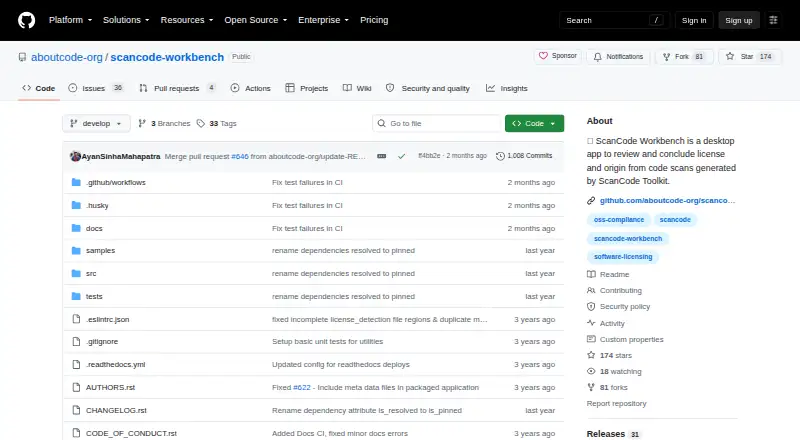
What ScanCode Workbench is
ScanCode Workbench is a desktop application for inspecting ScanCode Toolkit scans of a codebase. Import a ScanCode JSON scan and save it as a SQLite database to analyze its contents. License Explorer brings together detected licenses, clues, matches, and the files associated with each detection. You can mark detections and clues as reviewed or unreviewed, then filter the results by that status. Package Explorer presents packages and dependencies with details such as PURLs, declared license expressions, dependency scope, and data source. Dashboard pie charts summarize file, license, copyright, package, and dependency information.
Workbench is a single-user application, and its scan data is read-only: it cannot edit or update scan results. Version 4.x works with ScanCode Toolkit v32.x and later when scans use the output format Workbench expects. Supported platforms include Linux x64, Windows 10/11 x64, and macOS x64 and arm64. The application is free. Its project license is Apache-2.0, while third-party components use several licenses, including LGPL, MIT, and BSD. For questions, suggestions, or bug reports, the project recommends filing an issue or joining its community chat.
Who it suits
Workbench suits people who want to inspect and analyze ScanCode Toolkit scans of their codebase. It is designed for individual use and for reviewing scan results without changing them.
What it does well
- Review license detections, clues, and matches by file.
- Mark findings reviewed or unreviewed and filter by status.
- Inspect package and dependency details, including PURLs and license expressions.
- Use dashboard charts to summarize scan information.
- Free desktop app for Linux, Windows, and macOS.
What to know first
- Single-user application.
- Scan data is read-only and cannot be updated in Workbench.
- Version 4.x requires ScanCode Toolkit v32.x or later and expected output.
- No free trial.
Limits
The free application is single-user, and scan data is read-only. Version 4.x requires ScanCode Toolkit v32.x or later and compatible output.
Plans
| Plan | Billed and limits | Price |
|---|---|---|
| ScanCode Workbench | single-user desktop app · read-only scan data · Windows, macOS, Linux | Free |
As github.com lists them, read 4 Oct 2026. The maker's own page has the final word.
Getting started
- Open the ScanCode Workbench project website.
- Install the version for Linux x64, Windows 10/11 x64, or macOS x64 or arm64.
- Use ScanCode Toolkit v32.x or later and produce output in the format Workbench expects.
- Import the ScanCode JSON scan into Workbench.
- Save the scan as a SQLite database for analysis.
Verdict
Choose ScanCode Workbench if you need a free desktop tool to examine ScanCode Toolkit results and track which license findings you have reviewed. Look elsewhere if you need multiple users to run or review scans, or if you need to edit scan results; the project points those teams to ScanCode.io.
Questions
How much does ScanCode Workbench cost?
The listed plan costs nothing. It is a free plan, and there is no free trial.
Which platforms does it support?
Supported platforms include Linux x64, Windows 10/11 x64, and macOS x64 and arm64.
What scan input does Workbench use?
You import a ScanCode JSON scan and save it as a SQLite database. Version 4.x requires ScanCode Toolkit v32.x or later and the output format Workbench expects.
Can I change scan results in Workbench?
No. Scan data is read-only, and Workbench has no functionality to edit or update scan results.
Is Workbench open source, and what is its license?
The project is licensed under Apache-2.0. Third-party components use multiple licenses, including LGPL, MIT, and BSD.
Who makes ScanCode Workbench, and where can I get support?
The project is hosted by aboutcode-org. It recommends filing an issue or using its community chat channel for questions, suggestions, or bugs.
Facts from ScanCode Workbench's own pages
- Alternative for teams
- The repository directs users needing a multi-user application for running or reviewing scans to ScanCode.io. · github.com, 4 Oct 2026
- Charts
- Dashboard pie charts summarize file, license, copyright, package, and dependency information. · scancode-workbench.readthedocs.io, 4 Oct 2026
- Compatibility limit
- Version 4.x is compatible with ScanCode Toolkit v32.x and above, and scans must use the ScanCode Toolkit output expected by Workbench. · scancode-workbench.readthedocs.io, 4 Oct 2026
- Input and storage
- Users import a ScanCode JSON scan and save it as a SQLite database for analysis. · scancode-workbench.readthedocs.io, 4 Oct 2026
- Package analysis
- The Package Explorer displays packages and dependencies with details such as PURLs, declared license expressions, dependency scope, and data source. · scancode-workbench.readthedocs.io, 4 Oct 2026
- Platform support
- The documentation lists Linux x64, Windows 10/11 x64, and macOS x64 and arm64 support. · scancode-workbench.readthedocs.io, 4 Oct 2026
- Purpose
- ScanCode Workbench is a desktop application for viewing ScanCode Toolkit scans and analyzing detected licenses and other notices. · scancode-workbench.readthedocs.io, 4 Oct 2026
- Read-only limit
- The repository describes Workbench as single-user and says scan data is read-only, with no current or planned functionality to edit or update scan results. · github.com, 4 Oct 2026
- Review tracking
- Users can mark license detections and clues as reviewed or unreviewed and filter by review status. · scancode-workbench.readthedocs.io, 4 Oct 2026
- Review workflow
- The License Explorer shows license detections, clues, matches, and the files where licenses were detected. · scancode-workbench.readthedocs.io, 4 Oct 2026
- Security and license
- The project is licensed under Apache-2.0, with third-party components under multiple licenses including LGPL, MIT, and BSD; the pages reviewed make no security or compliance certification claim. · scancode-workbench.readthedocs.io, 4 Oct 2026
- Support
- The repository recommends filing an issue for questions, suggestions, or bugs and links to a community chat channel. · github.com, 4 Oct 2026
- Who it is for
- The documentation describes Workbench as a tool for users who want to inspect and analyze ScanCode Toolkit scans of their codebase. · scancode-workbench.readthedocs.io, 4 Oct 2026