Freedom251 › Game Replay Analyzers

SC2 Tools
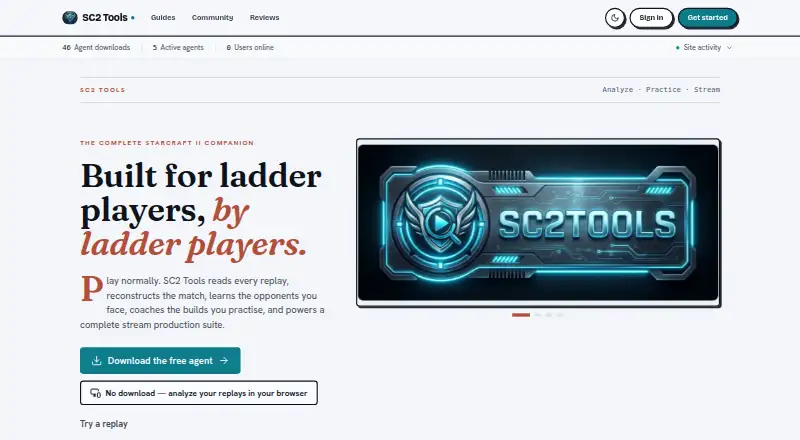
What SC2 Tools is
SC2 Tools analyzes StarCraft II replays, supports build practice, and provides tools for stream production. Replay analysis detects more than 100 openings and includes 3D viewing, opponent dossiers, MMR trends, and analysis of maps, matchups, macro, and losses. Practice options include a visual and voice Ghost Build coach, custom build rules, Build Roulette, community builds, and 18 replay-powered Arcade modes. Stream Studio has 30 OBS widgets and seven virtual sets, plus automatic scene switching, layouts, B-roll, polls, alerts, and clip markers. It combines chat from Twitch, Kick, YouTube, and TikTok and supports creator events such as follows, subscriptions, gifts, rewards, cheers, and raids. The desktop agent uploads parsed replay data and original files to a private account library; Instant Analysis keeps reports in the browser unless games are saved to an account. The tool is free, and voluntary tips do not unlock features. Windows installation requires Windows 10 or later and a live StarCraft II installation with at least one ranked game on disk; macOS and Linux installs are currently from source.
Who it suits
SC2 Tools suits StarCraft II players who want replay analysis or structured build practice, as well as creators seeking stream production features. Windows users need a live game installation and at least one ranked game on disk; macOS and Linux users install from source.
What it does well
- Free features for every player.
- Replay analysis detects 100+ openings.
- Includes a visual and voice build coach.
- Stream Studio has 30 OBS widgets.
- Instant Analysis keeps reports in-browser unless saved.
What to know first
- Windows installation requires Windows 10 or later.
- Requires a live StarCraft II install and ranked game on disk.
- macOS and Linux currently install from source.
- Desktop agent uploads replay data and original files to an account library.
Limits
The Windows agent requires Windows 10 or later and a live StarCraft II install with at least one ranked game on disk. macOS and Linux currently install from source.
Plans
| Plan | Billed and limits | Price |
|---|---|---|
| SC2 Tools | All features free for every player · voluntary one-time tips do not unlock features | Free |
As sc2tools.com lists them, read 2 Oct 2026. The maker's own page has the final word.
Getting started
- Visit the SC2 Tools website.
- Install the desktop agent on Windows 10 or later, or follow the source installation route for macOS or Linux.
- Make sure StarCraft II is installed with at least one ranked game on disk.
- Use Instant Analysis on the try page to review reports in the browser, or save games to an account.
- Sign in to an account to download replay originals.
Overview
SC2 Tools is a StarCraft II toolkit for reviewing games, shaping practice, and producing streams. It is best suited to players and creators who want those jobs under one roof and already have the game installed. Its breadth is compelling for dedicated SC2 users, but the desktop setup and replay handling deserve attention.
Key features
Replay analysis and opponent intelligence
Automated analysis detects more than 100 openings, then lets players explore games in 3D and review MMR trends, opponent dossiers, maps, matchups, macro, and losses. That combination supports both broad performance tracking and focused review of a particular game or opponent. The analysis is limited to StarCraft II, so it is not a fit for players seeking a cross-game replay library.
Practice tools
A visual and voice Ghost Build coach, custom build rules, Build Roulette, and community builds give players several ways to work on builds. Eighteen replay-powered Arcade modes extend practice beyond the coach itself. This makes SC2 Tools more useful to players who want a recurring practice routine than to those looking only for occasional post-game reports.
Stream production
Stream Studio brings 30 OBS widgets, seven virtual sets, automatic scene switching, layouts, B-roll, polls, alerts, and clip markers into the package. It also combines chat from Twitch, Kick, YouTube, and TikTok, with support for creator events such as follows, subscriptions, gifts, rewards, cheers, and raids. For SC2 broadcasters, that is a substantial set of production tools; players who do not stream will get less from this part of the product.
Replay privacy and account controls
The desktop agent uploads parsed replay data and original files to a private account library. Instant Analysis on the /try page instead keeps reports in the browser unless games are saved to an account, making it the more limited-data route for a one-off review. The site says it sends data over TLS and uses signed-in accounts and short-lived private links for replay downloads. Users can export structured account data, download original replays, or permanently delete replay history or an account in settings.
Google Analytics loads only after cookie-banner opt-in; the policy says IP anonymization is enabled and advertising signals are disabled. These controls give users ways to limit analytics and manage stored replays, but the desktop-agent workflow still involves uploading both parsed data and original files.
Pricing
SC2 Tools costs nothing, with all features free for every player. There is no free trial because the product is free; voluntary one-time tips through Streamlabs or PayPal do not unlock features. That makes the package accessible without a subscription, while contributions and bug reports are invited through GitHub tickets.
The free offer does not change the platform or game requirements: users still need a live StarCraft II installation with at least one ranked game on disk. The product supports only StarCraft II, so its no-cost access is most valuable to players already invested in that game.
Platforms
SC2 Tools lists Linux, macOS, web, and Windows support, but desktop installation differs by system. The Windows agent requires Windows 10 or later; macOS and Linux currently install from source. A live StarCraft II installation with at least one ranked game on disk is also required. The browser-based Instant Analysis option avoids saving games to an account unless the user chooses to do so, but desktop replay analysis depends on the agent and game installation.
Who it's for
SC2 Tools is a strong choice for StarCraft II players who want opening detection, opponent review, MMR tracking, and structured practice together, especially if they also broadcast and can use Stream Studio. It is less suitable for players who need tools for several games, want desktop installation without source-based setup on macOS or Linux, or prefer not to upload original replay files through the agent.
Pros and cons
- Pros: Replay analysis, practice aids, and stream production are bundled, so SC2 players can use one toolkit across several parts of their routine.
- Pros: All features are free, and voluntary tips do not gate access behind a paid tier.
- Pros: Browser-based Instant Analysis keeps reports local unless games are saved to an account.
- Cons: The desktop agent uploads original replay files as well as parsed data, which may not suit players who want replay analysis without account storage.
- Cons: Windows use requires Windows 10 or later and an installed copy of StarCraft II with a ranked game on disk.
- Cons: macOS and Linux users currently install from source, a less direct route than a standard desktop installer.
- Cons: The product is built around StarCraft II, so it will not cover a broader game library.
Alternatives
Game Replay Analyzers is the broader category to explore if you want to compare replay tools across games.
Pick CS2 Demo Analysis Kit instead if Counter-Strike 2 is your focus; its free packages include DAK Studio under AGPL-3.0-only and ecosystem packages plus a Python exporter under MIT. Freezetime is another free option for Counter-Strike 2, with a public archive and a self-hosted full studio at no per-use cost.
For Rocket League, CARL2 Analysis Tool is a free Windows desktop companion for analysis. CS2 Demo Analyzer is a free web option for CS2 demos.
If you want coaching for other games, DataCoach has a free Player Basic plan with 10 monthly replays, 10 Chat tokens, access to all training plans, core coaching output, and progression tracking. Gamescan is a web freemium alternative; its Pro plan costs $4.99 a month and includes 2,000 credits per month, three games in Super Mode, and clip analysis, while Master costs $9.99 a month and adds AI Coach Chat, 5,000 credits per month, and five Super Mode games.
my-csmanager Demo Viewer is a web freemium alternative, while SC2 Replay AI Coach is a free web tool with no sign-up and no stated replay-count limit.
Verdict
Choose SC2 Tools if you play StarCraft II and want free replay analysis, practice support, and stream production in one package. Its standout strength is the range of connected tools without feature fees; look elsewhere if you need multi-game coverage, a conventional macOS or Linux installer, or a desktop workflow that does not upload original replays to an account library.
Verdict
SC2 Tools combines replay review, practice aids, and stream production in a free package. Consider the installation requirements and replay upload behavior before choosing how to use it.
Questions
Is SC2 Tools free?
Yes. The SC2 Tools plan is free, and all features are free for every player. Voluntary one-time tips do not unlock features.
Which games does it support?
SC2 Tools supports StarCraft II.
Which platforms can I use?
The listed platforms are Linux, macOS, web and Windows. Windows installation requires Windows 10 or later; macOS and Linux currently install from source.
Do I need a StarCraft II installation?
Yes. The desktop agent requires a live StarCraft II install with at least one ranked game on disk.
Where are replay reports and files stored?
The desktop agent uploads parsed replay data and original files to a private account library. Instant Analysis keeps reports in the browser unless you save games to an account.
Can I delete or export my data?
Settings let users export structured account data, download replay originals, or permanently delete replay history or an account.
Facts from SC2 Tools's own pages
- Analytics
- Google Analytics loads only after cookie-banner opt-in, and the policy says IP anonymization is enabled and advertising signals are disabled. · sc2tools.com, 2 Oct 2026
- Data controls
- Users can export structured account data, download replay originals, or permanently delete replay history or their account in settings. · sc2tools.com, 2 Oct 2026
- Integrations
- Stream Studio combines Twitch, Kick, YouTube, and TikTok chat and supports official creator events such as follows, subscriptions, gifts, rewards, cheers, and raids. · sc2tools.com, 2 Oct 2026
- Other desktop platforms
- The download page says macOS and Linux currently install from source. · sc2tools.com, 2 Oct 2026
- Practice
- Practice features include a visual and voice Ghost Build coach, custom build rules, Build Roulette, community builds, and 18 replay-powered Arcade modes. · sc2tools.com, 2 Oct 2026
- Purpose
- SC2 Tools analyzes StarCraft II replays, provides build coaching and opponent intelligence, and offers stream production tools. · sc2tools.com, 2 Oct 2026
- Replay analysis
- It detects 100+ openings and offers 3D replay viewing, opponent dossiers, MMR trends, and map, matchup, macro, and loss analysis. · sc2tools.com, 2 Oct 2026
- Replay privacy
- The desktop agent uploads parsed replay data and original replay files to a private account library; Instant Analysis on the /try page keeps reports in the browser unless the user saves games to an account. · sc2tools.com, 2 Oct 2026
- Security
- The site says data is sent over TLS and replay downloads require a signed-in account and a short-lived private link. · sc2tools.com, 2 Oct 2026
- Streaming
- Stream Studio provides 30 OBS widgets, seven virtual sets, automatic scene switching, layouts, B-roll, polls, alerts, and clip markers. · sc2tools.com, 2 Oct 2026
- Support
- The maker invites code contributions and bug reports through GitHub tickets, and offers voluntary tips through Streamlabs or PayPal. · sc2tools.com, 2 Oct 2026
- Windows requirement
- The agent requires Windows 10 or later for the listed Windows installation; the product also requires a live StarCraft II install with at least one ranked game on disk. · sc2tools.com, 2 Oct 2026
Where SC2 Tools stands on Freedom251
- Game Replay Analyzers#10 of 22