Freedom251 › Game Replay Analyzers

DemoLens
What DemoLens is
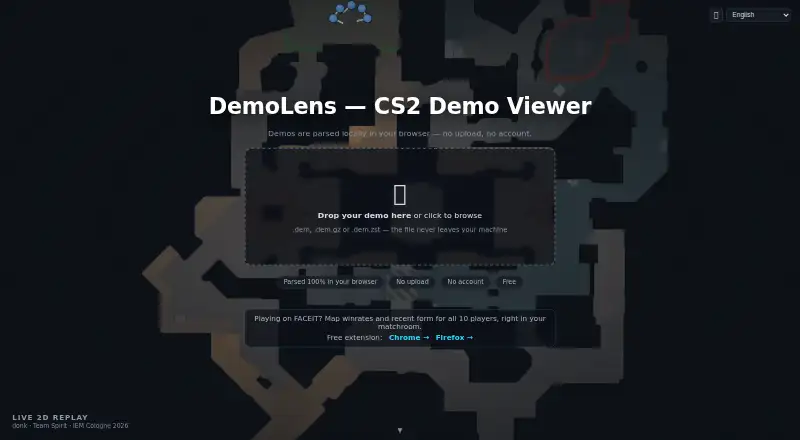
DemoLens is a free browser-based viewer for Counter-Strike 2 match demos, presenting tactical replays in 2D. It accepts .dem, .dem.gz, and .dem.zst files and parses them in the browser with WebAssembly rather than uploading them to DemoLens. Replay features include a multi-level radar, grenade trajectories, player status, key presses, playback speed controls, and kill markers. Analysis tools add grenade lineup pins, movement trails, heatmap-style pins, FOV cones, drawing mode, and kill-feed badges. The viewer also provides scoreboard and economy data, player performance metrics, percentile comparisons, and an integrity check against professional baselines. For FACEIT demos, it offers synchronized voice playback, per-player voice timelines with WAV export, and in-game chat translation. Its browser extension adds a one-click demo button and player scouting statistics to FACEIT match rooms. DemoLens requires a desktop browser; the site lists Chrome, Edge, and Firefox, and says phones are not supported. It has no accounts, tracking, analytics cookies, or ads, and says it does not collect personal data. If on-device translation is unavailable, the translate button sends chat text and player names to Google Translate.
Who it suits
DemoLens suits Counter-Strike 2 players reviewing match demos in a desktop browser, including FACEIT users who want voice timelines or scouting statistics. It may also suit users who want files parsed locally in the browser rather than uploaded to DemoLens.
What it does well
- Accepts .dem, .dem.gz, and .dem.zst files.
- Parses demos in-browser without uploading them to DemoLens.
- Includes replay controls and a range of analysis tools.
- FACEIT demos support synchronized voice playback and chat translation.
- Free to use.
What to know first
- Requires a desktop browser; phones are not supported.
- Replays are 2D, not 3D first-person.
- Fallback translation sends chat text and player names to Google Translate.
Plans
| Plan | Billed and limits | Price |
|---|---|---|
| Free | CS2 demo viewer · FACEIT browser extension | Free |
As demolens.org lists them, read 8 Oct 2026. The maker's own page has the final word.
Getting started
- Open demolens.org in Chrome, Edge, or Firefox on a desktop.
- Open a .dem, .dem.gz, or .dem.zst demo file in the viewer.
- Use the replay controls and analysis tools to review the match.
- For FACEIT match-room features, use the DemoLens browser extension.
Verdict
DemoLens offers detailed 2D replay and analysis features, with additional voice and chat tools for FACEIT demos. It requires a desktop browser, and its translation fallback sends chat text and player names to Google Translate.
Questions
How much does DemoLens cost?
The Free plan costs nothing.
Which games and demo files does it support?
It supports Counter-Strike 2 and accepts .dem, .dem.gz, and .dem.zst files.
Which browsers and devices can I use?
The viewer requires a desktop browser. The site names Chrome, Edge, and Firefox, and says phones are not supported.
Are demo files uploaded to DemoLens?
Demo files are parsed in the browser using WebAssembly and are not uploaded to DemoLens.
What does it offer for FACEIT demos?
It supports synchronized voice playback, per-player voice timelines with WAV export, and in-game chat translation. Its browser extension adds a one-click demo button and player scouting statistics to FACEIT match rooms.
Who operates DemoLens?
DemoLens describes itself as an independently run, non-commercial community project and says it is not affiliated with FACEIT or Valve.
Facts from DemoLens's own pages
- Analysis features
- Analysis tools include grenade lineup pins, movement trails, heatmap-style pins, FOV cones, drawing mode, and kill-feed badges. · demolens.org, 8 Oct 2026
- Browser requirements
- The viewer requires a desktop browser; the site names Chrome, Edge, and Firefox, and says phones are not supported. · demolens.org, 8 Oct 2026
- Demo limitation
- DemoLens provides a 2D tactical replay rather than a 3D first-person replay. · demolens.org, 8 Oct 2026
- FACEIT extension
- The browser extension adds a one-click demo button and player scouting statistics to FACEIT match rooms. · demolens.org, 8 Oct 2026
- Local processing
- Demo files are parsed in the browser using WebAssembly and are not uploaded to DemoLens. · demolens.org, 8 Oct 2026
- Privacy
- The privacy policy says DemoLens has no accounts, tracking, analytics cookies, or ads, and does not collect personal data. · demolens.org, 8 Oct 2026
- Project status
- DemoLens describes itself as an independently run, non-commercial community project and says it is not affiliated with FACEIT or Valve. · demolens.org, 8 Oct 2026
- Purpose
- DemoLens is a browser based 2D viewer for Counter-Strike 2 match demos. · demolens.org, 8 Oct 2026
- Replay features
- The replay includes a multi-level radar, grenade trajectories, player status, key presses, playback speed controls, and kill markers. · demolens.org, 8 Oct 2026
- Stats
- The viewer provides scoreboard and economy data, player performance metrics, percentile comparisons, and an integrity check against professional baselines. · demolens.org, 8 Oct 2026
- Support
- The site lists [email protected] as its contact address. · demolens.org, 8 Oct 2026
- Supported files
- The viewer accepts .dem, .dem.gz, and .dem.zst files. · demolens.org, 8 Oct 2026
- Translation privacy
- If built-in on-device translation is unavailable, using the translate button opens Google Translate and sends it the in-game chat text and player names. · demolens.org, 8 Oct 2026
- Voice and chat
- For FACEIT demos, DemoLens supports synchronized voice playback, per-player voice timelines with WAV export, and in-game chat translation. · demolens.org, 8 Oct 2026
Where DemoLens stands on Freedom251
- Game Replay Analyzers#8 of 22