Freedom251 › Game Replay Analyzers
CS2 Demo Analysis Kit
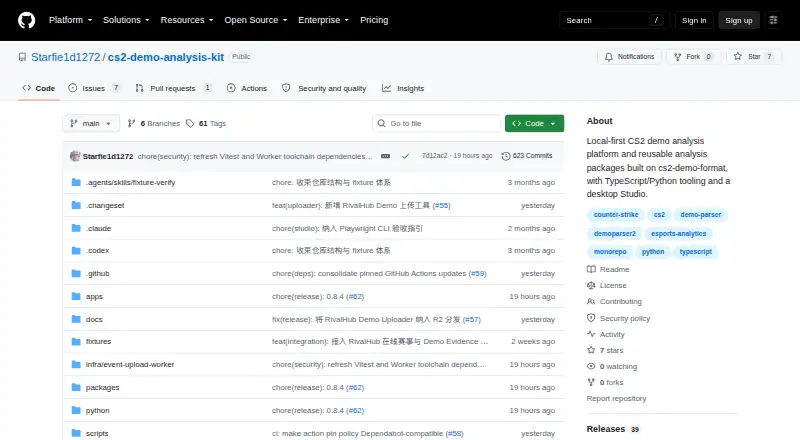
What CS2 Demo Analysis Kit is
CS2 Demo Analysis Kit includes DAK Studio, a free desktop platform for analyzing Counter-Strike 2 demos locally. It links statistics to the source match, round, and tick, with a 2D replay for inspection. The app runs on your machine without an account, upload, or server. Its modules cover replay, player profiles, duels and mechanics, utility and economy, tournaments, and coach preparation.
The built-in exporter imports .dem files or cs2-demo-format v3 ZIPs and parses them locally. Downloads include a macOS DMG, a Windows installer, and Windows portable ZIP packages. The full portable ZIP includes a Cologne Major 2026 event package and map data; the core ZIP contains runtime only. The runtime rejects v2 packages, which need to be re-exported with cs2df. DAK Studio is licensed AGPL-3.0-only, while ecosystem packages and the Python shell are MIT licensed. Its analysis layer is also consumed by RivalHub and CS2 Insight Agent.
Who it suits
The included workflows suit Counter-Strike 2 players doing personal analysis, people working on improvement, tournament analysts, and coaches preparing sessions.
What it does well
- Runs locally without an account, upload, or server.
- Links statistics to match, round, and tick.
- Includes a 2D replay for inspection.
- Supports player, tournament, and coach workflows.
- Free to use.
What to know first
- The runtime rejects v2 demo packages.
- Available builds are for macOS and Windows.
- DAK Studio is AGPL-3.0-only.
Limits
The runtime accepts cs2-demo-format v3 ZIPs and rejects v2 packages, which must be re-exported with cs2df. The core Windows portable ZIP contains runtime only; the full portable ZIP includes the event package and map data.
Plans
| Plan | Billed and limits | Price |
|---|---|---|
| DAK Studio and ecosystem packages | DAK Studio AGPL-3.0-only · ecosystem packages and Python exporter MIT | Free |
As github.com lists them, read 30 Sept 2026. The maker's own page has the final word.
Getting started
- Open the project website on GitHub.
- Download the macOS DMG or a Windows installer or portable ZIP.
- Launch DAK Studio on your computer.
- Import a .dem file or cs2-demo-format v3 ZIP using the built-in exporter.
- Use the replay and analysis modules to inspect match details.
Overview
CS2 Demo Analysis Kit is a local-first Counter-Strike 2 analysis platform for players, coaches and tournament analysts. Its strongest case is evidence-led review without uploading demos or creating an account; it is a poor fit if you need AI analysis or support for older v2 demo packages.
Key features
DAK Studio brings replay, player profiles, duel and mechanics analysis, utility and economy labs, a tournament hub, and a coach workbench into one desktop application. That breadth suits both individual improvement and structured team or event preparation, rather than only match playback.
Its standout discipline is traceability: statistics point to the source match, round and tick, with a 2D replay for inspection. That makes it easier to check what a number represents instead of treating a summary as self-explanatory. Mistake detection and performance reports are included, but AI analysis is not.
The built-in exporter parses .dem files or cs2-demo-format v3 ZIPs locally. The runtime rejects v2 packages, which must first be re-exported with cs2df. That is a meaningful format constraint for anyone working with older archives, but local parsing and the absence of an account, upload or server will appeal to users who want to keep demo analysis on their own machine.
The analysis layer is also consumed by RivalHub and CS2 Insight Agent. RivalHub's documented connection uses versioned contracts for season exports and analysis APIs, covering metadata, rosters, identity maps and analysis artifacts. This gives the kit a defined route into those workflows without making them prerequisites for Studio.
Pricing
DAK Studio and ecosystem packages cost nothing. The free offering combines the AGPL-3.0-only Studio application with MIT-licensed ecosystem packages and Python exporter. There is no paid tier or seat or usage quota in the stated plan to weigh against its feature set.
The no-cost entry makes it easy to adopt for personal review, player development, tournament analysis or coach preparation. The trade-off is practical rather than tier-based: users must use supported v3 ZIPs or .dem files, and the Studio application's AGPL-3.0-only license differs from the MIT licensing of the ecosystem packages and Python shell.
Platforms
DAK Studio supports macOS and Windows. Official downloads include a macOS DMG and a Windows installer; Windows users can also choose portable ZIP packages. The full Windows portable ZIP includes the Cologne Major 2026 event package and map data, while the core ZIP contains runtime only, so the latter is the leaner option if that event package is not needed.
Who it's for
Choose DAK Studio if you want local CS2 analysis that connects performance figures to specific moments, or if your work spans player improvement, coaching and tournament review. The range of modules gives different roles room to work in one platform. Look elsewhere if you need AI-generated analysis, Linux support, or a runtime that accepts v2 packages without conversion.
Pros and cons
- Pros: Local parsing without an account, upload or server keeps the workflow on the user's machine.
- Pros: Match, round and tick references paired with 2D replay make statistics inspectable.
- Pros: Replay, player, coaching, utility, economy and tournament modules cover several analysis workflows in one application.
- Cons: The runtime rejects v2 ZIPs, so those demos need re-exporting with cs2df.
- Cons: No AI analysis is included, which rules it out for users seeking automated AI coaching.
- Cons: Desktop support is limited to macOS and Windows.
Alternatives
Game Replay Analyzers is the broader category directory for comparing replay tools. Choose CS Demo Analyzer instead if an open-source command-line tool for analyzing and exporting CS2 or CS:GO demos better fits your workflow. SC2 Tools is a free option with all features available to every player, on Linux, macOS, web and Windows.
Freezetime is a better fit for a public archive or a self-hosted full studio with no per-use cost. For a web-based replay service with a stated free allowance, ballchasing.com offers 70 replays per week, with a 20-per-day limit and a default of about 10 per day; its Gold Patron plan is $2 a month and raises the allowance to 350 per week and up to 350 per day.
CaptureAge is the Windows alternative for Age of Empires II: Definitive Edition; its free plan omits timeline control, special camera controls, advanced statistics graphs and custom skins. CARL2 Analysis Tool is a free Windows desktop companion for Rocket League analysis. CS2 Demo Analyzer is another free option when a web platform is preferable. DataCoach suits players who want web-based coaching output and training plans, with its Player Basic plan including 10 monthly replays and 10 chat tokens.
Verdict
DAK Studio is the right free choice for CS2 players, coaches and tournament analysts who value local processing and statistics they can trace to a specific round and tick. Its combination of focused modules and replay-backed evidence is the main reason to choose it. Look elsewhere if v2 compatibility, Linux, web access or AI analysis is essential.
Verdict
DAK Studio offers local CS2 demo analysis with traceable statistics and a range of player and coach workflows. Confirm that your demos are v3 ZIPs or .dem files before using the built-in exporter.
Questions
Is CS2 Demo Analysis Kit free?
Yes. DAK Studio and ecosystem packages are listed as free.
Which operating systems are supported?
DAK Studio has macOS and Windows builds.
Does it upload demos or require an account?
No. The desktop application runs locally without an account, upload, or server.
Which demo formats can it import?
The built-in exporter imports .dem files or cs2-demo-format v3 ZIPs. The runtime rejects v2 packages, which must be re-exported with cs2df.
What are the licenses?
DAK Studio is AGPL-3.0-only. Ecosystem packages and the Python shell are MIT licensed.
Which game does it support?
Counter-Strike 2.
Facts from CS2 Demo Analysis Kit's own pages
- Analysis modules
- Studio includes replay, player profiles, duel and mechanics analysis, utility and economy labs, a tournament hub, and a coach workbench. · github.com, 30 Sept 2026
- Demo input
- The built-in exporter imports .dem files or cs2-demo-format v3 ZIPs and parses them locally. · github.com, 30 Sept 2026
- Downloads
- Official builds provide a macOS DMG, a Windows installer, and Windows portable ZIP packages. · github.com, 30 Sept 2026
- Evidence traceability
- Studio numbers link to the source match, round, and tick, with a 2D replay for inspection. · github.com, 30 Sept 2026
- Integrations
- The analysis layer is consumed by DAK Studio, RivalHub, and CS2 Insight Agent. · github.com, 30 Sept 2026
- Intended users
- The module set explicitly includes personal analysis, player improvement, tournament analysis, and coach preparation workflows. · github.com, 30 Sept 2026
- Licensing
- Ecosystem packages and the Python shell are MIT licensed, while the DAK Studio application is AGPL-3.0-only. · github.com, 30 Sept 2026
- Privacy model
- The desktop application runs on the user's machine without an account, upload, or server. · github.com, 30 Sept 2026
- Purpose
- DAK Studio is a local-first CS2 demo analysis platform that links statistics to the exact round and tick. · github.com, 30 Sept 2026
- RivalHub data seam
- The documented RivalHub integration uses versioned season export and analysis API contracts for metadata, rosters, identity maps, and analysis artifacts. · github.com, 30 Sept 2026
- Runtime limitation
- The runtime supports cs2-demo-format v3 ZIPs; v2 packages are rejected and must be re-exported with cs2df. · github.com, 30 Sept 2026
- Security reporting
- The security policy requests private vulnerability reporting and says fixes generally target the maintained default branch and latest release. · github.com, 30 Sept 2026
- Windows packages
- The Windows full portable ZIP includes the Cologne Major 2026 event package and map data, while the core ZIP contains runtime only. · github.com, 30 Sept 2026
Where CS2 Demo Analysis Kit stands on Freedom251
- Game Replay Analyzers#4 of 22