Freedom251 › Game Replay Analyzers

CARL2 Analysis Tool
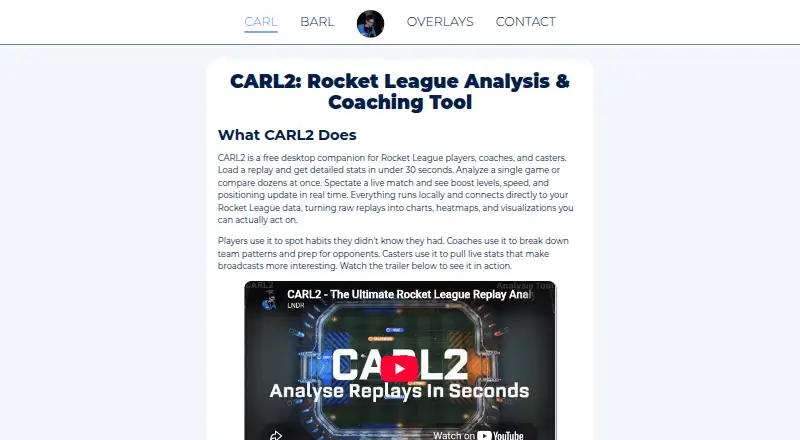
What CARL2 Analysis Tool is
CARL2 Analysis Tool is a free Windows desktop companion for Rocket League players, coaches, and casters. It analyzes replays and live matches, processing replay files from Steam, Epic Games, or any folder to extract stats, movement, boost events, and in-game actions in 10 to 30 seconds. Users can bulk-process files, search by player or team, filter by date, and add custom tags. Single-game analysis includes shot maps, an expected-goals model, player timelines, interaction data, boost maps, movement heatmaps, and 3D path maps. Series views combine results across games with team comparisons, win-versus-loss analysis, and game-by-game stat changes. Exports include CSV, JSON, and Markdown for single games, and CSV or JSON for series, with a ZIP option for series exports. Live modes cover replay control, observer and admin monitoring, coach tools, and a caster view with real-time data. A stats screen can serve as a browser-source overlay in OBS or another capture tool. CARL2 supports BakkesMod and Easy Anti-Cheat in the current Rocket League version.
Who it suits
CARL2 suits Rocket League players reviewing matches, as well as coaches and casters working with replay or live-game data. It is for Windows users prepared to install BakkesMod and confirm an account by email.
What it does well
- Free Windows desktop companion.
- Processes replays in 10 to 30 seconds.
- Includes single-game and series analysis.
- Exports data in CSV, JSON, or Markdown.
- Live stats can appear as a browser-source overlay.
What to know first
- Available platform is Windows.
- BakkesMod must be installed first.
- Account setup requires email confirmation.
Plans
| Plan | Billed and limits | Price |
|---|---|---|
| Free | Free desktop companion for Rocket League analysis | Free |
As lndrlndr.github.io lists them, read 4 Oct 2026. The maker's own page has the final word.
Getting started
- Install BakkesMod first.
- Download the CARL2 Windows installer from the website.
- Install CARL2 and create an account with an email address.
- Confirm the account through email.
- Use the in-app changelog for update information; contact support through Discord.
CARL2 Analysis Tool is a free Windows companion for Rocket League replay and live-match analysis. It is aimed at players, coaches, and casters who need detailed, exportable match data rather than a simple scoreboard. The broad toolkit is appealing, but the required BakkesMod installation and Windows-only installer rule out a browser-first workflow.
Overview
CARL2 combines local replay processing, an indexed replay library, series reporting, exports, and live-match views in one desktop application. It connects directly to Rocket League data and runs processing locally, which suits users who want their analysis workflow centered on their own computer. The trade-off is a setup that demands more preparation than a web upload service.
Key features
Replay library and automated analysis
Replays from Steam, Epic Games, or any folder can be processed in 10 to 30 seconds. CARL2 extracts statistics, movement data, boost events, and in-game actions, and it supports automated analysis, mistake detection, and performance reports. Bulk processing is particularly useful for coaches or serious players building a substantial archive rather than opening files individually.
Search by player or team, date filters, and custom replay tags turn that archive into a workable reference collection. Those organization tools matter when reviewing a season, comparing teammates, or locating a particular opponent; they are less important if you only inspect occasional matches.
Game and series views
Single-game analysis includes shot maps, an expected-goals model, player timelines, interaction data, boost maps, movement heatmaps, and 3D path maps. The combination can connect outcomes with positioning, resource use, and specific interactions, giving players and coaches more useful questions to investigate than goals and assists alone.
Series analysis aggregates maps and statistics across multiple games. Team comparisons, win-versus-loss analysis, and game-by-game statistical evolution help identify whether a result reflects a repeatable pattern or one unusual map. That makes the series tools a stronger fit for team preparation and post-match review than for a quick casual recap.
Exports and live tools
Single-game data exports to CSV, JSON, or Markdown. Series data exports to CSV or JSON, with a ZIP option for all series exports. These formats are practical for documentation, further analysis, or sharing reports, although the most expansive export choices are reserved for single-game data.
Live modes cover replay control, observer and administrator monitoring, coaching tools, and a caster-focused real-time view. The real-time statistics screen can run as a browser-source overlay in OBS or another capture tool, making CARL2 relevant to broadcasts as well as private review. Its stated compatibility includes both BakkesMod and Rocket League's Easy Anti-Cheat system in the current game version.
Pricing
CARL2 has one published plan:
| Plan | Price | What you get |
|---|---|---|
| Free | free | Free desktop companion for Rocket League analysis |
There is no paid tier to unlock additional analysis, live modes, or exports. That makes the app straightforward for individual players, volunteer coaches, and casters, but it also means there is no higher plan for a different support or usage arrangement.
Platforms
CARL2 is offered for Windows through the CARL2-V2.3.0-Installer.exe download. Installation requires BakkesMod first, followed by the CARL2 download and account creation confirmed by email. Support, bug reports, and feature requests go through Discord, while updates are announced in the in-app changelog.
Who it's for
Choose CARL2 if you play Rocket League on Windows and want a deep review of individual actions, trends across a series, or live data for coaching and casting. It is especially well matched to analysts who value searchable archives, local processing, and structured exports. Players on other operating systems, or anyone unwilling to install BakkesMod and a desktop client, should choose a web-based or cross-platform alternative instead.
Pros and cons
- Pros: Free access combines replay, series, and live analysis; processing supports Steam, Epic, and arbitrary folders; detailed maps and timelines expose movement and boost patterns; bulk search, filters, and tags make large libraries manageable; CSV, JSON, Markdown, and ZIP exports support outside workflows; OBS browser-source integration serves broadcasters.
- Cons: The Windows-only installer excludes macOS, Linux, and browser-only users; BakkesMod is required before setup; creating and confirming an account adds an extra installation step; the breadth of views may be excessive for readers who only want a quick match summary.
Alternatives
For a broader ecosystem of replay-analysis products, browse Game Replay Analyzers.
- SC2 Tools is a free option for StarCraft players on Linux, macOS, Windows, or the web, with all features included.
- CS Demo Analyzer suits users who need an open-source command-line analyzer for CS2 or CS:GO demos across desktop platforms.
- CS2 Demo Analysis Kit is a free macOS and Windows choice built around DAK Studio and its ecosystem packages.
- Freezetime fits readers seeking a public archive or self-hosted studio without per-use charges.
- ballchasing.com is the better fit for a web/API workflow, with a free replay quota and an optional $2.00-per-month Gold Patron tier for higher limits.
- CaptureAge is a Windows alternative for Age of Empires II, with a free core tier and a €5.00-per-month Pro plan.
- CS2 Demo Analyzer provides a free web service for CS2 demo analysis.
- DataCoach is a web-based coaching option with a free Player Basic tier that includes 10 monthly replays and 10 chat tokens.
Verdict
CARL2 is a strong choice for Windows-based Rocket League players, coaches, and casters who want unusually broad analysis and live tools at no cost. Its main reason to choose it is the combination of detailed replay views, series-level reporting, exports, and broadcast support. Look elsewhere if you need macOS, Linux, or browser access, or if installing BakkesMod is unacceptable.
Verdict
CARL2 offers replay analytics, series summaries, exports, and live tools at no cost. Its setup requires BakkesMod, and the listed download is a Windows installer.
Questions
Is CARL2 Analysis Tool free?
Yes. It has a free plan listed as free.
Which platforms does CARL2 support?
The listed platform is Windows, and the download page links to a Windows installer.
Which game does CARL2 analyze?
It supports Rocket League, including replays and live matches.
Does CARL2 process replays locally?
Yes. The site says it runs locally and connects directly to Rocket League data.
What do I need to install CARL2?
The installation instructions say to install BakkesMod first, then download CARL2 and create and confirm an account with an email address.
Who makes CARL2, and where can I get support?
The contact page lists LNDRLNDRLNDR and [email protected]. The site directs users to Discord for support, bug reports and feature requests.
Facts from CARL2 Analysis Tool's own pages
- Download platform
- The download page links to a Windows installer named CARL2-V2.3.0-Installer.exe. · lndrlndr.github.io, 4 Oct 2026
- Exports
- Users can export single-game data as CSV, JSON, or Markdown, and series data as CSV or JSON, with a ZIP option for all series exports. · lndrlndr.github.io, 4 Oct 2026
- Installation requirement
- The site instructs users to install BakkesMod first, then download CARL2 and create and confirm an account with an email address. · lndrlndr.github.io, 4 Oct 2026
- Live modes
- Live modes provide replay control, observer/admin monitoring, coach tools, and a caster-focused view with real-time game data. · lndrlndr.github.io, 4 Oct 2026
- Local processing
- The site says CARL2 runs locally and connects directly to Rocket League data. · lndrlndr.github.io, 4 Oct 2026
- Maker contact
- The contact page lists [email protected] and the name LNDRLNDRLNDR. · lndrlndr.github.io, 4 Oct 2026
- Purpose
- CARL2 is a desktop companion for Rocket League players, coaches, and casters that analyzes replays and live matches. · lndrlndr.github.io, 4 Oct 2026
- Replay library
- Users can bulk-process replays, search by player or team, filter by date, and tag replays with custom labels. · lndrlndr.github.io, 4 Oct 2026
- Replay processing
- It processes replays from Steam, Epic Games, or any folder and extracts stats, movement data, boost events, and in-game actions in 10 to 30 seconds. · lndrlndr.github.io, 4 Oct 2026
- Rocket League compatibility
- The site says CARL2 supports both BakkesMod and the Easy Anti-Cheat system in the current version of Rocket League. · lndrlndr.github.io, 4 Oct 2026
- Series analysis
- Series analysis aggregates maps and stats across multiple games and includes team comparisons, win-versus-loss analysis, and game-by-game stat evolution. · lndrlndr.github.io, 4 Oct 2026
- Single-game analysis
- Single-game analysis includes shot maps, an expected-goals model, player timelines, interaction data, boost maps, movement heatmaps, and 3D path maps. · lndrlndr.github.io, 4 Oct 2026
- Streaming integration
- Its real-time stats screen works as a browser-source overlay that can be added to OBS or another capture tool. · lndrlndr.github.io, 4 Oct 2026
- Support
- The site directs users to Discord for support, bug reports, and feature requests and says updates appear in the in-app changelog. · lndrlndr.github.io, 4 Oct 2026
Where CARL2 Analysis Tool stands on Freedom251
- Game Replay Analyzers#6 of 22