Freedom251 › Game Save Managers
SaveKnight
What SaveKnight is
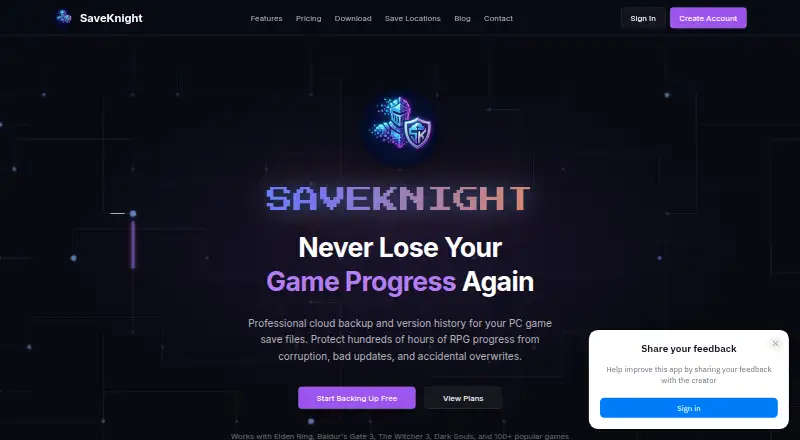
SaveKnight is a Windows desktop app for backing up PC game save files to the cloud and keeping earlier versions available. It scans a PC and uses the Ludusavi game database to locate saves; the download page says the database covers more than 10,000 games. The service is intended for PC games that store save files locally. It can back up saves in the background when games exit, then synchronize them across a user's gaming PCs. If a save needs to be rolled back, SaveKnight retains version history and provides manual restore. The maker says saves are encrypted in cloud storage and can be accessed from any PC. The app is open source under the MIT License and is built with Tauri and Rust. A SaveKnight account is required, and cloud sync needs an internet connection. The desktop app requires Windows 10 or Windows 11, 64-bit, at least 4 GB RAM, and 100 MB of free disk space. The Free plan supports 2 game profiles and 500 MB of cloud storage, with unlimited version history. Knight costs $5 a month and includes 20 profiles and 20 GB of storage. Legend costs $15 a month and includes 100 profiles and 100 GB of storage. Both paid plans include unlimited history and priority support; Legend also includes early access to new features.
Who it suits
SaveKnight suits Windows PC gamers whose games keep save files locally and who want cloud backups, synchronization across gaming PCs, and earlier save versions. It may also suit people who prefer an open-source desktop app and can work within the profile and storage allowance of their chosen plan.
What it does well
- Automatically locates saves using the Ludusavi game database.
- Backs up saves when games exit.
- Synchronizes saves across a user's gaming PCs.
- Keeps unlimited version history on all listed plans.
- The desktop app is open source under the MIT License.
What to know first
- The desktop app supports Windows 10 or Windows 11, 64-bit.
- The Free plan is limited to 2 game profiles and 500 MB.
- Cloud synchronization requires an internet connection and a SaveKnight account.
Limits
The Free plan allows 2 game profiles and 500 MB of cloud storage. Knight includes 20 profiles and 20 GB, while Legend includes 100 profiles and 100 GB; all listed plans include unlimited version history.
Plans
| Plan | Billed and limits | Price |
|---|---|---|
| Legend | 100 game profiles · 100 GB cloud storage · Unlimited version history · Priority support · Early access to new features | $15 a month |
| Knight | 20 game profiles · 20 GB cloud storage · Unlimited version history · Priority support | $5 a month |
| Free | 2 game profiles · 500 MB cloud storage · Unlimited version history | On request |
As saveknight.com lists them, read 7 Oct 2026. The maker's own page has the final word.
Getting started
- Open the SaveKnight website and download the Windows desktop app.
- Use a Windows 10 or Windows 11 64-bit PC with at least 4 GB RAM and 100 MB free disk space.
- Create or use a SaveKnight account.
- Choose the Free, Knight, or Legend plan.
- Connect to the internet for cloud synchronization and let the app scan for game saves.
Verdict
Choose SaveKnight if you play supported local-save PC games and want automatic cloud backup, sync, and manual rollback to earlier versions. Look elsewhere if you need a platform beyond Windows or the Free plan's 2 profiles and 500 MB are insufficient.
Questions
Is SaveKnight free?
Yes. The Free plan includes 2 game profiles, 500 MB of cloud storage, and unlimited version history.
What do the paid plans cost?
Knight costs $5 a month and Legend costs $15 a month.
Which operating systems does it support?
The download page lists Windows 10 or Windows 11, 64-bit. The app also requires at least 4 GB RAM and 100 MB of free disk space.
Is SaveKnight open source?
Yes. The desktop app is open source under the MIT License and is built with Tauri and Rust.
How does SaveKnight find and back up saves?
It scans the PC using the Ludusavi game database and can back up saves when games exit. It is intended for PC games that store save files locally.
What is included in Knight and Legend?
Knight includes 20 game profiles, 20 GB cloud storage, unlimited version history, and priority support. Legend includes 100 profiles, 100 GB, unlimited history, priority support, and early access to new features.
Facts from SaveKnight's own pages
- Automatic backups
- The app runs in the background and backs up saves when games exit. · saveknight.com, 7 Oct 2026
- Cloud storage
- The maker says saves are encrypted and stored in the cloud, and can be accessed from any PC. · saveknight.com, 7 Oct 2026
- Detection
- The app scans the PC and uses its game database to locate save files. · saveknight.com, 7 Oct 2026
- Game compatibility
- The homepage says SaveKnight works with PC games that store save files locally. · saveknight.com, 7 Oct 2026
- Game coverage
- The desktop app uses Ludusavi’s database, which the download page says covers more than 10,000 games. · saveknight.com, 7 Oct 2026
- Open source
- The desktop app is open source under the MIT License and is built with Tauri and Rust. · saveknight.com, 7 Oct 2026
- Operating system
- The download page lists Windows 10 or Windows 11, 64-bit, as system requirements. · saveknight.com, 7 Oct 2026
- Purpose
- SaveKnight provides cloud backup and version history for PC game save files. · saveknight.com, 7 Oct 2026
- Requirements
- The desktop app requires at least 4 GB RAM, 100 MB free disk space, an internet connection for cloud sync, and a SaveKnight account. · saveknight.com, 7 Oct 2026
- Restore
- SaveKnight keeps backup versions so users can roll back to a previous save. · saveknight.com, 7 Oct 2026
- Support
- The Knight and Legend plans include priority support. · saveknight.com, 7 Oct 2026
- Synchronization
- SaveKnight says it synchronizes saves across a user's gaming PCs. · saveknight.com, 7 Oct 2026
Where SaveKnight stands on Freedom251
- Game Save Managers#21 of 27