Freedom251 › Game Save Managers
JKSV
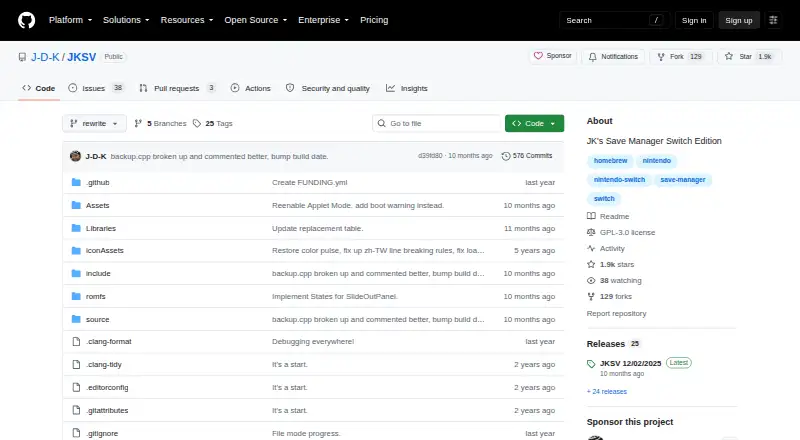
What JKSV is
JKSV is a free Nintendo Switch homebrew save manager for backing up and restoring game save data. It works with saves for user accounts and other supported data types, including system, BCAT, device or shared, temporary, cache, and system BCAT saves. Backups can be exported as unpacked folders or ZIP files; ZIP is required for cloud backup. You can back up every save on the system or all saves for one user in a single operation.
With cloud backup configured, JKSV supports Google Drive and WebDAV, and automatic uploads are available. Google Drive setup requires your own Google Cloud project and OAuth client; WebDAV requires a configured server, either hosted by a provider or on a local network. JKSV can create save data for titles on the system without launching them. It can also import or create save data for titles not installed on the system, though the maker warns that these saves are not properly installed. Other tools include extending save size, viewing basic save and title statistics, and deleting saves. Safety options can require holding a button to complete destructive actions or create a backup automatically before restoring. The project provides a Nintendo Switch homebrew build and is licensed under GPL-3.0.
Who it suits
JKSV suits Nintendo Switch users who want to back up and restore save data, including in bulk. Its cloud features suit users prepared to configure Google Drive or a WebDAV server themselves.
What it does well
- Backs up and restores several types of Switch save data.
- Can back up all system saves or all saves for one user.
- Supports Google Drive and WebDAV cloud backups when configured.
- Can automatically upload configured cloud backups.
- Includes save resizing and safety options for destructive actions.
What to know first
- Requires a Nintendo Switch homebrew build.
- Google Drive setup requires a user-created Google Cloud project and OAuth client.
- WebDAV backups require a configured server.
- Saves for titles not installed are not properly installed.
Limits
JKSV is free. Cloud backup requires ZIP exports and a configured Google Drive or WebDAV connection; Google Drive requires a user-created Google Cloud project and OAuth client, and WebDAV requires a configured server.
Plans
| Plan | Billed and limits | Price |
|---|---|---|
| JKSV | Nintendo Switch save management · Google Drive and WebDAV cloud backups | Free |
| Free | Donation-supported · Nintendo Switch homebrew save manager | Free |
As github.com lists them, read 9 Oct 2026. The maker's own page has the final word.
Getting started
- Obtain the Nintendo Switch homebrew build from the JKSV project.
- Follow the maker’s backup and restore guide to use the save management tools.
- Export backups as unpacked folders or ZIP files; use ZIP for cloud backup.
- For Google Drive, create a Google Cloud project and OAuth client, then follow the project setup instructions.
- For WebDAV, configure a provider-hosted or self-hosted server and follow the project instructions.
Verdict
Choose JKSV if you want a free Switch homebrew tool for managing save backups, with bulk operations and optional Google Drive or WebDAV uploads. Its cloud setup requires your own credentials or server, so it may not suit someone looking for cloud backup without configuration.
Questions
How much does JKSV cost?
JKSV is free, with listed plans at no cost. Donations are appreciated but not required.
Which platform does JKSV support?
The project provides a Nintendo Switch homebrew build.
Can JKSV back up saves to the cloud?
Yes. When configured, it supports Google Drive and WebDAV, with automatic uploads available. Cloud backups require ZIP format.
What is required to configure cloud backup?
Google Drive requires a user-created Google Cloud project and OAuth client. WebDAV requires a configured server, which may be provider-hosted or self-hosted on a local network.
Is JKSV open source?
The GitHub repository identifies its license as GPL-3.0.
Can JKSV create saves for games that are not installed?
It can import or create saves for titles not installed on the system, but the maker warns that these saves are not properly installed.
Facts from JKSV's own pages
- Audience
- The maker describes themselves as a C/C++ developer working on console homebrew projects. · github.com, 9 Oct 2026
- Back up and restore
- It can back up and restore save data for Switch user accounts and other supported save data types. · github.com, 9 Oct 2026
- Backup formats
- Backups can be exported as unpacked folders or ZIP files, and ZIP is required for cloud backup. · github.com, 9 Oct 2026
- Bulk backups
- It can back up all save data on the system or all save data for an individual user at once. · github.com, 9 Oct 2026
- Cloud integrations
- When configured, JKSV supports Google Drive and WebDAV for save backups, including automatic uploads. · github.com, 9 Oct 2026
- Cloud services
- Configured cloud backup supports Google Drive and WebDAV, with automatic uploads available. · github.com, 9 Oct 2026
- Create saves
- JKSV can create save data for titles on the system without first launching the game. · github.com, 9 Oct 2026
- Donations
- The maker says donations are appreciated but never required. · github.com, 9 Oct 2026
- Export formats
- Save data can be exported as unpacked folders or ZIP files, and ZIP is required for cloud backup. · github.com, 9 Oct 2026
- License
- The GitHub repository identifies the project license as GPL-3.0. · github.com, 9 Oct 2026
- Platform
- The project describes JKSV as the Switch Edition of JK’s Save Manager and provides a Nintendo Switch homebrew build. · github.com, 9 Oct 2026
- Purpose
- JKSV is a Nintendo Switch homebrew save manager for backing up and restoring game save data. · github.com, 9 Oct 2026
- Release status
- The releases page lists JKSV 12/02/2025 as the latest release and notes that bug reports are welcome and reviewed. · github.com, 9 Oct 2026
- Remote setup
- Google Drive requires users to configure their own Google Cloud project and OAuth credentials; WebDAV requires a provider or a self-hosted server. · switch.hacks.guide, 9 Oct 2026
- Resize saves
- It can extend save data to a chosen size, which the maker says can be useful for games such as Minecraft. · github.com, 9 Oct 2026
- Safety controls
- The app can require holding a button to complete destructive operations or automatically back up before restoring a backup. · github.com, 9 Oct 2026
- Safety options
- JKSV can require holding a button to complete destructive operations or make automatic backups when restoring backups. · github.com, 9 Oct 2026
- Save data tools
- The project lists save resizing, basic save and title statistics, and cleanup tools for deleting saves. · github.com, 9 Oct 2026
- Save types
- It supports account, system, BCAT, device/shared, temporary, cache, and system BCAT save data. · github.com, 9 Oct 2026
- Security setup
- Google Drive setup requires a user-created Google Cloud project and OAuth client, and JKSV uses Google’s limited-input device login flow. · switch.hacks.guide, 9 Oct 2026
- Support and documentation
- The maker’s README links to setup instructions for Google Drive and WebDAV, and the guide provides backup and restore steps. · switch.hacks.guide, 9 Oct 2026
- SVI support
- It can import and create save data for titles not installed on the system, but the maker warns these saves are not properly installed. · github.com, 9 Oct 2026
- WebDAV setup
- WebDAV backups require a configured WebDAV server, which may be provider-hosted or self-hosted on a local network. · switch.hacks.guide, 9 Oct 2026
Where JKSV stands on Freedom251
- Game Save Managers#19 of 27