Freedom251 › Game Save Managers
Save Keeper
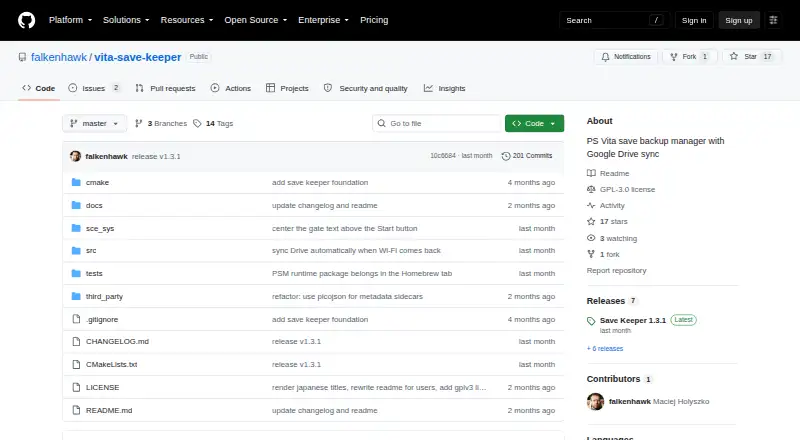
What Save Keeper is
Save Keeper is a free, open-source utility for protecting PS Vita and PSP save games with backups in the user’s Google Drive. It creates timestamped ZIP files for Vita, PSP/Adrenaline, and homebrew saves, and automatically detects games for backup. Multiple backups can be kept for each game, so an older save remains available if needed. Users can label backups and sort them by name, most recent backup, or last saved. Restores are manual; before replacing a save, Save Keeper backs up the current version unless an identical backup already exists. Backups in the same Drive account can be downloaded and restored on another Vita or PS TV. Homebrew users can select savedata paths, while the built-in configuration currently handles RetroArch. Drive setup uses Google sign-in through a QR code scanned by phone or a code entered at google.com/device. Backups go into a PSV Saves folder, and the app requests the Drive drive.file permission for files it created. Its setup guide says the stored sign-in token should be treated like a password. Save Keeper requires a compatible Vita or PS TV with HENkaku or h-encore and unsafe homebrew enabled, a VPK installer, and a Google account for Drive sync. The project is licensed under GPLv3.
Who it suits
Save Keeper suits PS Vita and PS TV owners who want cloud copies and older versions of Vita, PSP/Adrenaline, or homebrew saves. It is also relevant to users willing to enable the stated homebrew requirements and manage Google Drive sign-in on the console.
What it does well
- Creates timestamped ZIP backups of supported saves.
- Keeps multiple backups per game for older-save recovery.
- Uploads backups to Google Drive for use on another Vita or PS TV.
- Labels and sorts backups by name, latest backup, or last saved.
- backs up current data before a restore unless an identical backup exists.
- Free and licensed under GPLv3.
What to know first
- Requires HENkaku or h-encore and unsafe homebrew enabled.
- Requires a Google account for Drive sync.
- Built-in homebrew savedata configuration currently covers RetroArch only.
- Restore is manual.
Limits
The built-in homebrew savedata configuration currently covers RetroArch, though users can choose paths for other homebrew apps. Google Drive sync requires a Google account; the stored sign-in token should be treated like a password.
Plans
| Plan | Billed and limits | Price |
|---|---|---|
| Save Keeper | PS Vita or PS TV with HENkaku / h-encore · Google account required for Drive sync | Free |
As github.com lists them, read 11 Oct 2026. The maker's own page has the final word.
Getting started
- Use a PS Vita or PS TV with HENkaku or h-encore enabled and unsafe homebrew enabled.
- Install the VPK using VitaShell or another VPK installer.
- Have a Google account ready for Drive sync.
- Start Google sign-in by scanning the QR code with a phone or entering the code at google.com/device.
- Use the app to back up saves to the PSV Saves folder in Google Drive.
Verdict
Choose Save Keeper if you want free, versioned save backups in Google Drive and can meet its Vita or PS TV homebrew requirements. Look elsewhere if you need built-in savedata configuration for homebrew beyond RetroArch or automatic restores.
Questions
How much does Save Keeper cost?
The Save Keeper plan is free. The project is open source under GPLv3.
What does Save Keeper back up?
It creates timestamped ZIP backups of Vita, PSP/Adrenaline, and homebrew saves. The built-in homebrew configuration currently handles RetroArch.
Can I restore an older save on another console?
Yes. Backups in the same Google Drive account can be downloaded and restored on another Vita or PS TV. Restore is manual.
What does setup require?
It requires a PS Vita or PS TV with HENkaku or h-encore enabled, unsafe homebrew enabled, a VPK installer, and a Google account for Drive sync.
How does Google sign-in work?
Sign-in starts with a phone-scanned QR code or a code entered at google.com/device. The token is stored on the Vita and should be treated like a password.
Facts from Save Keeper's own pages
- Authentication
- Google sign-in uses a QR code or a code entered at google.com/device, and the sign-in token is stored on the Vita in google-token.json. · github.com, 11 Oct 2026
- Backup format
- It creates timestamped ZIP backups of Vita, PSP/Adrenaline, and homebrew saves. · github.com, 11 Oct 2026
- Backup history
- It keeps multiple backups per game so users can restore an older save. · github.com, 11 Oct 2026
- Backup management
- The app keeps multiple backups per game and lets users label them and sort by name, latest backup, or last saved. · github.com, 10 Oct 2026
- Build and distribution
- The README documents VPK installation and building from source with VitaSDK. · github.com, 11 Oct 2026
- Credential handling
- The app stores OAuth client credentials and a Google sign-in token on the Vita, and the README says to treat the token like a password. · github.com, 10 Oct 2026
- Credential sensitivity
- The setup guide says to treat google-token.json like a password because anyone who copies it can read the backups in the user's Drive. · github.com, 11 Oct 2026
- Drive integration
- Backups are uploaded to a PSV Saves folder in the user's own Google Drive and can be downloaded or restored on other devices. · github.com, 11 Oct 2026
- Google permissions
- The setup guide says Save Keeper requests only the Google Drive drive.file permission, which grants access to files the app created itself. · github.com, 11 Oct 2026
- Homebrew support
- Users can select homebrew savedata paths, and the built-in configuration currently covers RetroArch. · github.com, 11 Oct 2026
- Integration
- Google sign-in is started by scanning a QR code with a phone, and backups are uploaded to a PSV Saves folder in Google Drive. · github.com, 10 Oct 2026
- License
- The project is licensed under GPLv3. · github.com, 11 Oct 2026
- Maker identity
- The GitHub release page identifies the maker as Maciej Holyszko. · github.com, 11 Oct 2026
- Multiple devices
- Backups stored in the same Google Drive account can be downloaded and restored on another Vita or PS TV. · github.com, 10 Oct 2026
- Notable limitation
- The built-in homebrew savedata configuration currently covers only RetroArch, though more apps can be added. · github.com, 10 Oct 2026
- Purpose
- Save Keeper backs up PS Vita and PSP save games and syncs backups to the user's Google Drive. · github.com, 11 Oct 2026
- Requirements
- The app requires a PS Vita or PS TV with HENkaku or h-encore enabled, unsafe homebrew enabled, and a way to install a VPK. · github.com, 11 Oct 2026
- Restore protection
- Before restoring, the app automatically backs up the current save unless an identical backup already exists. · github.com, 10 Oct 2026
- Restore safety
- Before a restore overwrites a save, Save Keeper automatically backs up the current save unless an identical backup already exists. · github.com, 11 Oct 2026
- Security
- The README says HTTPS uses a Mozilla CA bundle with TLS verification enabled. · github.com, 10 Oct 2026
- Transport security
- The project README says HTTPS uses a packaged Mozilla CA bundle with TLS verification enabled. · github.com, 11 Oct 2026
Where Save Keeper stands on Freedom251
- Game Save Managers#22 of 27