Freedom251 › Screen Sharing Software
SatisView
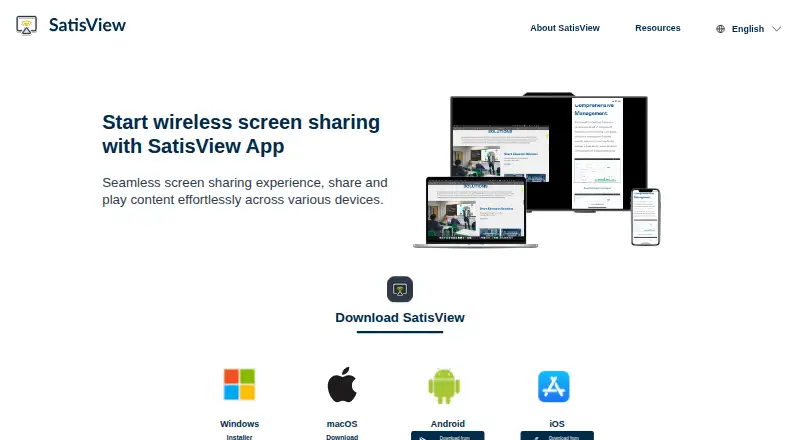
What SatisView is
SatisView is a free app for wireless screen sharing in work and learning environments. It supports AirPlay and Google Cast, and its Sender App can share a personal device’s screen with a UX Series touchscreen. When Remote View is enabled, users can see touchscreen content on their own devices. Presenters can control presentations directly in SatisView, while a meeting leader can disconnect users, mute or unmute presentations, and switch between maximized and split-screen views. Sharing can reach multiple devices at once, with up to nine contents displayed simultaneously. The moderation button appears only after at least one user connects through the SatisView App. Starting and stopping presentations is available only to Sender App users on Windows, macOS, iOS, and Android; the Stop command disconnects native protocols such as AirPlay. Optional controls include Touch Back for operating the presenting laptop from the touchscreen, Login Code access before sharing, and No Disturb Mode to disable pop-up notifications during a presentation. SatisView is available for Android, iOS, macOS, and Windows. Downloads include Windows installer and install-free options, macOS, Google Play, and the App Store.
Who it suits
SatisView suits teams and educators who need wireless screen sharing across personal devices and UX Series touchscreens. It is also suited to meetings where a leader needs to manage connected presenters or display several contents at once.
What it does well
- Supports AirPlay and Google Cast.
- Shares to multiple devices simultaneously.
- Displays up to nine contents at once.
- Offers Touch Back, Login Code, and No Disturb Mode.
- Available on Android, iOS, macOS, and Windows.
What to know first
- Moderation appears only after a SatisView App user connects.
- Start and stop controls require the Sender App.
- The Stop command disconnects native protocols such as AirPlay.
Getting started
- Visit https://www.satisview.com/.
- Choose the Windows installer or install-free option, macOS download, Google Play, or App Store download.
- Open the Sender App to share a personal device’s screen with a UX Series touchscreen.
- Enable Remote View to let users view touchscreen content on personal devices.
- Use the Login Code setting if sharing should require a code.
Verdict
Choose SatisView for free wireless screen sharing with multi-device display and meeting controls. Look elsewhere if your workflow needs start and stop moderation without the Sender App or needs native protocols to remain connected after Stop.
Questions
Is SatisView free?
Yes. SatisView has a free plan.
Which platforms does SatisView support?
It is available for Android, iOS, macOS, and Windows.
Which screen-sharing protocols does it support?
SatisView supports AirPlay and Google Cast.
How many contents can it show at once?
It can show up to nine contents simultaneously and share to multiple devices.
Who publishes the Android app?
The Google Play listing names AUO Display Plus Corporation as its developer.
What data does the Google Play listing say the app handles?
It states that the app collects no data and shares no data with third parties.
Facts from SatisView's own pages
- Access code
- The Login Code setting can require users to enter a code before starting screen sharing. · docs.satisview.com, 9 Oct 2026
- Download options
- The homepage lists Windows installer and install-free downloads, macOS download, Google Play, and App Store options. · satisview.com, 9 Oct 2026
- Downloads
- The site lists Windows installer and install-free options, a macOS download, and Android and iOS app-store downloads. · satisview.com, 8 Oct 2026
- Free plan
- TechYorker’s SatisView listing says the product has a free plan and that paid prices are not published on the maker’s site. · techyorker.com, 8 Oct 2026
- Intended settings
- AUO Display Plus describes SatisView as a wireless collaboration solution for sharing screens in work and learning environments. · auodplus.com, 9 Oct 2026
- Mirroring protocols
- The SatisView homepage lists support for AirPlay and Google Cast. · satisview.com, 9 Oct 2026
- Moderation
- Meeting leaders can disconnect users, mute or unmute presentations, switch between maximized and split-screen views, and stop or start presentations. · docs.satisview.com, 9 Oct 2026
- Moderation availability
- The manual says the moderation button appears only when at least one user is connected to the SatisView App. · docs.satisview.com, 8 Oct 2026
- Multi-device sharing
- The homepage says SatisView can share simultaneously to multiple devices and show up to nine contents at once. · satisview.com, 9 Oct 2026
- Native protocol behavior
- The manual says the Stop command forces native protocols such as AirPlay to disconnect. · docs.satisview.com, 8 Oct 2026
- Notification control
- No Disturb Mode disables pop-up notifications while a presentation is underway. · docs.satisview.com, 9 Oct 2026
- One-to-many sharing
- The site says users can share simultaneously to multiple devices. · satisview.com, 8 Oct 2026
- Presentation control
- The homepage says users can control presentations directly on SatisView. · satisview.com, 9 Oct 2026
- Product
- SatisView describes itself as an app for wireless screen sharing across devices. · satisview.com, 8 Oct 2026
- Publisher and data safety
- The Google Play listing names AUO Display Plus Corporation as developer and states that the app shares no data with third parties and collects no data. · play.google.com, 9 Oct 2026
- Purpose
- SatisView provides wireless screen sharing for collaboration. · auodplus.com, 9 Oct 2026
- Remote view
- Users can view touchscreen content on personal devices through the SatisView Sender App when Remote View is enabled. · docs.satisview.com, 9 Oct 2026
- Remote viewing
- The site says users can view presentations on a personal device. · satisview.com, 8 Oct 2026
- Sender app
- The Sender App lets users share a personal device’s screen with a UX Series touchscreen. · docs.satisview.com, 9 Oct 2026
- Split-screen limit
- The site says SatisView can share up to nine contents at the same time. · satisview.com, 8 Oct 2026
- Stop and start control
- The manual says stopping or starting a presentation is exclusive to users of the SatisView Sender App on Windows, macOS, iOS, and Android. · docs.satisview.com, 8 Oct 2026
- Stop and start limit
- The Stop/Start moderation feature is exclusive to the SatisView Sender App on Windows, macOS, iOS, and Android. · docs.satisview.com, 9 Oct 2026
- Touch control
- The Touch Back setting lets users control the presenting laptop from the touchscreen. · docs.satisview.com, 9 Oct 2026
Where SatisView stands on Freedom251
- Screen Sharing Software#12 of 30