Freedom251 › Business Card Scanner Software
Salesforce Business Card Scanner
What Salesforce Business Card Scanner is
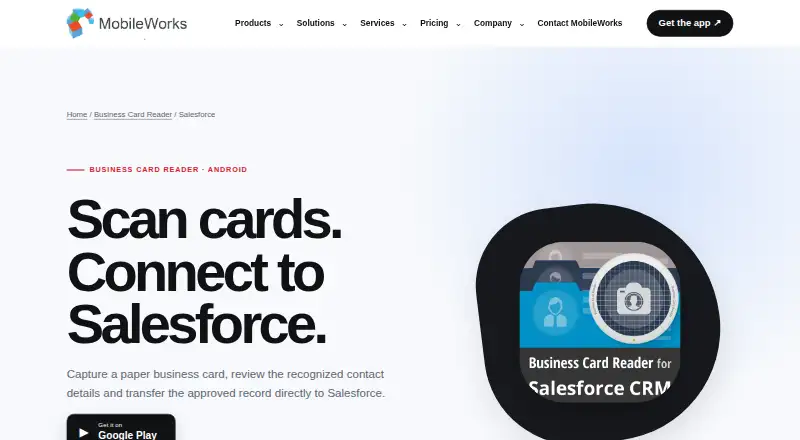
Salesforce Business Card Scanner is an Android app for turning business-card images into Salesforce contact records. It recognizes contact details from photographed cards or images already saved on the device, then lets users review and correct the fields before approving a record for transfer. Users can add text or voice notes to help with follow-up. Recognition supports 25 languages, including multilingual cards, according to the Google Play listing. The app is aimed at professionals gathering contacts at meetings, exhibitions, and field work. Approved contact data is sent to Salesforce; this edition is not presented as a direct Microsoft Excel integration. The free version includes 10 test recognitions, after which recognitions must be purchased. Personal plans are one-time purchases with no expiry: $14.99 USD for 110 recognitions, $27.99 USD for 300, $59.99 USD for 750, or $99.99 USD for 1,500, each for one user. Annual corporate plans cost $199.00 USD for 3,750 recognitions, $499.00 USD for 15,000, $2999.00 USD for 150,000, or $9999.00 USD for 1,500,000, with unlimited users. Plans list 24/7 support. The maker says card photos are sent to an OCR server and deleted after recognition, and recognized data returns encrypted.
Who it suits
It suits Android users who collect business contacts in meetings, exhibitions, or field work and want to review details before sending them to Salesforce. The personal plans are for one user, while the corporate plans allow unlimited users.
What it does well
- Recognizes cards in 25 languages, including multilingual cards.
- Accepts photographed cards and images saved on the device.
- Allows users to correct fields before approving Salesforce records.
- Supports text and voice follow-up notes.
- Plans list 24/7 support.
What to know first
- The free version covers 10 test recognitions only.
- Personal plans are limited to one user.
- The listed mobile platform is Android.
Limits
The free version includes 10 test recognitions; additional recognitions must be purchased. Personal plans cover one user and a fixed recognition allowance, while annual corporate plans have fixed recognition allowances and unlimited users.
Plans
| Plan | Billed and limits | Price |
|---|---|---|
| Free version | 10 test recognitions; purchase recognitions afterward | Free |
| Personal Starter | No expiry · 110 card recognitions · 1 user · 24/7 support | $14.99, paid once |
| Corporate Starter | 1 year · 3,750 card recognitions · Unlimited users · 24/7 support | $199 a year |
| Personal Basic | No expiry · 300 card recognitions · 1 user · 24/7 support | $27.99, paid once |
| Corporate Advanced | 1 year · 150,000 card recognitions · Unlimited users · 24/7 support | $2,999 a year |
| Corporate Basic | 1 year · 15,000 card recognitions · Unlimited users · 24/7 support | $499 a year |
| Personal Advanced | No expiry · 750 card recognitions · 1 user · 24/7 support | $59.99, paid once |
| Personal Professional | No expiry · 1,500 card recognitions · 1 user · 24/7 support | $99.99, paid once |
The first 8 of 9 plans, as magneticonemobile.com lists them, read 7 Oct 2026. The maker's own page has the final word. Every plan
Getting started
- Open the product website.
- Use the Google Play route for the Android edition.
- Check Google Play for current device and operating-system requirements.
- Choose the free version for 10 test recognitions or purchase a personal or corporate plan.
- Capture a card or select an image saved on the device, review the recognized fields, and approve the Salesforce contact.
Verdict
Choose Salesforce Business Card Scanner if you need Android card capture with review before Salesforce contact creation, and its recognition allowance fits your volume. The free version is limited to 10 test recognitions; compare the one-time personal allowances or annual corporate plans against the number of users and cards you handle.
Questions
Is there a free plan?
Yes. The free version includes 10 test recognitions, after which recognitions must be purchased.
How much does it cost?
Personal plans are one-time purchases, starting at $14.99 USD for 110 recognitions. Annual corporate plans start at $199.00 USD for 3,750 recognitions.
Which platform does it support?
The listed platform is Android. The product page directs users to Google Play for current device and operating-system requirements.
Does it connect to Salesforce?
Yes. Approved contact data is sent to Salesforce. This edition is not presented as a direct Microsoft Excel integration.
How does the maker handle card images and data?
The maker says card photos are sent to an OCR server and deleted from that server after recognition, and recognized data returns encrypted. It also says MobileWorks does not store transferred card photos or Business Card Reader user personal data.
Who makes the app?
MobileWorks says it was founded in Ukraine and has developed business-focused mobile products since 2014. Its headquarters are in Ternopil, Ukraine.
Facts from Salesforce Business Card Scanner's own pages
- Company history
- MobileWorks says it was founded in Ukraine and has developed business-focused mobile products since 2014. · magneticonemobile.com, 7 Oct 2026
- Compatibility
- The product page identifies this edition as Android and directs users to Google Play for current device and operating-system requirements. · magneticonemobile.com, 7 Oct 2026
- Data handling
- The maker says MobileWorks does not store transferred card photos or Business Card Reader user personal data. · magneticonemobile.com, 7 Oct 2026
- Founded
- 2014 · magneticonemobile.com, 28 Sept 2026
- Headquarters
- Ternopil, Ukraine · magneticonemobile.com, 28 Sept 2026
- Image import
- The app can process a business-card image already saved on the device. · magneticonemobile.com, 7 Oct 2026
- Integration
- This edition sends approved contact data to Salesforce and is not presented as a direct Microsoft Excel integration. · magneticonemobile.com, 7 Oct 2026
- Notes
- Users can add text or voice notes to support follow-up. · magneticonemobile.com, 7 Oct 2026
- Purpose
- The Android app recognizes contact details from photographed or saved business-card images and transfers the approved record to Salesforce. · magneticonemobile.com, 7 Oct 2026
- Recognition languages
- The Google Play listing says it supports recognition in 25 languages and multilingual card recognition. · play.google.com, 7 Oct 2026
- Recognition limit
- The Google Play listing describes a free version for 10 business-card recognitions, after which recognitions must be purchased. · play.google.com, 7 Oct 2026
- Security
- The maker says card photos are sent to an OCR server for recognition, then deleted from that server, and recognized data returns encrypted. · magneticonemobile.com, 7 Oct 2026
- Support
- The product pricing page lists 24/7 support for its personal and corporate plans. · magneticonemobile.com, 7 Oct 2026
- Supported users
- The maker describes the app for professionals collecting contact details at meetings, exhibitions and field work. · magneticonemobile.com, 7 Oct 2026
- Workflow
- Users can review and correct recognized fields before creating the Salesforce contact record. · magneticonemobile.com, 7 Oct 2026
Where Salesforce Business Card Scanner stands on Freedom251
- Business Card Scanner Software#17 of 24