Freedom251 › Business Card Scanner Software
Zoho Card Scanner
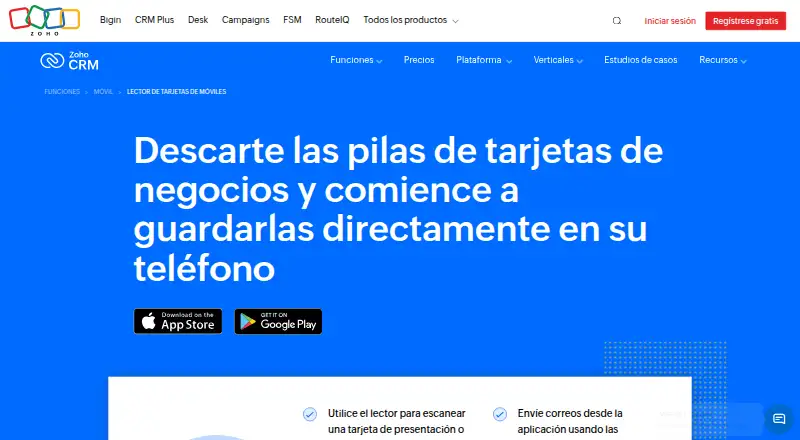
What Zoho Card Scanner is
Zoho Card Scanner captures information from business cards and QR codes, then saves it as a contact or lead in Zoho CRM. Its OCR reads card text into a local database arranged for syncing with CRM. The scanner can extract a person’s name, company, job title, email address, phone number, website, location address, and X (Twitter) ID, and reads business cards in 17 languages. Zoho says there is no limit to the number of cards stored in the app, and supports the scanner across all Zoho CRM editions.
After scanning, users can schedule follow-ups, add notes, and use configured CRM email templates. Custom CRM workflows can bring new contacts into a sales process. When a record already exists in CRM, the app prompts the user to merge it; email is the default field for duplicate checks. Export destinations listed by Zoho include Books, Invoice, Contact Manager, Mail, and CRM, as well as Salesforce and Google Contacts. The app runs on Android and iOS. Its free plan costs nothing, and there is no free trial. Zoho was founded in 1996 and is headquartered in Chennai, India.
Who it suits
Zoho Card Scanner suits teams capturing leads at webinars, trade shows, conferences, and other events, especially when sales teams need to follow up on contact records. It is also a fit for Zoho CRM users who want to scan cards on Android or iOS and route captured details into their CRM workflows.
What it does well
- Scans business cards and QR codes into CRM contacts or leads.
- Reads business cards in 17 languages.
- Stores an unlimited number of business cards.
- Supports all Zoho CRM editions.
- Exports to Zoho apps, Salesforce, and Google Contacts.
- Includes follow-up scheduling, notes, and CRM email templates.
What to know first
- Available on Android and iOS only.
- There is no free trial.
Limits
The free plan is listed as free. Zoho says there is no limit to the number of business cards stored, and the app is supported for all Zoho CRM editions.
Plans
| Plan | Billed and limits | Price |
|---|---|---|
| Zoho Card Scanner | No limit to the number of business cards you can store · supported for all Zoho CRM editions | Free |
As zoho.com lists them, read 4 Oct 2026. The maker's own page has the final word.
Getting started
- Open the Zoho Card Scanner website.
- Install the app on Android or iOS.
- Use the free plan, which is listed as free.
- Scan a business card or QR code to capture its details.
- Save the details as a contact or lead in Zoho CRM.
Verdict
Choose Zoho Card Scanner if your team captures contact details at events and wants them available as CRM leads or contacts, with follow-up and workflow options. Look elsewhere if you need a desktop platform, since the listed platforms are Android and iOS.
Questions
How much does Zoho Card Scanner cost?
The listed free plan costs nothing.
Is there a free trial?
No. The app has a free plan and no free trial.
Which platforms does it support?
Zoho Card Scanner runs on Android and iOS.
What information can it capture?
It can extract names, companies, job titles, email addresses, phone numbers, websites, location addresses, and X (Twitter) IDs. It also scans QR codes.
Which services can receive exported records?
Zoho lists Books, Invoice, Contact Manager, Mail, and CRM, as well as Salesforce and Google Contacts.
Does it detect duplicate records?
Yes. If a scanned record already exists in CRM, the app prompts the user to merge records. Email is the default field for duplicate checks.
Facts from Zoho Card Scanner's own pages
- Capacity
- Zoho says there is no limit to the number of business cards stored in the app. · help.zoho.com, 4 Oct 2026
- Data security
- Zoho's security page says customer data sent to its servers is protected in transit with TLS 1.2/1.3 and sensitive customer data at rest is encrypted with AES-256, depending on the service. · zoho.com, 4 Oct 2026
- Duplicate handling
- When a scanned record already exists in CRM, the app prompts the user to merge records; email is the default unique field for duplicate checks. · help.zoho.com, 4 Oct 2026
- Extracted fields
- The app can extract names, company, job title, email addresses, phone numbers, website, location address, and X (Twitter) ID. · help.zoho.com, 4 Oct 2026
- Follow-up
- The app supports scheduling follow-ups, using configured CRM email templates, and adding notes. · zoho.com, 4 Oct 2026
- Founded
- 1996 · zoho.com, 28 Sept 2026
- Headquarters
- Chennai, India · zoho.com, 28 Sept 2026
- Integrations
- Zoho lists exports to Books, Invoice, Contact Manager, Mail, and CRM, as well as Salesforce and Google Contacts. · zoho.com, 4 Oct 2026
- Intended users
- Zoho describes the app as a way for teams to capture leads at events such as webinars, trade shows, and conferences, so other teams can act on records promptly. · help.zoho.com, 4 Oct 2026
- Languages
- The product page says the scanner reads business cards in 17 languages. · zoho.com, 4 Oct 2026
- OCR
- Zoho says the app uses OCR and saves scanned text in a local database structured for syncing with CRM. · help.zoho.com, 4 Oct 2026
- Purpose
- The app scans business cards and QR codes, then saves the details as a contact or lead in Zoho CRM. · zoho.com, 4 Oct 2026
- Supported CRM editions
- The Card Scanner app is supported for all Zoho CRM editions. · help.zoho.com, 4 Oct 2026
- Workflow automation
- Zoho says custom CRM workflows can automatically bring new contacts into a sales process. · zoho.com, 4 Oct 2026
Where Zoho Card Scanner stands on Freedom251
- Business Card Scanner Software#19 of 24