Freedom251 › Business Card Scanning Software

Business Card Scan App
What Business Card Scan App is
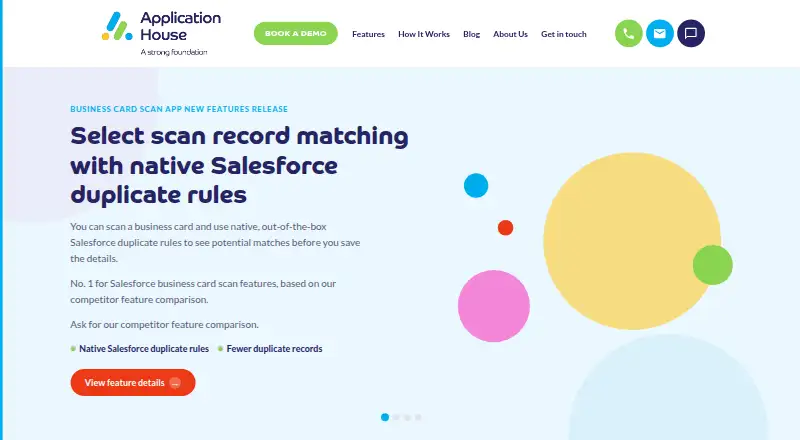
Business Card Scan App scans business cards, visiting cards and QR codes to create or match Salesforce records. OCR reads both sides of a card, and users can edit the captured details before saving. A scan can create or update several Salesforce record types, including Leads, Contacts, Accounts, Opportunities and custom objects. Configurable exact and fuzzy matching checks existing Salesforce data to help avoid duplicate records. The app is available on Android, iOS and the web, supports batch scanning, and can queue scans offline for syncing when a device reconnects. Its scanner reads cards in 15+ languages. Listed CRM integrations include Salesforce, HubSpot, Pipedrive, Microsoft Dynamics 365, Zoho, Sugar, SAP and Odoo; event integrations include Cvent, Expo Pass, Maritz, Swapcard and EventMobi. The maker describes it for sales, event and recruitment teams capturing leads. There is no free plan, but a free trial is available. The listed plan costs $10 a month, billed $10/User/Month, per user; nonprofit discounts are available. Pricing is also available on request.
Who it suits
It suits sales, event and recruitment teams that capture business leads and want scans to create or match Salesforce records. Its mobile apps, web access and offline queue support capture across different settings.
What it does well
- Creates or updates multiple Salesforce record types from one scan
- Edits OCR details before saving
- Checks for duplicates using exact and fuzzy matching
- Queues scans offline for later syncing
- Reads cards in 15+ languages
What to know first
- No free plan
- The listed plan is billed per user
- Pricing is also available on request
Limits
There is no free plan. Continued access uses the listed $10 a month plan, billed at $10/User/Month per user; a free trial is available.
Plans
| Plan | Billed and limits | Price |
|---|---|---|
| Accurate Business Card & QR Code Scan into Salesforce Lead, Contact, & Account | $10/User/Month · Per user; nonprofit discounts available | $10 a month |
As businesscardscan.com lists them, read 8 Oct 2026. The maker's own page has the final word.
Getting started
- Open the Business Card Scan App website
- Choose Android, iOS or the web version
- Start the available free trial
- Connect a supported CRM or event integration
- Select the listed per-user plan when continued access is needed
Verdict
Business Card Scan App combines card and QR scanning with Salesforce record creation, matching and duplicate checks. Consider the per-user plan and trial when assessing fit for your team.
Questions
Does Business Card Scan App have a free plan?
No. The app has a paid pricing model, with a free trial available.
How much does the listed plan cost?
“Accurate Business Card & QR Code Scan into Salesforce Lead, Contact, & Account” costs $10 a month, billed at $10/User/Month per user. Nonprofit discounts are available.
Which platforms support the app?
It is available on Android, iOS and the web.
Which systems can it integrate with?
Listed CRM integrations include Salesforce, HubSpot, Pipedrive, Microsoft Dynamics 365, Zoho, Sugar, SAP and Odoo. Event integrations include Cvent, Expo Pass, Maritz, Swapcard and EventMobi.
Can scans work without an internet connection?
Yes. Scans can be queued offline and synchronized when the device is back online.
How does it help prevent duplicate records?
Configurable exact and fuzzy matching checks existing Salesforce data before saving.
Facts from Business Card Scan App's own pages
- CRM and event integrations
- The maker lists Salesforce, HubSpot, Pipedrive, Microsoft Dynamics 365, Zoho, Sugar, SAP and Odoo, plus Cvent, Expo Pass, Maritz, Swapcard and EventMobi integrations. · businesscardscan.com, 8 Oct 2026
- Duplicate prevention
- Configurable exact and fuzzy matching checks existing Salesforce data before saving to help prevent duplicate records. · appexchange.salesforce.com, 8 Oct 2026
- Intended users
- The maker describes the app for sales, event and recruitment teams capturing business leads. · businesscardscan.com, 8 Oct 2026
- OCR
- The app supports OCR, double-sided card scanning and editing scanned details before saving. · appexchange.salesforce.com, 8 Oct 2026
- Offline mode
- The maker says scans can be queued offline and synced when the device is back online. · businesscardscan.com, 8 Oct 2026
- Platforms
- The maker describes access through the Salesforce Mobile App, a phone home-screen progressive web app and a desktop browser; the AppExchange listing specifies iOS and Android compatibility. · businesscardscan.com, 8 Oct 2026
- Product data terms
- The privacy policy says product use is governed by the AppExchange EULA and, for business customers, a separate Data Processing Agreement and scope of work. · businesscardscan.com, 8 Oct 2026
- Purpose
- Scans business cards, visiting cards and QR codes to create or match Salesforce records. · appexchange.salesforce.com, 8 Oct 2026
- Record creation
- One scan can create or update multiple Salesforce records, including Leads, Contacts, Accounts, Opportunities and custom objects. · appexchange.salesforce.com, 8 Oct 2026
- Scanning languages
- The feature page says the scanner reads business cards in 15+ languages. · businesscardscan.com, 8 Oct 2026
- Security and compliance
- The maker’s site privacy policy says it follows UK GDPR and the Data Protection Act 2018 and uses encryption in transit and access controls to protect personal information. · businesscardscan.com, 8 Oct 2026
- Support
- The maker invites prospects to contact its Salesforce team and says it will respond to the website form within one working day. · businesscardscan.com, 8 Oct 2026
Where Business Card Scan App stands on Freedom251
- Business Card Scanning Software#9 of 22
- Business Card Scanner Software#21 of 24