Freedom251 › Partition recovery software

RS RAID Retrieve
What RS RAID Retrieve is
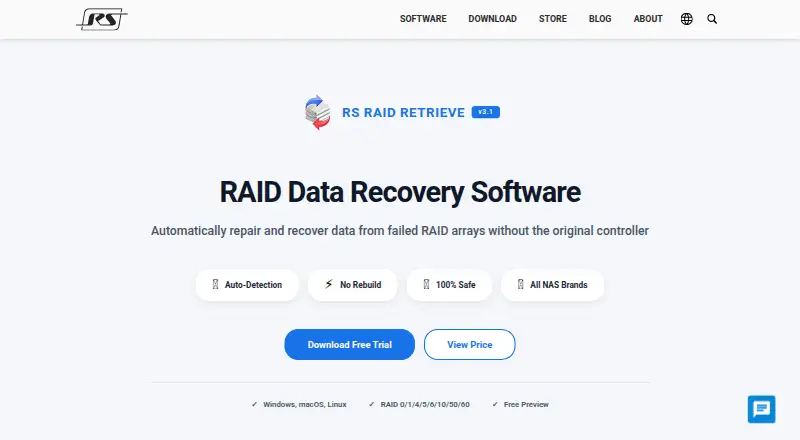
RS RAID Retrieve is data-recovery software for failed or degraded RAID arrays, including cases where the original controller is unavailable. It can work with RAID arrays, NAS and DAS devices, connected disks, virtual machine disk formats, and forensic images. The software says it identifies the RAID type, disk order, stripe size, and block offset automatically, usually in about five minutes. Supported configurations include RAID 0, 1, 4, 5, 6, 10, 50, and 60, JBOD, Synology SHR, ZFS RAIDZ, and Windows Storage Spaces. Listed NAS brands include Synology, QNAP, Western Digital, ASUSTOR, Thecus, TerraMaster, and Buffalo.
For remote recovery, it can connect over SSH to a NAS, server, or VMware ESXi host and analyze disks. Recovered files can be exported to network shares or FTP servers. The free edition lets you preview recoverable files; a paid license is required to save them. The maker says recovery runs read-only and does not write to original disks. It also lists recovery support for data encrypted with BitLocker, LUKS, VeraCrypt, Apple FileVault, and supported encrypted forensic images. Downloads are available for Windows, macOS, and Linux.
Who it suits
RS RAID Retrieve suits people working to recover data from failed RAID arrays, NAS or DAS devices, connected disks, virtual machine disk formats, or forensic images. Its remote SSH access and support for several encrypted formats may also suit recovery work involving remote systems or encrypted data.
What it does well
- Automatically detects RAID layout details, typically in about five minutes.
- Supports a broad range of RAID configurations and NAS brands.
- Connects over SSH to remote NAS, servers, and VMware ESXi hosts.
- Can export recovered files to FTP servers and network shares.
- Read-only recovery does not write to original disks, according to the maker.
- Lists support for BitLocker, LUKS, VeraCrypt, and Apple FileVault.
What to know first
- The free edition previews files but cannot save recovered data.
- Saving recovered files requires a paid license.
Limits
The free edition allows file previews but requires a paid license to save recovered data. The listed plans set different disk and computer limits, while their prices are not included in the supplied plan details.
Plans
| Plan | Billed and limits | Price |
|---|---|---|
| Up To 5 Disks | Up to 5 disks · one PC/server · lifetime free upgrades · free tech support | On request |
| Unlimited Disks | Unlimited disks · unlimited PCs/servers · third-party services permitted · lifetime free upgrades · free tech support | On request |
| Up To 3 Disks | Up to 3 disks · one PC/server · lifetime free upgrades · free tech support | On request |
As recoverhdd.com lists them, read 11 Oct 2026. The maker's own page has the final word.
Getting started
- Visit the RS RAID Retrieve website.
- Choose the download for Windows, macOS, or Linux.
- Select a plan based on its disk and computer limits.
- Use the free edition to preview recoverable files.
- Obtain a paid license to save recovered files.
Verdict
Choose RS RAID Retrieve if you need to analyze or recover data from RAID systems, NAS devices, or other listed recovery sources across Windows, macOS, or Linux. The free edition can help preview recoverable files, but saving them requires a paid license; consider that before choosing it for a recovery job.
Questions
Is RS RAID Retrieve free?
It has a free edition that can preview recoverable files. Saving recovered files requires a paid license.
Which operating systems does it support?
Downloads are listed for Windows, macOS, and Linux.
Which RAID types does it support?
Listed configurations include RAID 0, 1, 4, 5, 6, 10, 50, 60, JBOD, Synology SHR, ZFS RAIDZ, and Windows Storage Spaces.
Can it recover data from remote systems?
It can connect over SSH to a remote NAS, server, or VMware ESXi host to analyze disks and recover data.
Does it support encrypted data?
The product lists recovery support for BitLocker, LUKS, VeraCrypt, Apple FileVault, and supported encrypted forensic images.
Facts from RS RAID Retrieve's own pages
- Company
- RecoverySoftware says it has developed data-recovery software since 2008 and lists its address as 2590 Welton St, Denver, CO 80205, United States. · recoverhdd.com, 11 Oct 2026
- Encrypted data
- The product lists recovery support for encrypted BitLocker, LUKS, VeraCrypt, Apple FileVault, and supported encrypted forensic images. · recoverhdd.com, 11 Oct 2026
- Export options
- Recovered files can be saved to network locations including FTP servers and network shares. · recoverhdd.com, 11 Oct 2026
- NAS support
- The product lists NAS support for brands including Synology, QNAP, Western Digital, ASUSTOR, Thecus, TerraMaster, and Buffalo. · recoverhdd.com, 11 Oct 2026
- Payment security
- The purchase page says payment information is protected through SSL encryption. · recoverhdd.com, 11 Oct 2026
- Platform versions
- Downloads are listed for Windows, Mac OS, and Linux. · recoverhdd.com, 11 Oct 2026
- Preview and free edition
- The free edition can preview recoverable files, but saving recovered files requires a paid license. · recoverhdd.com, 11 Oct 2026
- Purpose
- RS RAID Retrieve is software for repairing and recovering data from failed or degraded RAID arrays, including arrays whose original controller is unavailable. · recoverhdd.com, 11 Oct 2026
- RAID detection
- The product says it automatically detects RAID type, disk order, stripe size, and block offset, typically in about five minutes. · recoverhdd.com, 11 Oct 2026
- RAID support
- Listed configurations include RAID 0, 1, 4, 5, 6, 10, 50, 60, JBOD, Synology SHR, ZFS RAIDZ, and Windows Storage Spaces. · recoverhdd.com, 11 Oct 2026
- Remote access
- The product supports connecting to a remote NAS, server, or VMware ESXi host over SSH to analyze disks and recover data. · recoverhdd.com, 11 Oct 2026
- Safety
- The maker says recovery operations are read-only and that the software does not write to original disks. · recoverhdd.com, 11 Oct 2026
- Support and refund
- The maker advertises live chat and email technical support and a 30-day money-back guarantee. · recoverhdd.com, 11 Oct 2026
Where RS RAID Retrieve stands on Freedom251
- Partition recovery software#14 of 33
- Data recovery software#56 of 128
- Partition Recovery Software#15 of 34